Índice
- Introducción
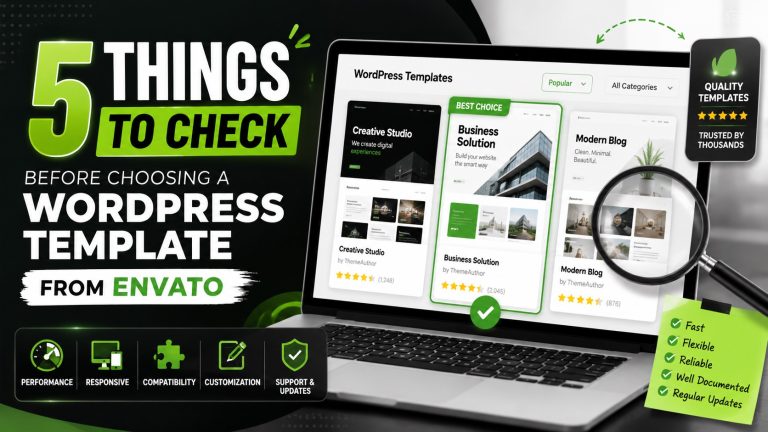
- 1. Calidad del código de las plantillas y rendimiento de los temas
- 2. Compatibilidad con el núcleo de WordPress y los plugins
- 3. Flexibilidad de personalización y opciones de temas
- 4. Documentación, asistencia y comunidad
- 5. Licencias, actualizaciones y reutilización
- Detective de herramientas de I.A.
- Preguntas frecuentes
- Conclusión
Introducción
Objetivo de esta guía
Esta guía te ayuda a Evalúa las plantillas de WordPress de Envato antes de comprarlas. Ofrece listas de comprobación prácticas y consejos adaptados a las necesidades reales del mundo del marketing. Tendrás una guía clara para evaluar la calidad, la compatibilidad y el valor a largo plazo.
Por qué la calidad y la compatibilidad de las plantillas son importantes para el marketing impulsado por la IA y la generación de clientes potenciales
Las plantillas de calidad te permiten ahorrar tiempo y reducir los riesgos cuando implementar la IA herramientas de divulgación, contenido y análisis. Una plantilla bien diseñada garantiza una carga rápida, un diseño accesible y una integración fiable con el marketing complementos.
- El rendimiento es importante: los sitios web más rápidos generan más conversiones y admiten cargas de trabajo de IA.
- La compatibilidad reduce los problemas con las herramientas de IA y los flujos de trabajo de automatización.
- Seguridad en la personalización: fácil de mantener temas evitar la pérdida de clientes a medida que los planes se amplían.
Basamos todas nuestras recomendaciones en el uso real. El objetivo es ayudarte a elegir plantillas de Envato que se adapten perfectamente a tu ecosistema de marketing basado en IA, evitando al mismo tiempo los errores más comunes.
1. Calidad del código de las plantillas y Tema Rendimiento
Revisa el código limpio, el marcado semántico y accesibilidad
Busca una estructura HTML limpia y ordenada, con elementos semánticos. Las etiquetas, los encabezados y los puntos de referencia ayudan a los lectores de pantalla y a los motores de búsqueda a comprender el contenido.
Asegúrate de que el CSS sea modular y tenga un ámbito de aplicación bien definido para evitar que los estilos se propaguen entre componentes. Una nomenclatura coherente de las clases facilita las actualizaciones futuras.
- Navegación accesible con texto alternativo significativo y consideraciones sobre ARIA
- Controles de formulario claramente etiquetados y gestión de errores
- Respeto por el contraste de colores y la tipografía adaptativa
Revisar los indicadores de rendimiento y las prácticas de optimización
El rendimiento es fundamental para la experiencia del usuario y las cargas de trabajo basadas en la inteligencia artificial. Una plantilla bien optimizada se carga rápidamente y se adapta al crecimiento del contenido.
- Entrega optimizada de recursos mediante la carga diferida y formatos de imagen eficientes
- Scripts minimizados y concatenados con un orden de carga adecuado para reducir el bloqueo de la representación
- Uso de estrategias de almacenamiento en caché y de un marco de trabajo ligero o JavaScript puro siempre que sea posible
| Aspecto | Qué hay que comprobar | Impacto |
|---|---|---|
| Calidad del código | HTML semántico, código limpio, atributos de accesibilidad | Mejor posicionamiento en buscadores (SEO) y usabilidad para todos los usuarios |
| Rendimiento | Optimización de recursos, carga diferida, scripts eficientes | Tiempos de carga más rápidos e integraciones de IA más fluidas |
| Facilidad de mantenimiento | CSS modular, estructura lógica de archivos, nomenclatura clara | Actualizaciones a largo plazo más sencillas y menos regresiones |
2. Compatibilidad con el núcleo de WordPress y Complementos
Comprobar la compatibilidad con la última versión de WordPress
Asegúrate de que la plantilla indique claramente la compatibilidad con el núcleo actual de WordPress, incluyendo los rangos de versiones compatibles y los plazos de mantenimiento. Mantener la plantilla al día con la última versión del núcleo reduce las brechas de seguridad y las incompatibilidades en las funciones.
- Probado oficialmente con la última versión de WordPress
- Actualizaciones periódicas sincronizadas con los cambios en el núcleo
- Notas sobre funciones obsoletas y pasos para la migración
Evaluar cómo se integra la plantilla con los complementos esenciales y posibles conflictos con las herramientas de IA
Evaluar cómo se integra la plantilla con los complementos esenciales en las que confías. Las herramientas de IA para la automatización, el análisis y la creación de contenidos deben integrarse sin alterar los estilos ni la funcionalidad.
- Compatibilidad integrada con los creadores de páginas más populares y con el SEO complementos
- Notas sobre conflictos relacionados con el almacenamiento en caché, la seguridad y las integraciones de IA
- Orientaciones para la resolución de complemento cuestiones concretas sin comprometer el diseño
| Aspecto | Qué hay que comprobar | Impacto |
|---|---|---|
| Alineación del núcleo | Versiones de WordPress compatibles y frecuencia de actualizaciones | Reduce los fallos tras las actualizaciones del núcleo |
| Complemento compatibilidad | Lista de los que se han probado complementos y los conflictos conocidos | Un flujo de trabajo fluido para las herramientas de IA y la automatización |
| Resolución de conflictos | Pasos claros para la resolución de problemas y la reversión de cambios | Recuperación más rápida con un tiempo de inactividad mínimo |
3. Flexibilidad de personalización y Tema Opciones
Revisar las opciones de personalización integradas y la compatibilidad con el generador de páginas
Quieres una plantilla que se adapte sin tener que realizar grandes modificaciones en el código. Busca un conjunto sólido de tema opciones, combinaciones de colores modulares y controles tipográficos. Fácil personalización: opciones de «arrastrar y soltar» para editar sin esfuerzo debe ser explícito y contar con puntos de integración claros.
- Ajustes predefinidos globales de colores y tipografías que se adaptan a tu marca
- Plantillas prediseñadas para las páginas principales, además de plantillas para el encabezado, el pie de página y el archivo
- Compatibilidad con la función de arrastrar y soltar en los creadores más populares y áreas de widgets que se integran a la perfección
Evaluar la facilidad de mantenimiento de las personalizaciones para su uso a largo plazo
Piensa en lo fácil que es actualizar sin afectar al trabajo ya realizado. Da prioridad a temas que separen el contenido de la presentación y reduzcan al mínimo los valores codificados de forma fija.
- Niño-tema disponibilidad y vías de actualización claras
- Fragmentos de código documentados y comentarios en línea para futuros editores
- Convenciones de nomenclatura coherentes y CSS aislado para evitar la deriva de estilos
| Aspecto | Qué hay que comprobar | Impacto |
|---|---|---|
| Nivel de personalización | Disponible tema opciones, compatibilidad con el generador | Menos cambios en el código cuando se producen actualizaciones de la marca |
| Facilidad de mantenimiento | Niño tema asistencia técnica, notas de actualización claras | Menor riesgo de regresiones tras las actualizaciones |
| Calidad del código | CSS y JS modulares y bien documentados | Mayor facilidad en el mantenimiento a largo plazo y en la escalabilidad |
4. Documentación, asistencia y comunidad
Evaluar la calidad de la documentación y el historial de actualizaciones
Una documentación clara te ayuda a ponerte en marcha rápidamente y a reducir los riesgos de configuración. Busca guías prácticas que expliquen los pasos para la instalación, la personalización y la resolución de problemas habituales. El historial de actualizaciones debe reflejar el mantenimiento continuo y la adaptación a los cambios de WordPress.
- Guías estructuradas para la instalación y la personalización
- Registro de cambios con fechas y correcciones en las plantillas y los recursos principales
- Materiales de referencia en los que se pueden realizar búsquedas y que se pueden descargar
Evaluar los canales de apoyo disponibles y los recursos comunitarios
La existencia de múltiples canales de asistencia agiliza la resolución de incidencias. Es preferible establecer expectativas claras en cuanto a las respuestas, plazos rápidos y procedimientos de escalado. Una comunidad de usuarios activa acelera la resolución de problemas y el intercambio de conocimientos.
- Centro de ayuda oficial con tutoriales y preguntas frecuentes
- Sistema de tickets o chat en directo para consultas urgentes
- Foros o grupos activos para el intercambio de consejos entre pares y de buenas prácticas
| Aspecto | Qué hay que comprobar | Impacto |
|---|---|---|
| Nivel de detalle de la documentación | Secciones completas sobre configuración, personalización y resolución de problemas | Acelera la implantación y reduce los errores |
| Frecuencia de actualización | Notas de lanzamiento y calendarios periódicos y transparentes | Mantiene las plantillas actualizadas según los cambios de WordPress |
| Variedad de soportes | Varios canales y expectativas claras en cuanto a las respuestas | Mejora en los tiempos de resolución y en la confianza |
5. Licencias, actualizaciones y reutilización
Comprender las condiciones de la licencia y la diferencia entre el uso por sitio y el uso multisitio
La licencia regula cómo se puede utilizar una plantilla de WordPress en distintos proyectos. Comprueba si la licencia cubre un único sitio web o si permite su implementación en varios sitios. Esto influye en la rentabilidad y en la escalabilidad futura.
- Las licencias por sitio limitan el uso a un solo dominio
- Las licencias multisitio permiten la implementación en varios proyectos
- Aclarar los derechos de sublicencia para los trabajos de los clientes y los casos de reventa
Ten en cuenta la frecuencia de las actualizaciones y la reutilización de recursos entre proyectos
Las actualizaciones periódicas garantizan que las plantillas se mantengan en sintonía con el núcleo de WordPress y complementos. Busca un calendario de lanzamientos predecible y unas directrices claras sobre actualizaciones. La reutilización es importante a la hora de reutilizar secciones, plantillas o recursos en futuras versiones.
- Frecuencia de actualización y horario de asistencia definidos
- Portabilidad de recursos para fuentes, imágenes y bloques de interfaz de usuario
- Notas sobre la compatibilidad con versiones anteriores para minimizar el trabajo adicional
| Aspecto | Qué hay que comprobar | Impacto |
|---|---|---|
| Ámbito de aplicación de la licencia | Subsidios para un único centro frente a subsidios para varios centros; condiciones de uso del cliente | Orientación sobre costes y flexibilidad en la reutilización |
| Política de actualizaciones | Frecuencia de actualizaciones, garantías de compatibilidad, orientación sobre actualizaciones | Un mantenimiento sin complicaciones y un menor riesgo de tener que volver a realizar el trabajo |
| Portabilidad de activos | Plantillas, bloques y recursos multimedia movibles | Una adaptación más rápida en todos los proyectos |
Detective de herramientas de I.A.
Cómo analiza la plataforma las plantillas para satisfacer las necesidades de marketing basadas en la inteligencia artificial
Obtendrás una perspectiva práctica para evaluar las plantillas de Envato en función de los objetivos relacionados con la IA y la automatización. La plataforma analiza la limpieza del código, la estructura semántica y accesibilidad para facilitar la extracción fiable de datos y la indexación en la propia página para las herramientas de inteligencia artificial.
Además, comprueba la compatibilidad con bloques de contenido dinámico, la preparación para el marcado de esquemas y los metadatos de los vídeos o recursos incrustados. Estos factores influyen en la facilidad con la que un sistema de IA puede interpretar y reutilizar los componentes de las plantillas para campañas personalizadas.
- Indicadores de calidad del código que reducen los errores de análisis sintáctico en los scripts de automatización
- Un marcado accesible que mejora la fiabilidad de los lectores de pantalla y los bots
- Metadatos y etiquetado de activos para agilizar la catalogación mediante IA
Qué hay que tener en cuenta en las plantillas de Envato desde el punto de vista de la inteligencia artificial y la automatización
Desde el punto de vista de la IA, céntrate en plantillas que permitan una variación fluida del contenido, secciones basadas en datos y una visualización predecible en todos los dispositivos. Da prioridad a las plantillas con bloques modulares que puedan intercambiarse o reconfigurarse mediante flujos de trabajo de IA sin alterar el diseño.
- Separación clara entre el contenido y la presentación para facilitar la automatización
- Compatibilidad integrada con contenido dinámico y secciones personalizadas
- Opciones bien documentadas para integrar herramientas de IA y complementos
| Consideraciones sobre la IA | Qué hay que comprobar | Impacto |
|---|---|---|
| Estructura semántica | Orden correcto de los encabezados, atributos ARIA y navegación accesible | Mejora en la interpretación de la IA y accesibilidad |
| Bloques dinámicos | Componentes modulares y reutilizables con entradas claras | Variaciones de contenido más rápidas impulsadas por la IA |
| Metadatos de los activos | Texto alternativo descriptivo, leyendas y etiquetas | Etiquetado y búsqueda de recursos de IA más precisos |
Preguntas frecuentes
¿Cómo puedo probar una plantilla de WordPress antes de comprarla?
Empieza con una demostración en directo o un sitio de prueba para comprobar las funciones principales, la adaptabilidad a distintos dispositivos y la compatibilidad con los editores. Busca una versión de prueba o un entorno de pruebas que se ajuste a tu configuración.
- Comprueba la velocidad de la página en la demo para evaluar su rendimiento.
- Prueba las plantillas de claves con tu complementos y herramientas de inteligencia artificial.
- Verificar accesibilidad y la estructura semántica en el entorno de demostración.
¿Puedo cambiar de plantilla sin perder el contenido?
Sí, pero planifica una migración fluida manteniendo el contenido en el editor de WordPress y utilizando los mismos tipos de entradas. El objetivo es conservar los datos al tiempo que se reajusta el diseño.
- Exporta y haz una copia de seguridad de tu contenido antes de cambiar de plantilla.
- Utiliza un sitio de prueba para comprobar que el diseño sea compatible con tu contenido.
- Prepárate para reconfigurar los bloques o módulos personalizados tras el cambio.
| Preocupación | Qué hay que comprobar | Impacto |
|---|---|---|
| Conservación de datos | El contenido se mantiene intacto aunque se modifique la plantilla | Mínima necesidad de reelaboración |
| Compatibilidad de diseño | Las páginas existentes se muestran correctamente con las nuevas plantillas | Menos ajustes visuales |
| Complemento interacciones | Clave complementos trabajar sin conflictos | Funcionalidad estable |
Conclusión
Resumen de la lista de comprobación final
Concluye centrándote en criterios prácticos y cuantificables. Da prioridad a la calidad del código, complemento compatibilidad, grado de personalización, documentación y condiciones de licencia. Estos factores influyen en la fiabilidad, la facilidad de mantenimiento y la reutilización en distintos proyectos.
- Comprobar que el código sea limpio y accesible, y que se sigan las mejores prácticas de rendimiento
- Comprueba el núcleo de WordPress y complemento compatibilidad, sobre todo con las herramientas de IA
- Evaluar las opciones de personalización y la facilidad de mantenimiento a largo plazo
- Evaluar la documentación, las actualizaciones y los canales de asistencia
- Comprender las condiciones de la licencia para el uso en un único centro y en varios centros
Próximos pasos para elegir una plantilla de WordPress de Envato
Empieza con un plan de pruebas estructurado en un entorno de prueba que refleje tus flujos de trabajo basados en IA y las variaciones de contenido. Asegúrate de que las herramientas de automatización puedan reconfigurar los recursos y los bloques sin que se produzcan errores de maquetación.
- Rendimiento de ejecución y accesibilidad comprobaciones en un conjunto de páginas representativas
- Prueba las integraciones clave con tu IA y tus herramientas de automatización preferidas complementos
- Revisa el alcance de la licencia y la periodicidad de las actualizaciones antes de realizar la compra.
| Criterio de decisión | Acción | Resultado esperado |
|---|---|---|
| Calidad del código | Revisar el marcado, la estructura semántica y ARIA | Análisis fiable de contenidos mediante IA |
| Compatibilidad | Comprobar la versión del núcleo de WordPress y complementos | Menos conflictos |
| Personalización | Revisar las opciones integradas y la compatibilidad con el generador de páginas | Adaptaciones futuras flexibles |
Referencias