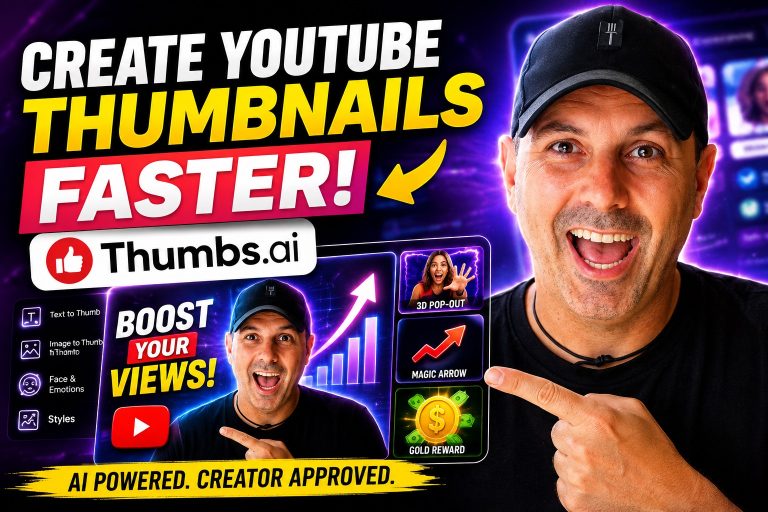
Erstellen YouTube Das Erstellen von Miniaturansichten war schon immer eine dieser Aufgaben, die einfach klingen, bis man tatsächlich anfängt, sie regelmäßig zu erledigen.
Ein Vorschaubild kann darüber entscheiden, ob jemand auf Ihr Video klickt oder daran vorbeiscrollt. Es spielt keine Rolle, wie gut der Inhalt ist, wenn gar niemand darauf klickt.
Im Laufe der Jahre habe ich Canva, Photoshop, Photopea, KI-Bildgeneratoren und verschiedene Tools zur Erstellung von Miniaturansichten. Einige waren zu kompliziert. Andere erzeugten Miniaturansichten, die künstlich oder generisch wirkten.
Seit Kurzem nutze ich Thumbs.ai, und nachdem ich mehrere Vorschaubilder für meine Videos erstellt hatte, wollte ich meine tatsächlichen Erfahrungen mit der Plattform teilen – was mir gefallen hat, was mich überrascht hat und wie ich sie persönlich in meinem täglichen Arbeitsablauf nutze.
Dies ist keine gesponserte Rezension. Es handelt sich lediglich um eine ehrliche Einschätzung des Tools aus der Perspektive einer Person, die regelmäßig Inhalte erstellt und Miniaturansichten benötigt, die Aufmerksamkeit erregen, ohne stundenlang Bilder bearbeiten zu müssen.
Erste Eindrücke
Das Erste, was mir auffiel, nachdem ich mich bei Thumbs AI war, dass die Benutzeroberfläche sehr übersichtlich ist.
Anstatt die Nutzer mit Dutzenden von Schaltflächen und komplizierten Menüs zu überfordern, konzentriert sich die Plattform auf eine einzige Sache:
Erstellen YouTube Miniaturansichten im Handumdrehen.
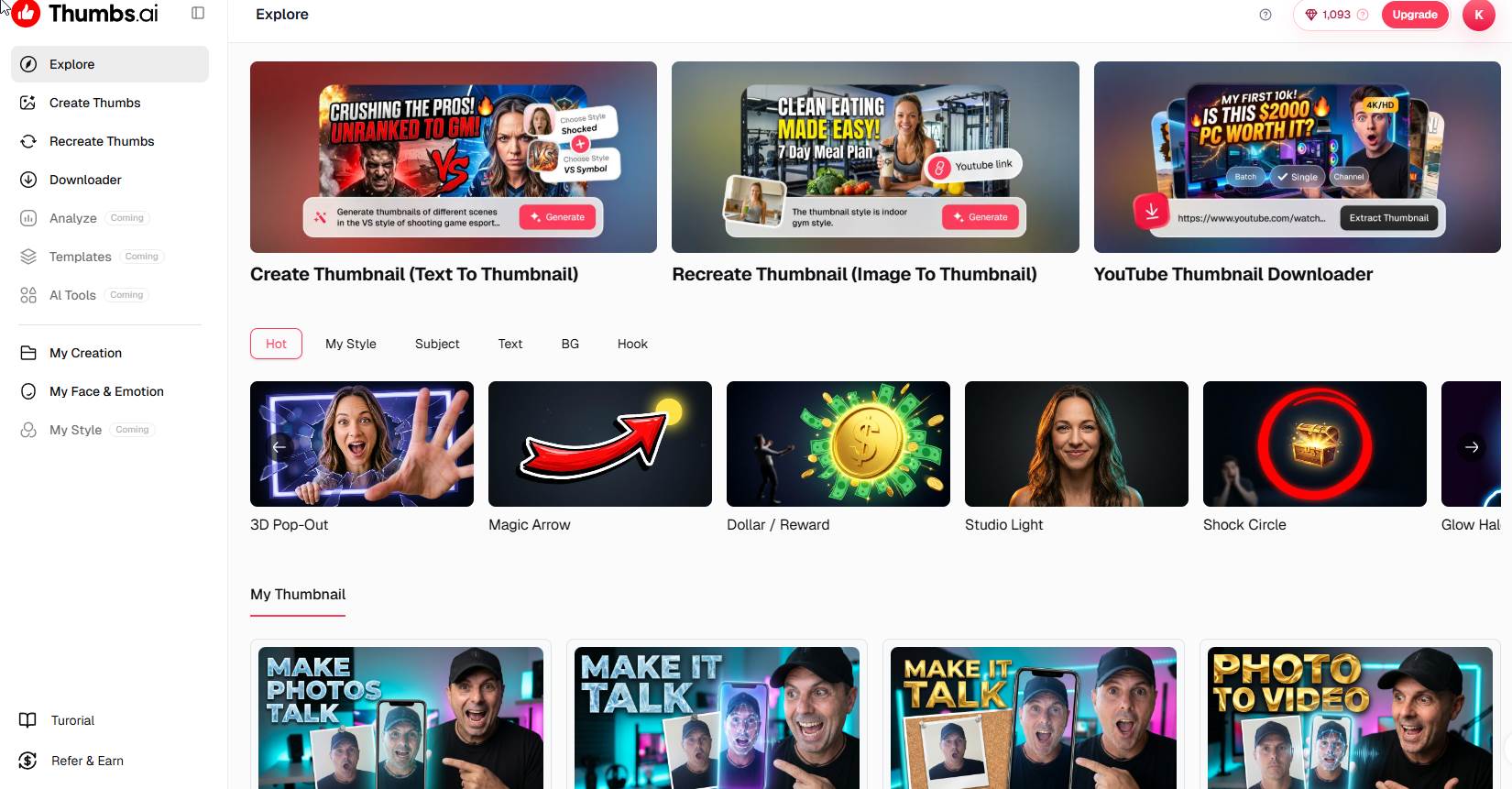
Auf dem Haupt-Dashboard werden sofort mehrere Optionen angezeigt:
- Miniaturbild erstellen (Text zu Miniaturbild)
- Miniaturansicht neu erstellen (Bild in Miniaturansicht)
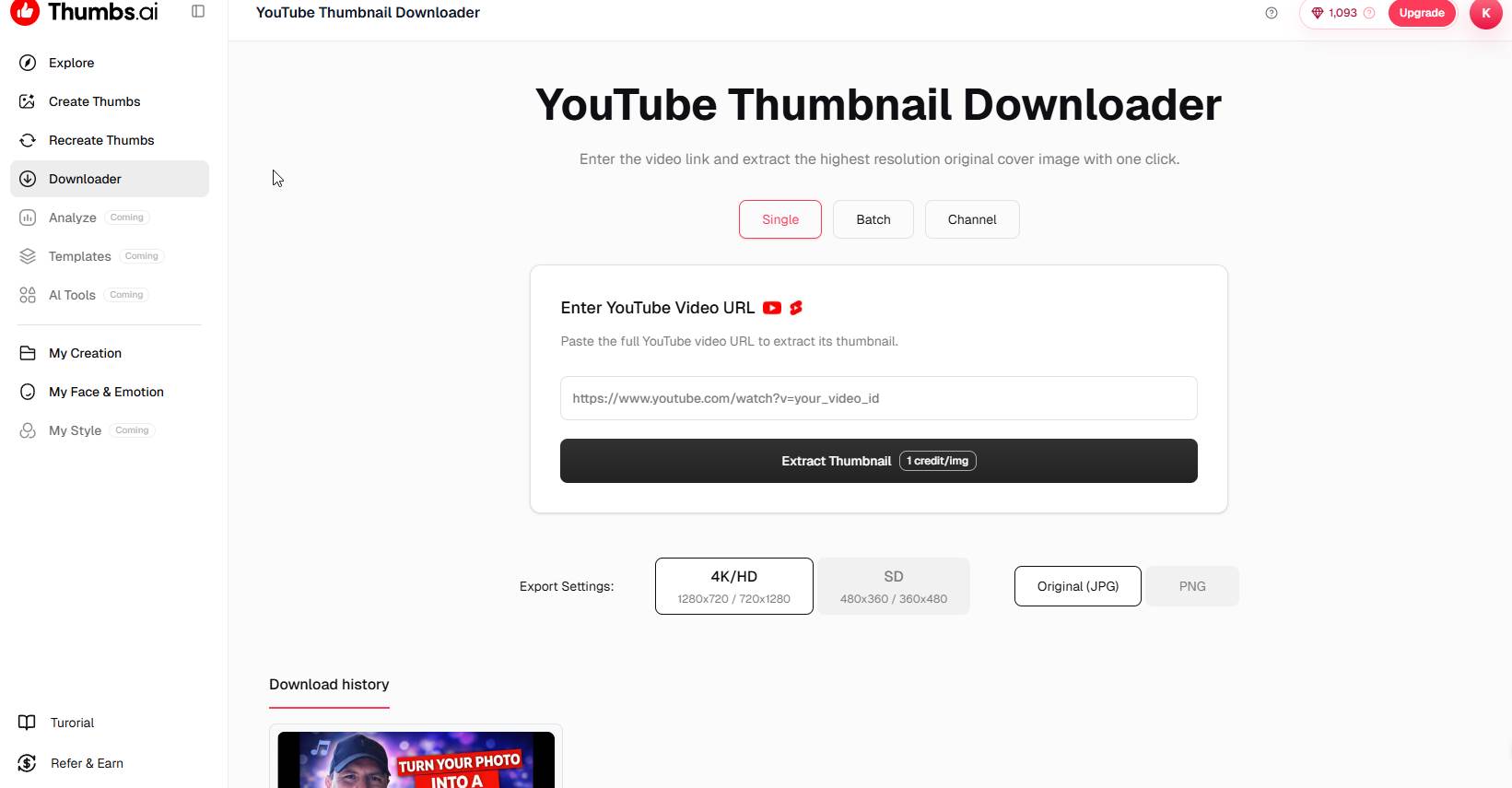
- Miniaturbild-Downloader
- Gesichts- und Emotionsbibliothek
- Stile für Miniaturansichten
- Verlauf der Miniaturansichten
Alles ist auf den Prozess der Erstellung von Miniaturansichten ausgerichtet.
Für Content-Ersteller, die nicht stundenlang damit verbringen möchten, sich in eine Design-Anwendung einzuarbeiten, ist diese Einfachheit eine willkommene Abwechslung.
So nutze ich es Thumbs.ai
Mein Arbeitsablauf beginnt in der Regel mit einer Idee für ein Video.
Nehmen wir einmal an, ich erstelle eine Rezension, ein Tutorial, eine Demonstration eines KI-Tools, ein Affiliate-Marketing-Video oder ein WordPress-Tutorial.
Anstatt Photoshop zu öffnen und alles manuell zu erstellen, gehe ich direkt zum Abschnitt „Text to Thumbnail“.
Von da an beschreibe ich einfach, was ich möchte.
Zum Beispiel:
“Begeisterter Entwickler, der auf das Dashboard einer KI-Software zeigt, leuchtend blauer Hintergrund, YouTube ”Miniaturansicht-Stil, filmreife Beleuchtung, hoher Kontrast, professionell“
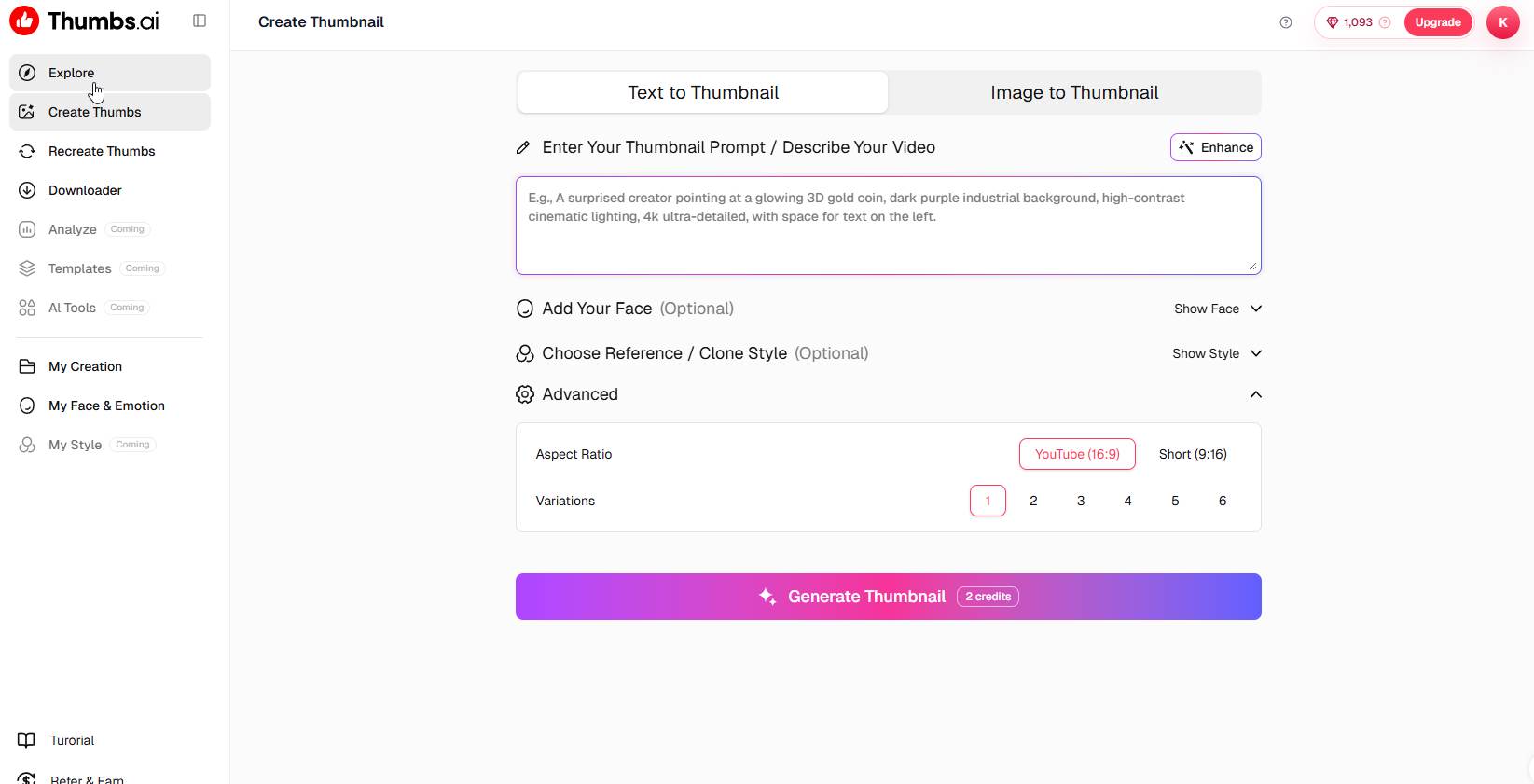
Die KI nimmt diese Beschreibung als Grundlage und generiert Entwürfe für Miniaturansichten.
Was ich interessant fand, ist, dass die generierten Bilder speziell für YouTube Klickbarkeit statt generischer Grafiken.
Diese Unterscheidung ist wichtig.
Viele KI-Bildgeneratoren erstellen zwar wunderschöne Bilder, aber nicht unbedingt gute Vorschaubilder.
Thumbs.ai scheint die Bildsprache erfolgreicher YouTube Miniaturansichten.
Die Funktion „Gesicht und Emotionen“
Eine meiner Lieblingsfunktionen ist das „Face & Emotion“-System.
Wie auf meinen Screenshots zu sehen ist, habe ich mehrere hochgeladen Fotos von mir selbst und schuf verschiedene emotionale Variationen.
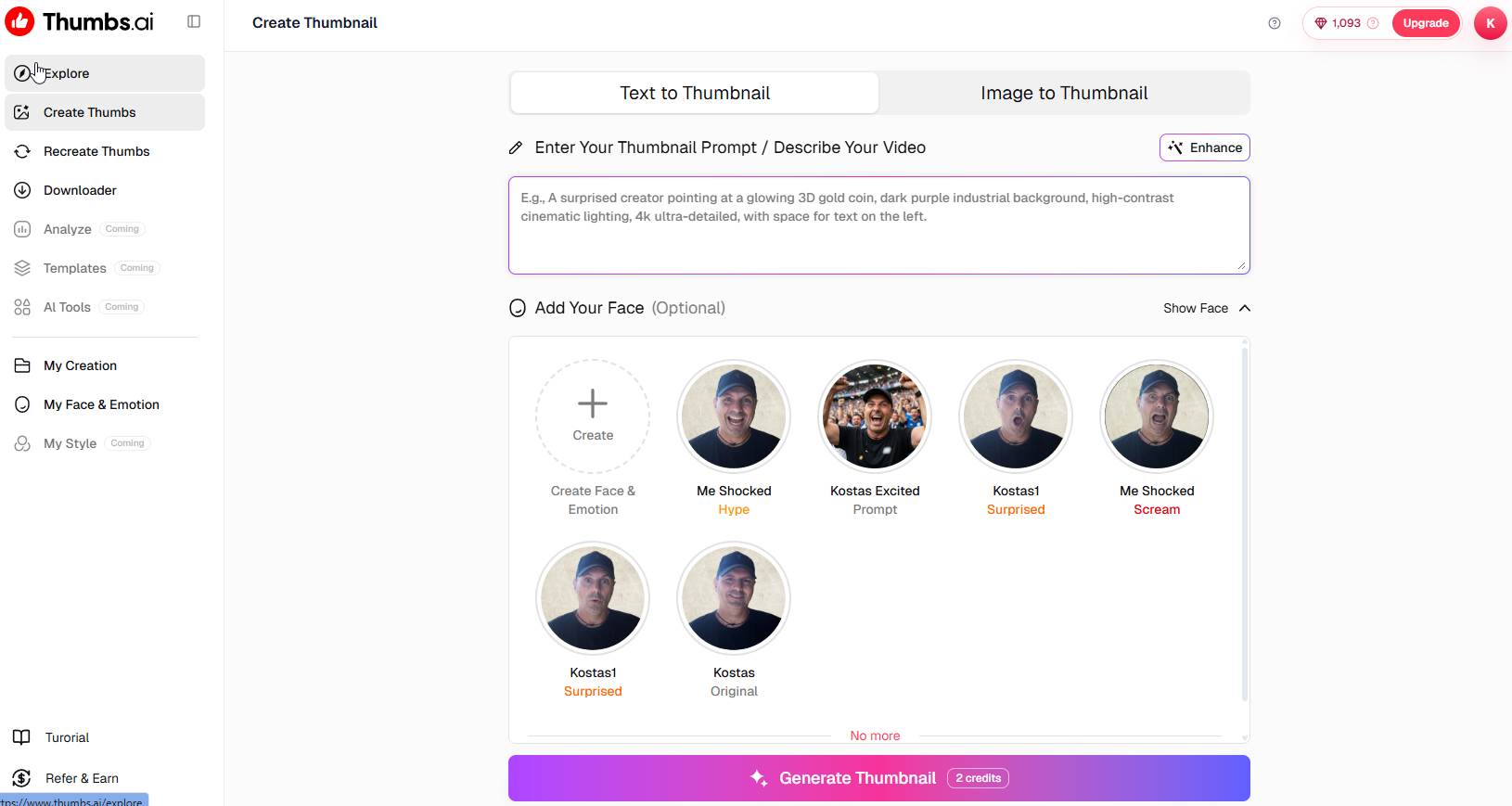
Dazu gehören:
- Schockiert
- Aufgeregt
- Überrascht
- Schreien
- Ursprünglicher neutraler Ausdruck
Das hat mir enorm viel Zeit gespart.
Normalerweise müsste ich mehrere Fotos oder Gesichtsausdrücke manuell bearbeiten.
Stattdessen kann ich einfach die Version auswählen, die zu der Emotion passt, die ich in der Miniaturansicht vermitteln möchte.
Zum Beispiel:
Wenn ich ein neues KI-Tool mit überraschenden Funktionen teste, verwende ich die „schockierte“ Variante.
Wenn ich etwas Spannendes vorführe, verwende ich die begeisterte Variante.
Wenn ich über eine große Chance oder einen Durchbruch spreche, verwende ich vielleicht die überraschte Variante.
Dadurch wird ein einheitliches Erscheinungsbild auf meinem Kanal gewährleistet, während die Vorschaubilder gleichzeitig visuell ansprechend bleiben.
Die Stilvorlagen
Eine weitere Funktion, die ich regelmäßig nutze, ist die Auswahl des Miniaturbildstils.
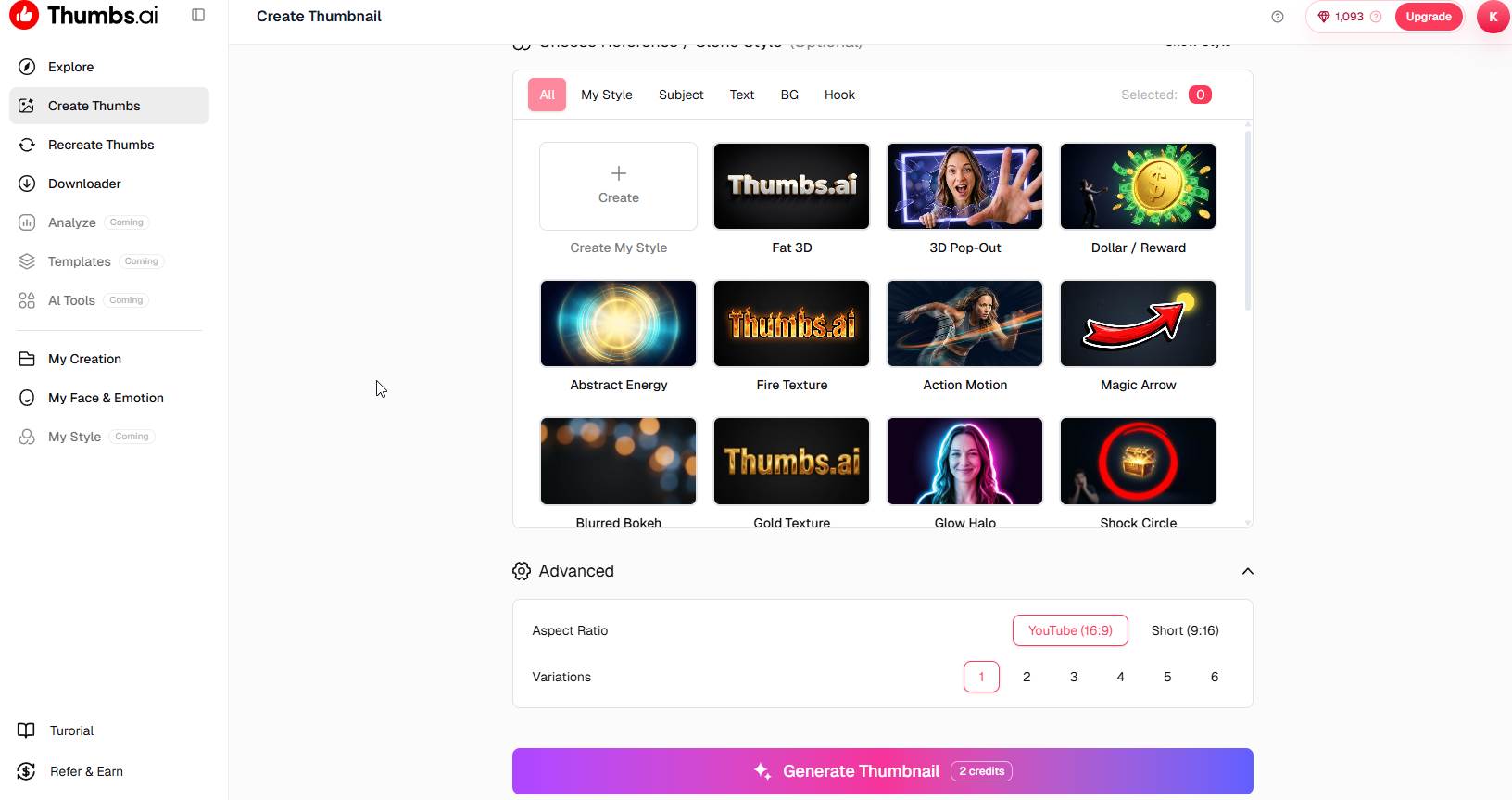
Thumbs.ai enthält vorgefertigte Stile wie beispielsweise:
- 3D-Pop-Out
- Dollar-Prämie
- Studiobeleuchtung
- Zauberpfeil
- Leuchtender Heiligenschein
- Schockkreis
- Goldtextur
- Feuertextur
- Action-Film
Diese Stile sind nicht nur Filter.
Sie bieten visuelle Rahmenkonzepte, wie sie häufig in leistungsstarken YouTube Miniaturansichten.
Der „Magic Arrow“-Stil lenkt beispielsweise sofort die Aufmerksamkeit auf ein bestimmtes Objekt.
Der „Dollar Reward“-Stil eignet sich gut für Marketing- und Geldverdienungsvideos.
Der „Shock Circle“-Stil hilft dabei, ein Produkt oder ein Schlüsselelement hervorzuheben.
Der 3D-Pop-Out-Effekt erzeugt Tiefe und hebt die Motive vom Hintergrund ab.
Wenn ich Inhalte für das Affiliate-Marketing erstelle, kombiniere ich oft mein eigenes Gesicht mit einem dieser Stile, da das Endergebnis dadurch professioneller und ansprechender wirkt.
Miniaturansichten aus vorhandenen Bildern erstellen
Eine Funktion, von der ich nicht gedacht hätte, dass ich sie so oft nutzen würde, ist die Option „Bild in Miniaturansicht“.
Manchmal habe ich bereits:
- Ein Screenshot einer Softwareplattform
- Ein Website-Dashboard
- Eine Landingpage
- A YouTube Screenshot
- Ein Produktbild
Anstatt alles von Grund auf neu zu erstellen, lade ich das Bild hoch und lasse Thumbs.ai um daraus ein Konzept für eine Miniaturansicht zu entwickeln.
Dies ist besonders nützlich für Software-Rezensionen.
Wenn ich beispielsweise eine KI-Plattform bewerte, kann ich einen Screenshot des Dashboards hochladen und die KI ein ansprechenderes Vorschaubild daraus erstellen lassen.
Das Ergebnis sieht in der Regel viel professioneller aus, als wenn man einfach nur einen Screenshot auf eine Leinwand manuell.
Miniaturbild-Downloader
Die Plattform umfasst außerdem eine YouTube Miniaturbild-Downloader.
Auf den ersten Blick mag dies wie eine Kleinigkeit erscheinen.
Bei der Analyse von Wettbewerbern erweist es sich jedoch als nützlich.
Ich analysiere oft erfolgreiche Videos aus meiner Nische.
Da ich die Miniaturansichten in hoher Qualität herunterladen kann, kann ich Folgendes überprüfen:
- Textplatzierung
- Farbauswahl
- Mimik
- Layoutstrukturen
- Visuelle Hierarchie
Das bedeutet nicht, dass man andere Kreative kopieren soll.
Das bedeutet, zu verstehen, was Klicks generiert, und aus erfolgreichen Beispielen zu lernen.
Der Downloader erleichtert diesen Vorgang erheblich.
Meine Testergebnisse aus der Praxis
Der beste Weg, ein Tool zur Erstellung von Miniaturansichten zu bewerten, besteht darin, sich die tatsächlichen Miniaturansichten anzusehen.
In meinem Fall habe ich mehrere Vorschaubilder für Inhalte zum Thema KI erstellt.
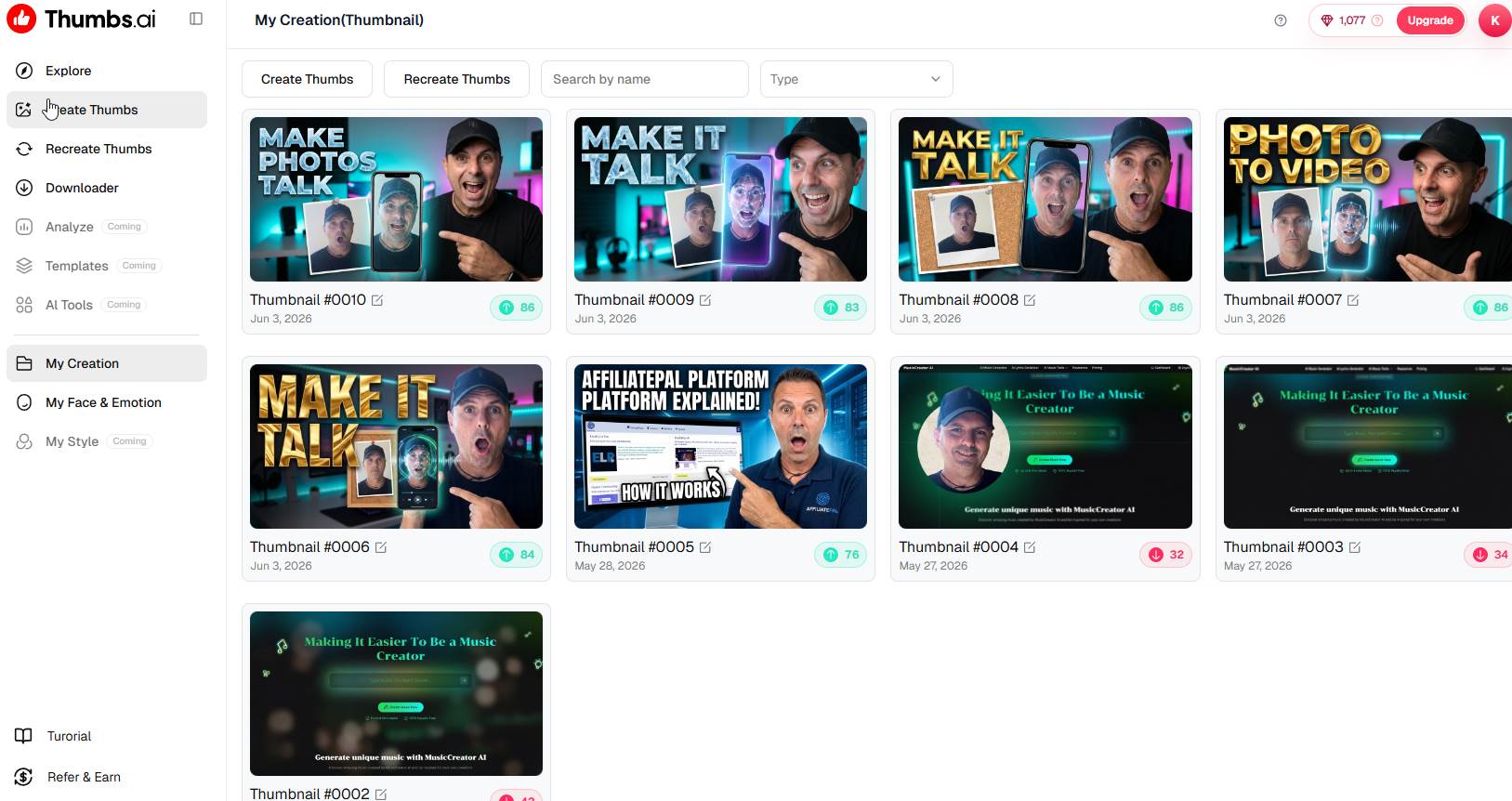
Dazu gehörten unter anderem:
- Tools zur Umwandlung von Fotos in Videos
- Sprechende Foto-Apps
- KI-Avatar-Generatoren
- Affiliate-Marketing-Plattformen
- Software zur Musikproduktion
- WordPress-Anleitungen
Als ich mir meinen Verlauf der Miniaturansichten ansah, ist mir etwas Wichtiges aufgefallen.
Die neueren Miniaturansichten sahen durchweg besser ausgearbeitet aus als die, die ich früher manuell erstellt hatte.
Die KI half mir dabei, Folgendes zu erreichen:
- Besserer Kontrast
- Stärkere Schwerpunkte
- Weitere emotionale Ausdrucksformen
- Übersichtlichere Layouts
- Bessere optische Ausgewogenheit
Könnte ich ähnliche Miniaturansichten manuell erstellen?
Wahrscheinlich.
Das würde jedoch deutlich länger dauern.
Der Wert liegt nicht unbedingt darin, dass die KI etwas Unmögliches erschafft.
Der Vorteil besteht darin, dass sich der Zeitaufwand für das Erreichen eines professionellen Ergebnisses verringert.
Was mir am besten gefällt
Geschwindigkeit
Das ist wahrscheinlich der größte Vorteil.
Das manuelle Erstellen eines Vorschaubildes kann 30 Minuten bis zu einer Stunde dauern.
Mit Thumbs.ai, oft fallen mir innerhalb weniger Minuten gleich mehrere Ideen ein.
Konsistenz
Da ich meine gespeicherten Gesichtsausdrücke verwende, behalten meine Miniaturansichten eine wiedererkennbare Markenidentität bei.
Die Zuschauer beginnen, bestimmte visuelle Stile mit meinen Inhalten in Verbindung zu bringen.
Für Anfänger geeignet
Sie benötigen keine Erfahrung im Bereich Design.
Du brauchst kein Photoshop.
Sie müssen sich nicht mit Ebenen, Masken oder fortgeschrittenen Bearbeitungstechniken auskennen.
Die Plattform übernimmt einen Großteil der Arbeit.
Zahlreiche Varianten
Ich höre selten auf, nachdem ich ein Vorschaubild erstellt habe.
Stattdessen erstelle ich mehrere Varianten und wähle die überzeugendste aus.
Das gibt mir mehr kreative Freiheit.
Was könnte verbessert werden?
Keine Bewertung wäre vollständig, ohne auf die Einschränkungen einzugehen.
KI bleibt KI
Manchmal sind die Ergebnisse einfach fantastisch.
Manchmal müssen sie angepasst werden.
Das gilt für praktisch jedes heute verfügbare KI-Tool.
Die besten Ergebnisse erzielen Sie, wenn Sie detaillierte Vorgaben machen.
Gutschriften können sich summieren
Wie bei den meisten KI-gestützten Plattformen werden für die Erstellung von Miniaturansichten Credits verbraucht.
Für Gelegenheitsnutzer ist das wahrscheinlich kein großes Problem.
Für Content-Ersteller mit hohem Produktionsvolumen, die täglich Dutzende von Vorschaubildern erstellen, ist die Nutzung des Datenvolumens ein wichtiger Faktor, den es im Auge zu behalten gilt.
Die Qualität der Eingabeaufforderung ist entscheidend
Die Qualität des Ergebnisses hängt oft von der Qualität der Eingabe ab.
Eine vage Beschreibung führt zu durchschnittlichen Ergebnissen.
Eine detaillierte Beschreibung führt in der Regel zu deutlich besseren Vorschaubildern.
Nach ein wenig Übung geht das ganz von selbst.
Wie sich das in meinen Content-Workflow einfügt
Heute sieht mein Arbeitsablauf in etwa so aus:
- Erstellen Sie das Video.
- Laden Sie bei Bedarf Screenshots hoch.
- Öffnen Thumbs.ai.
- Wähle einen meiner gespeicherten Gesichtsausdrücke aus.
- Geben Sie eine detaillierte Beschreibung für das Vorschaubild ein.
- Wählen Sie einen Stil aus.
- Erstellen Sie mehrere Varianten.
- Wähle die stärkste Version aus.
- Lade das Vorschaubild hoch auf YouTube.
Der gesamte Prozess ist viel schneller als mein bisheriger Arbeitsablauf.
Dadurch kann ich mich mehr auf die Erstellung von Inhalten und weniger auf das Grafikdesign konzentrieren.
Ist Thumbs.ai Lohnt es sich?
Für jemanden, der etwas erschafft YouTube Ich veröffentliche regelmäßig Inhalte und bin überzeugt, dass sie einen echten Mehrwert bieten.
Die Plattform garantiert nicht wie von Zauberhand mehr Aufrufe.
Kein Miniaturansicht-Tool kann das.
Es kann Ihnen jedoch dabei helfen, Vorschaubilder zu erstellen, die professioneller wirken, mehr Aufmerksamkeit erregen und Ihnen viel Zeit sparen.
Für Kreative, die:
- Veröffentliche regelmäßig
- Mehrere Kanäle betreiben
- Affiliate-Marketing-Inhalte erstellen
- KI-Tutorials erstellen
- Software-Bewertungen verfassen
- Ein einheitliches Markenbild ist erforderlich
Thumbs.ai kann zu einem nützlichen Bestandteil des Arbeitsablaufs werden.
Abschließende Überlegungen
Nachdem ich einige Zeit damit verbracht hatte, Thumbs.ai, was mich am meisten beeindruckt hat, war nicht die KI an sich.
Es war die Tatsache, dass sich die Plattform auf die Lösung eines ganz bestimmten Problems konzentriert.
Viele KI-Tools versuchen, alles zu können.
Thumbs.ai konzentriert sich darauf, Kreativen bei der Erstellung von Vorschaubildern zu helfen.
Das „Face & Emotion“-System, die Stilvorlagen, die Konvertierung von Bildern in Miniaturansichten, der Miniaturansichten-Downloader und der Verlauf der Miniaturansichten tragen allesamt zu einem Arbeitsablauf bei, der eher praktisch als experimentell wirkt.
Als jemand, der regelmäßig Inhalte zu KI-Tools, Affiliate-Marketing, WordPress und Geschäftsmöglichkeiten im Internet erstellt, habe ich festgestellt, dass mir die Plattform dabei hilft, Vorschaubilder schneller zu erstellen und gleichzeitig einen einheitlichen visuellen Stil in all meinen Videos beizubehalten.
Wird es bei jedem Projekt professionelle Designer ersetzen?
Wahrscheinlich nicht.
Für Content-Ersteller jedoch, die auffällige Vorschaubilder benötigen, ohne stundenlang in Photoshop zu arbeiten, Thumbs.ai bietet eine überraschend effiziente Lösung.
Und in der heutigen Content-Landschaft ist es oft eine der besten Investitionen, die ein Content-Ersteller tätigen kann, Zeit zu sparen und gleichzeitig die Präsentation zu verbessern.