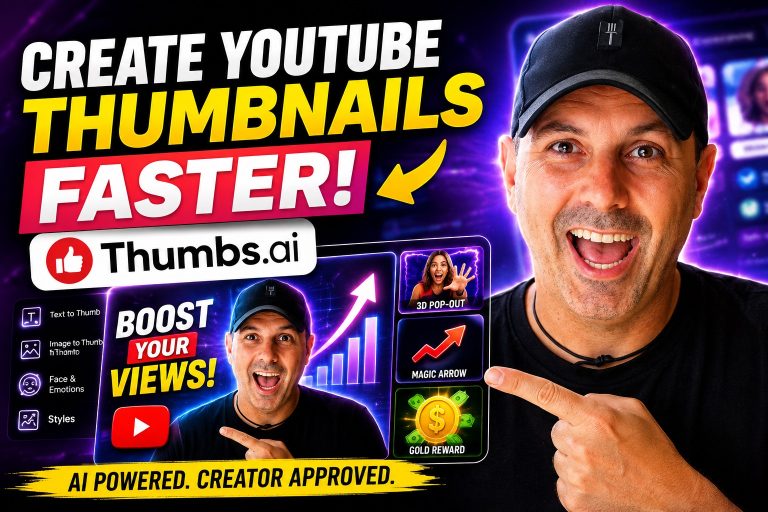
Creating YouTube thumbnails has always been one of those tasks that sounds simple until you actually start doing it consistently.
A thumbnail can determine whether someone clicks your video or scrolls past it. It doesn’t matter how good the content is if nobody clicks in the first place.
Over the years, I’ve used Canva, Photoshop, Photopea, AI image generators, and several thumbnail tools. Some were too complicated. Others produced thumbnails that looked artificial or generic.
Recently, I started using Thumbs.ai, and after creating multiple thumbnails for my videos, I wanted to share my real experience with the platform, what I liked, what surprised me, and how I personally use it in my daily workflow.
This is not a sponsored review. It’s simply an honest look at the tool from the perspective of someone who creates content regularly and needs thumbnails that attract attention without spending hours editing images.
First Impressions
The first thing I noticed after logging into Thumbs AI was that the interface is very straightforward.
Instead of overwhelming users with dozens of buttons and complicated design menus, the platform focuses on one thing:
Creating YouTube thumbnails quickly.
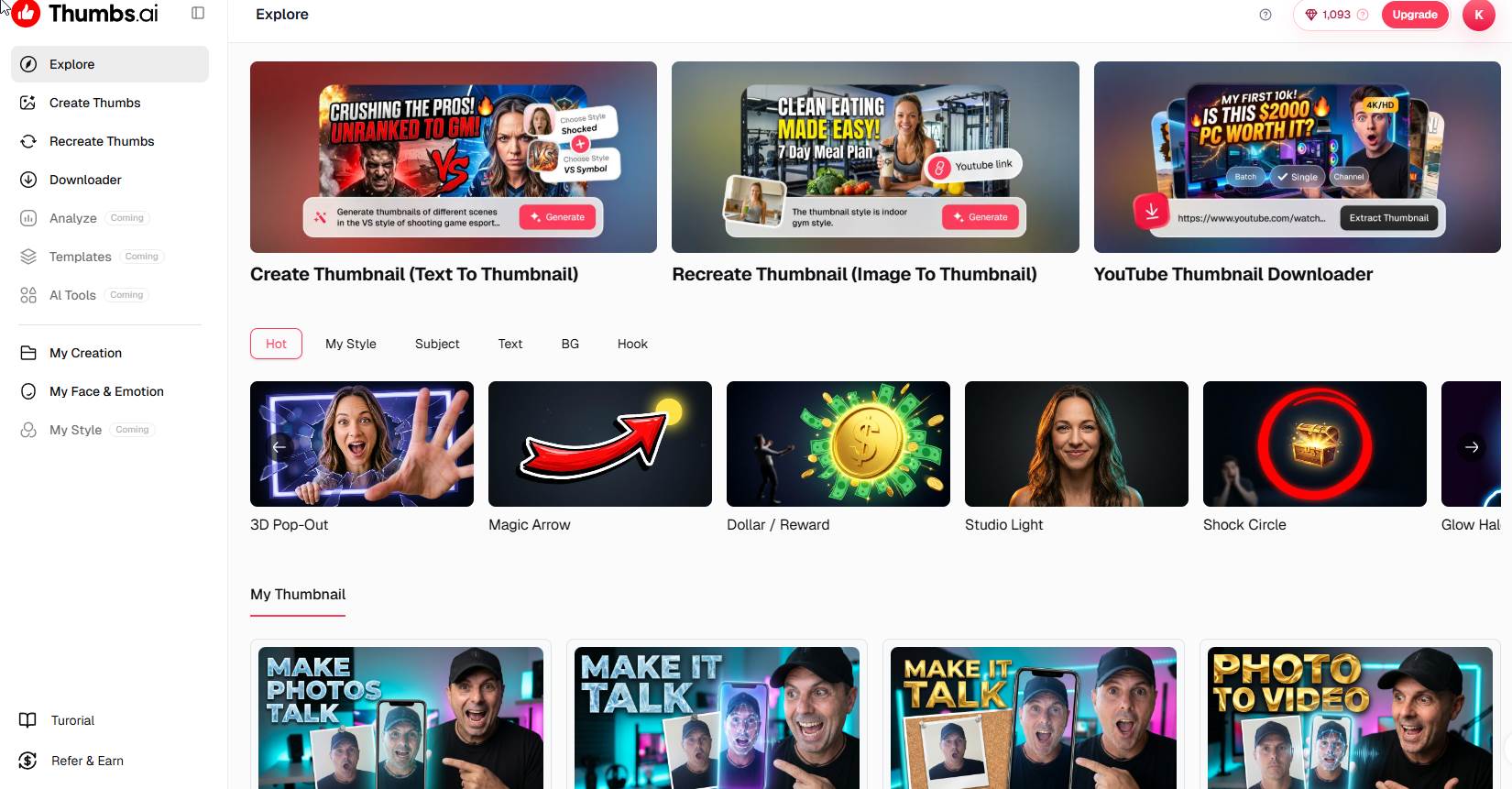
The main dashboard immediately presents several options:
- Create Thumbnail (Text to Thumbnail)
- Recreate Thumbnail (Image to Thumbnail)
- Thumbnail Downloader
- Face & Emotion Library
- Thumbnail Styles
- Thumbnail History
Everything is organized around the thumbnail creation process.
For content creators who don’t want to spend hours learning a design application, this simplicity is refreshing.
How I Use Thumbs.ai
My workflow usually starts with an idea for a video.
Let’s say I’m creating a review, tutorial, AI tool demonstration, affiliate marketing video, or a WordPress tutorial.
Instead of opening Photoshop and building everything manually, I go directly into the Text to Thumbnail section.
From there, I simply describe what I want.
For example:
“Excited creator pointing at AI software dashboard, glowing blue background, YouTube thumbnail style, cinematic lighting, high contrast, professional”
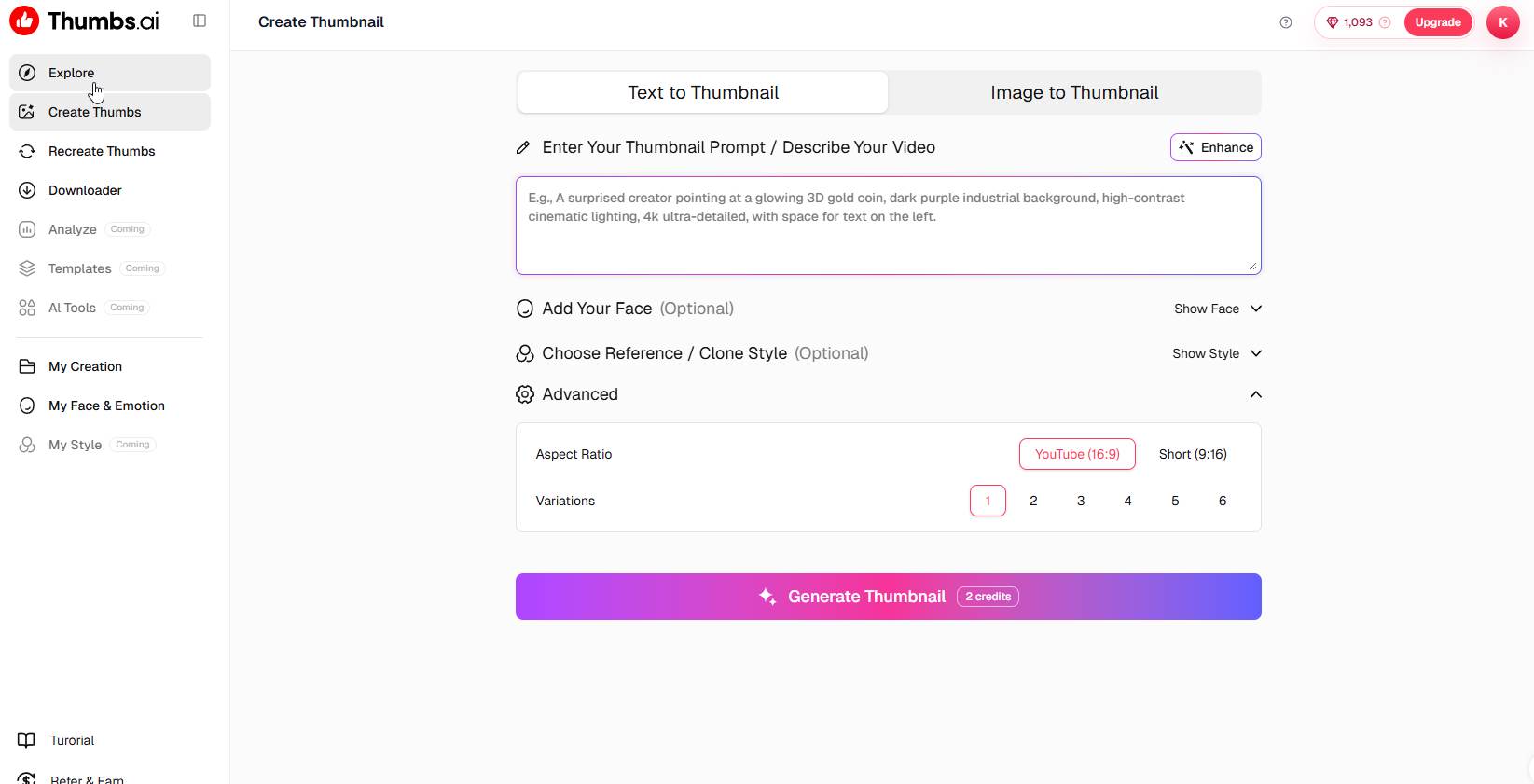
The AI takes that description and generates thumbnail concepts.
What I found interesting is that the generated images are designed specifically for YouTube clickability rather than generic artwork.
That distinction matters.
Many AI image generators create beautiful images but not necessarily good thumbnails.
Thumbs.ai appears to understand the visual language of successful YouTube thumbnails.
The Face & Emotion Feature
One of my favorite features is the Face & Emotion system.
As shown in my screenshots, I uploaded several photos of myself and created different emotional variations.
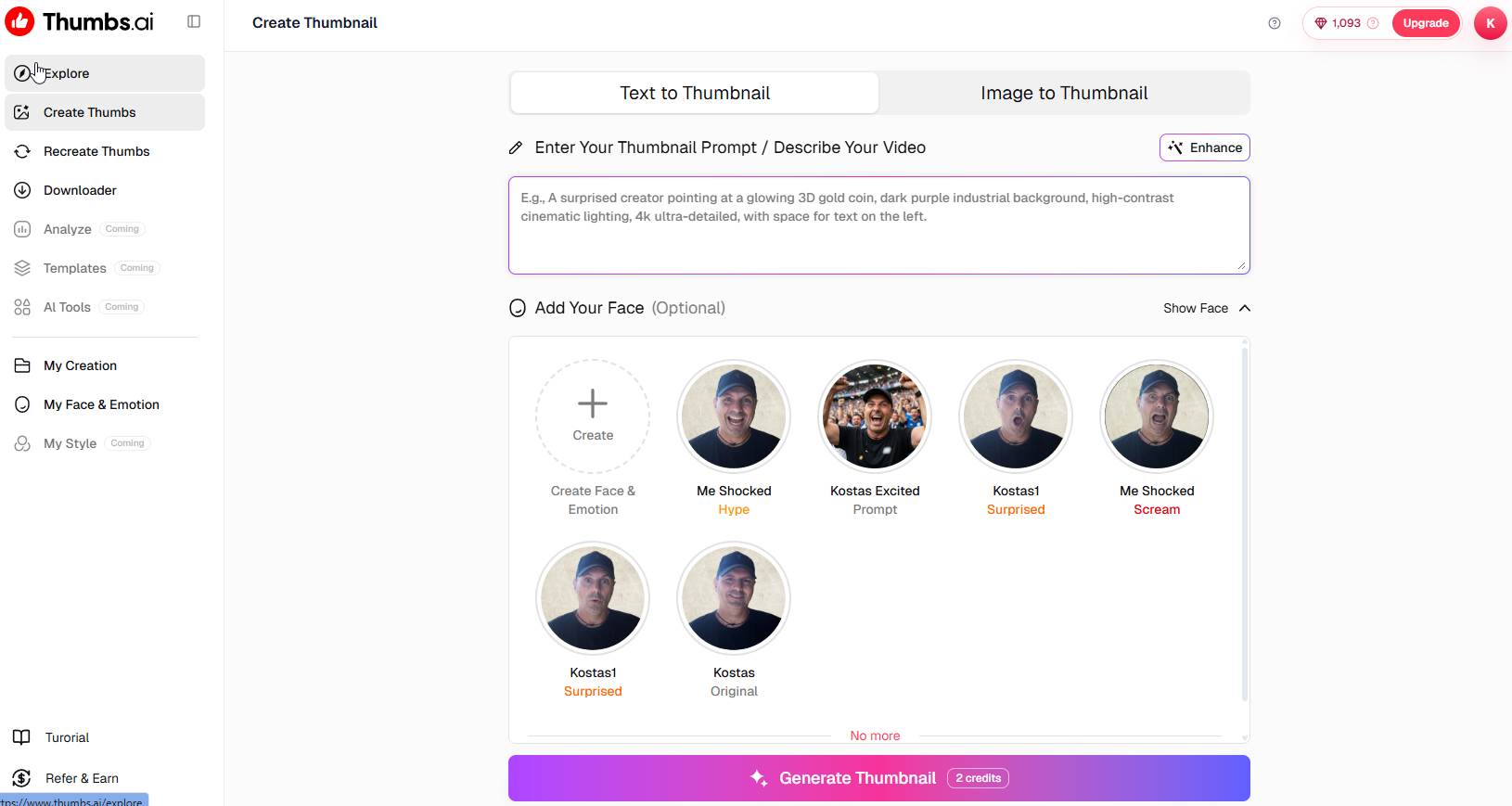
These include:
- Shocked
- Excited
- Surprised
- Screaming
- Original neutral expression
This became a huge time saver.
Normally, I would have to take multiple photos or manually edit facial expressions.
Instead, I can simply choose the version that matches the emotion I want to communicate in the thumbnail.
For example:
If I’m reviewing a new AI tool with surprising features, I use the shocked version.
If I’m demonstrating something exciting, I use the excited version.
If I’m discussing a major opportunity or breakthrough, I might use the surprised version.
This helps create consistency across my channel while still keeping thumbnails visually interesting.
The Style Templates
Another feature I use regularly is the thumbnail style selection.
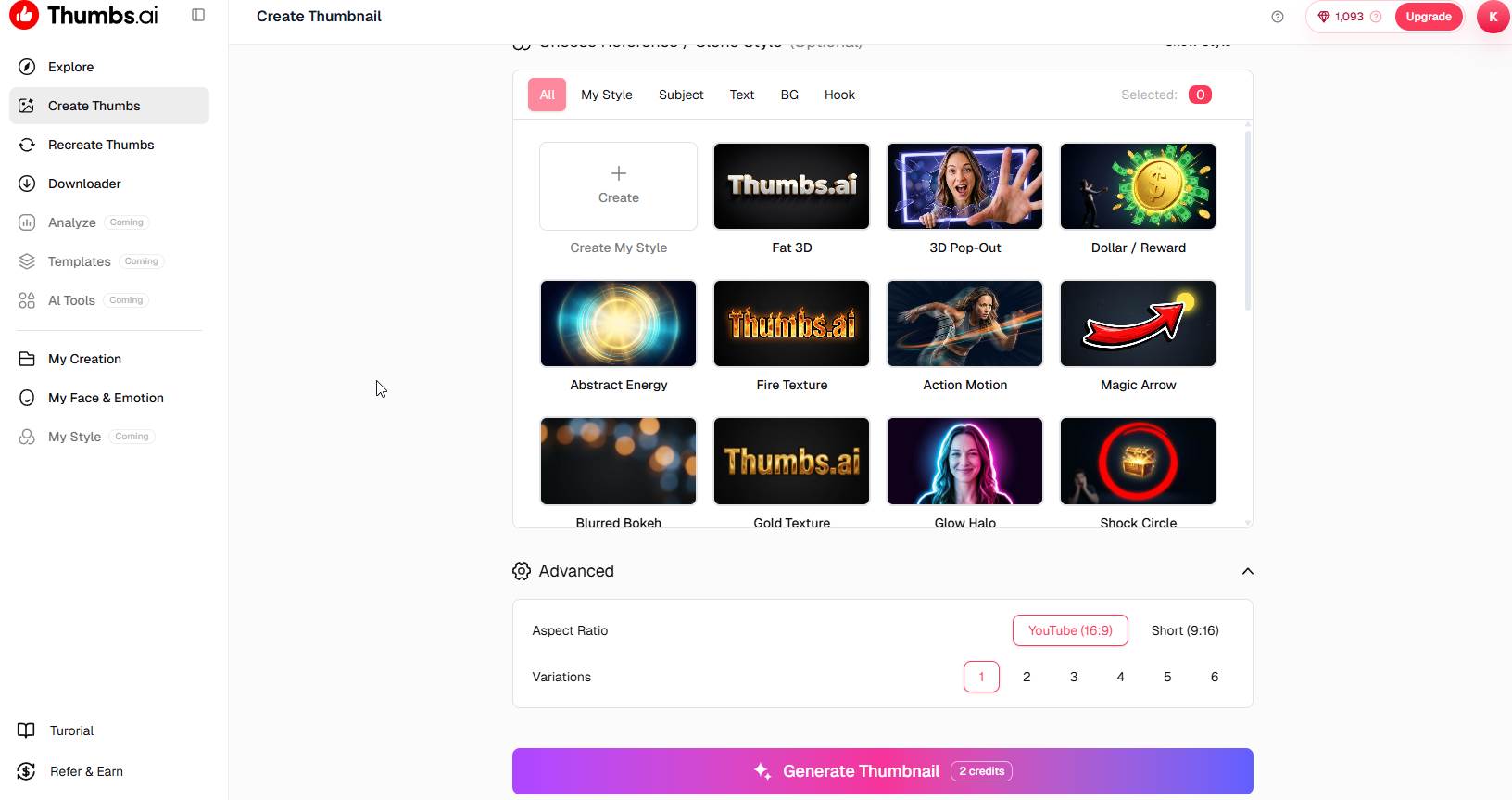
Thumbs.ai includes pre-built styles such as:
- 3D Pop-Out
- Dollar Reward
- Studio Light
- Magic Arrow
- Glow Halo
- Shock Circle
- Gold Texture
- Fire Texture
- Action Motion
These styles aren’t just filters.
They provide visual frameworks commonly seen in high-performing YouTube thumbnails.
For example, the Magic Arrow style immediately draws attention to a specific object.
The Dollar Reward style works well for marketing and money-making videos.
The Shock Circle style helps highlight a product or key element.
The 3D Pop-Out effect creates depth and makes subjects stand out from the background.
When creating affiliate marketing content, I often combine my own face with one of these styles because it creates a more professional and engaging final result.
Creating Thumbnails from Existing Images
One feature I didn’t expect to use as much as I do is the Image to Thumbnail option.
Sometimes I already have:
- A screenshot of a software platform
- A website dashboard
- A landing page
- A YouTube screenshot
- A product image
Instead of creating everything from scratch, I upload the image and allow Thumbs.ai to transform it into a thumbnail concept.
This is particularly useful for software reviews.
For example, when reviewing an AI platform, I can upload a screenshot of the dashboard and let the AI build a more attractive thumbnail around it.
The result usually looks much more professional than simply placing a screenshot on a canvas manually.
Thumbnail Downloader
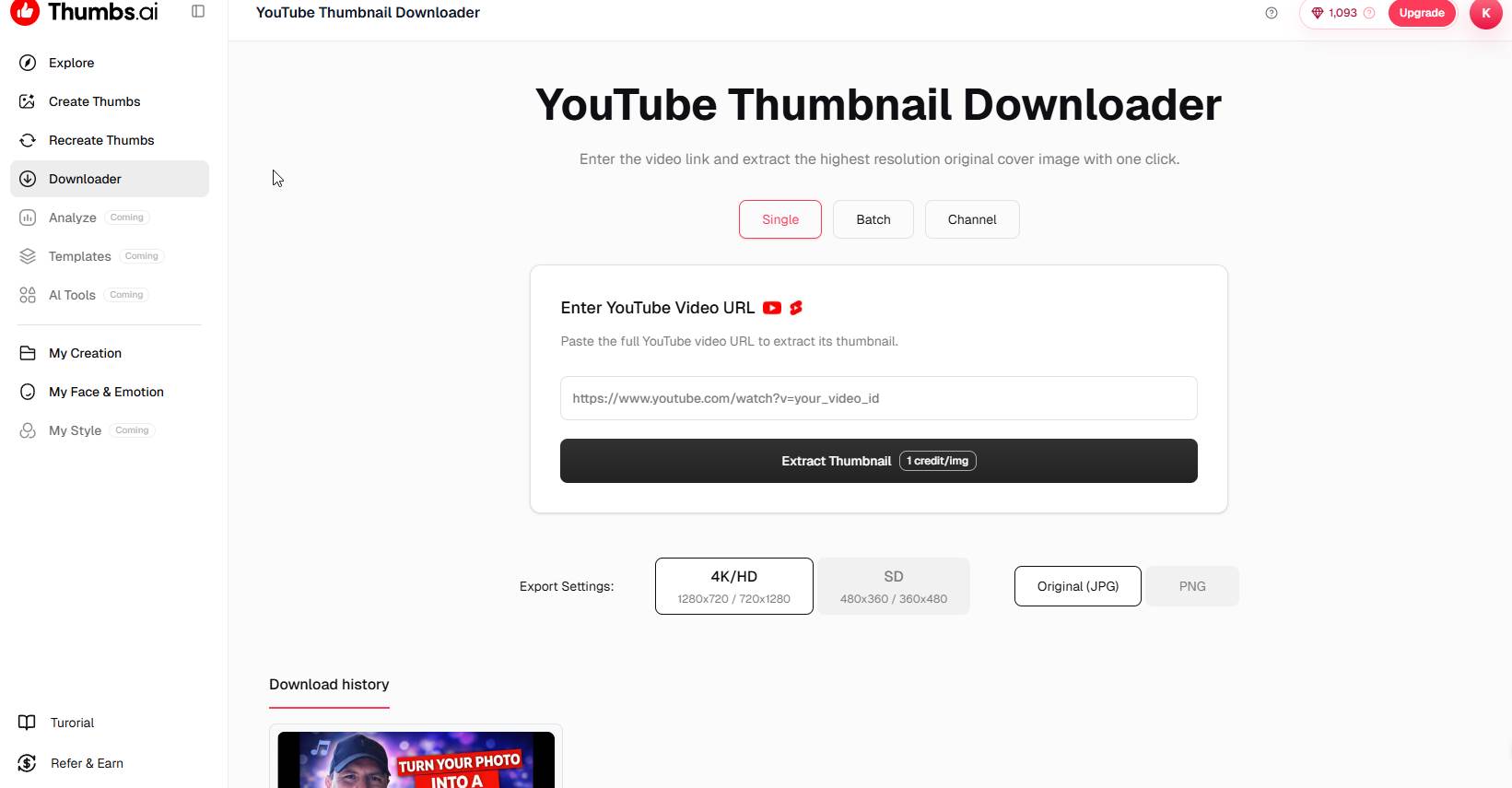
The platform also includes a YouTube Thumbnail Downloader.
At first glance, this might seem like a small feature.
However, it becomes useful when analyzing competitors.
I often study successful videos in my niche.
Being able to download thumbnails in high quality allows me to examine:
- Text placement
- Color choices
- Facial expressions
- Layout structures
- Visual hierarchy
This doesn’t mean copying other creators.
It means understanding what attracts clicks and learning from successful examples.
The downloader makes that process much easier.
My Real-World Test Results
The best way to evaluate any thumbnail tool is to look at actual thumbnails.
In my case, I created several thumbnails for AI-related content.
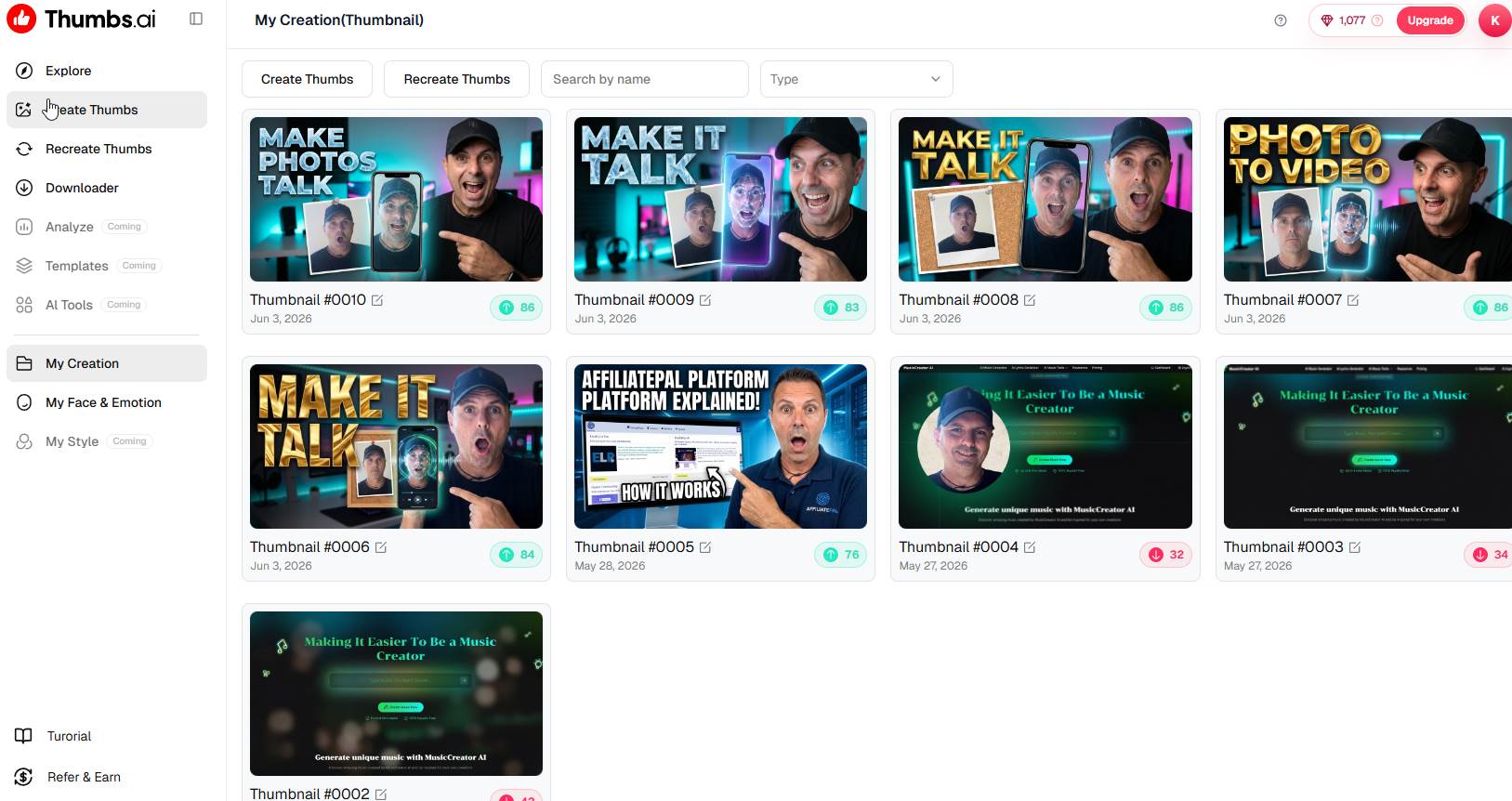
Some examples included:
- Photo-to-video tools
- Talking photo applications
- AI avatar generators
- Affiliate marketing platforms
- Music creation software
- WordPress tutorials
Looking through my thumbnail history, I noticed something important.
The newer thumbnails consistently looked more polished than the ones I created manually in the past.
The AI was helping me achieve:
- Better contrast
- Stronger focal points
- More emotional expressions
- Cleaner layouts
- Better visual balance
Could I create similar thumbnails manually?
Probably.
But it would take significantly longer.
The value isn’t necessarily that the AI creates something impossible.
The value is that it reduces the time required to reach a professional result.
What I Like Most
Speed
This is probably the biggest advantage.
Creating a thumbnail manually can take 30 minutes to an hour.
With Thumbs.ai, I can often generate multiple concepts in just a few minutes.
Consistency
Because I use my saved facial expressions, my thumbnails maintain a recognizable brand identity.
Viewers start associating certain visual styles with my content.
Beginner Friendly
You don’t need design experience.
You don’t need Photoshop.
You don’t need to understand layers, masking, or advanced editing techniques.
The platform handles much of the heavy lifting.
Multiple Variations
I rarely stop after generating one thumbnail.
Instead, I generate several versions and choose the strongest option.
This gives me more creative flexibility.
What Could Be Improved
No review would be complete without discussing limitations.
AI Is Still AI
Sometimes the generated results are fantastic.
Other times they need adjustments.
That’s true for virtually every AI tool available today.
The best results come when you provide detailed prompts.
Credits Can Add Up
Like most AI-powered platforms, thumbnail generation consumes credits.
For casual users this probably isn’t a major issue.
For high-volume creators generating dozens of thumbnails daily, credit usage is something to monitor.
Prompt Quality Matters
The quality of the output often depends on the quality of the prompt.
A vague description produces average results.
A detailed description usually produces significantly better thumbnails.
After some practice, this becomes second nature.
How It Fits Into My Content Workflow
Today my process looks something like this:
- Create the video.
- Upload screenshots if necessary.
- Open Thumbs.ai.
- Select one of my saved facial expressions.
- Enter a detailed thumbnail prompt.
- Choose a style.
- Generate several variations.
- Pick the strongest version.
- Upload the thumbnail to YouTube.
The entire process is much faster than my previous workflow.
That allows me to focus more on creating content and less on graphic design.
Is Thumbs.ai Worth It?
For someone who creates YouTube content regularly, I believe it offers real value.
The platform won’t magically guarantee more views.
No thumbnail tool can do that.
However, it can help you create thumbnails that look more professional, attract more attention, and save significant amounts of time.
For creators who:
- Publish frequently
- Run multiple channels
- Create affiliate marketing content
- Produce AI tutorials
- Make software reviews
- Need consistent branding
Thumbs.ai can become a useful part of the workflow.
Final Thoughts
After spending time using Thumbs.ai, what impressed me most wasn’t the AI itself.
It was the fact that the platform focuses on solving a very specific problem.
Many AI tools try to do everything.
Thumbs.ai focuses on helping creators make thumbnails.
The Face & Emotion system, style templates, image-to-thumbnail conversion, thumbnail downloader, and thumbnail history all contribute to a workflow that feels practical rather than experimental.
As someone who regularly creates content about AI tools, affiliate marketing, WordPress, and online business opportunities, I’ve found that the platform helps me produce thumbnails faster while maintaining a consistent visual style across my videos.
Will it replace professional designers for every project?
Probably not.
But for content creators who need eye-catching thumbnails without spending hours in Photoshop, Thumbs.ai provides a surprisingly efficient solution.
And in today’s content landscape, saving time while improving presentation is often one of the best investments a creator can make.