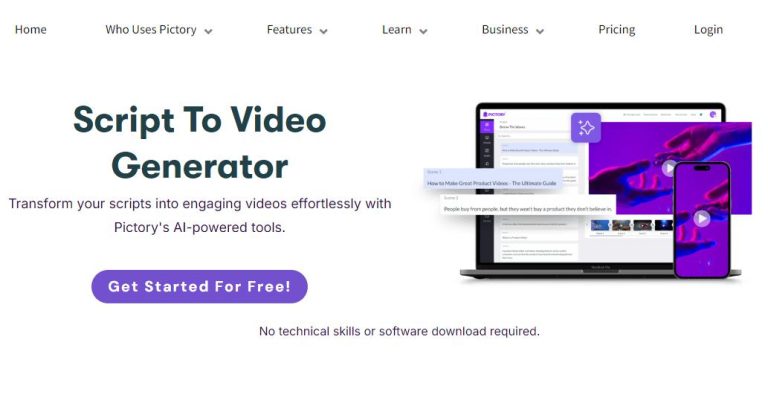
How to Enhance Your Video SEO Strategy with Pictory A.I.
In today’s digital landscape, video content is essential for effective communication and marketing. Understanding how to optimize your videos for search engines can greatly enhance their visibility. Pictory A.I. is a powerful tool that can assist you in creating engaging video content and improving your video SEO strategy. This article provides actionable tips on utilizing Pictory A.I. to boost your video presence online.
Why Video SEO Matters
Video SEO involves optimizing your video content to improve its search engine rankings. As search engines favor rich media content, having a solid video SEO strategy can lead to increased visibility, engagement, and conversions.
Getting Started with Pictory A.I.
Pictory is an A.I.-powered platform designed for creating and editing videos easily. Here’s how to enhance your video SEO strategy using Pictory:
1. Create Engaging Video Content
Start by identifying your audience and their interests. Use Pictory to create videos that address their needs. Follow these steps:
- Log in to your Pictory account.
- Choose a template that fits your video’s purpose (e.g., promotional, educational).
- Input your script or key points to generate video scenes automatically.
- Add visuals and audio to enhance engagement.
2. Optimize Video Titles and Descriptions
Your video title and description play a crucial role in SEO. Use Pictory’s features to your advantage:
- Craft descriptive titles that include relevant keywords.
- Use the description area to summarize the video content, making sure to include keywords naturally.
- Utilize Pictory’s A.I. suggestions to refine your text.
3. Include Closed Captions and Transcripts
Closed captions and transcripts improve accessibility and can aid SEO. Here’s how to add them via Pictory:
- After creating your video, navigate to the ‘Text’ section.
- Generate captions automatically or upload your own transcript.
- Ensure the captions are synchronized with your video content.
4. Utilize Thumbnails Effectively
Your video thumbnail is often the first impression. Use Pictory to create an eye-catching thumbnail:
- Select a dynamic frame from your video as a thumbnail.
- Incorporate bold text and bright colors to attract clicks.
5. Promote Your Videos Across Platforms
Sharing your videos on various platforms can increase reach and engagement. Use Pictory’s export features:
- Export your video in multiple formats suitable for different platforms (YouTube, Instagram, etc.).
- Use social media buttons within Pictory to share directly to your accounts.
Conclusion
Enhancing your video SEO strategy with Pictory A.I. involves creating engaging content, optimizing titles and descriptions, including captions, utilizing effective thumbnails, and promoting your videos. By following these steps, you can improve your video’s visibility and engagement significantly.
Ready to take your video creation and SEO to the next level? Learn more about this amazing video creation tool by clicking here.