Введение
Starting a blog sounds easy until you actually sit down and try to build one.
You need a topic, a domain, a design, categories, pages, images, menus, SEO basics, and a publishing system that does not make you feel lost before you even write your first article.
Because I already work with WordPress websites, hosting, plugins, and digital tools, I usually understand what is happening behind the scenes. But many beginners do not want to deal with hosting panels, databases, manual installations, plugin conflicts, security settings, or technical maintenance.
They just want to start publishing.
That is why I decided to test WordPress.com in a very practical way.
Instead of building a random test website, I created the structure for a simple AI blog. Since AI Tool Detective is already focused on AI tools, software reviews, online business tools, and digital marketing, this felt like a natural test project.
My goal was simple:
Could a new blogger use WordPress.com in 2026 to create a clean AI-related blog without getting overwhelmed by the technical side?
After spending time inside the platform, creating pages, testing the editor, exploring themes, checking the dashboard, and thinking about how a beginner would experience the process, here is my honest experience.
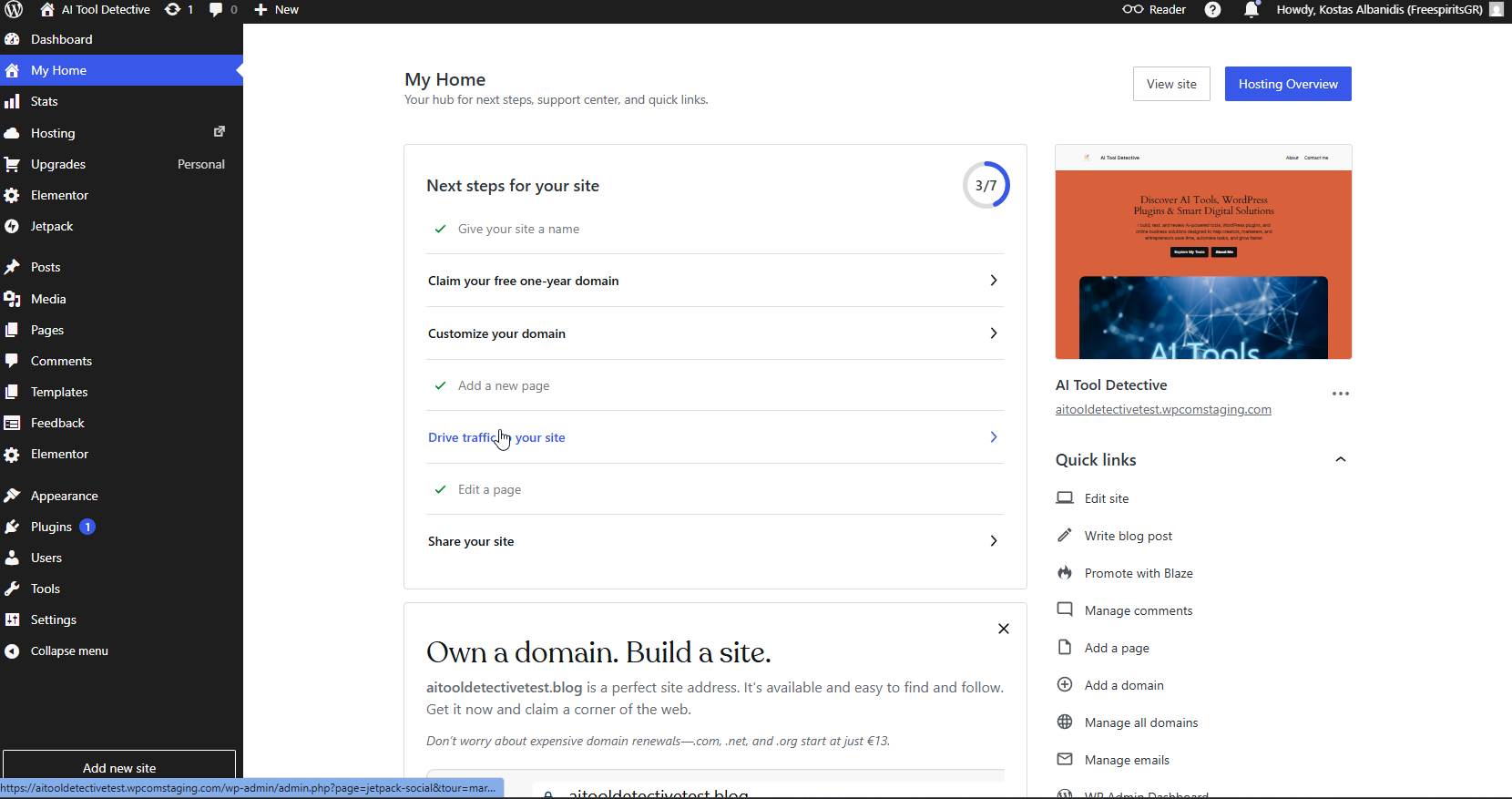
[Screenshot suggestion: WordPress.com dashboard showing the test AI blog site]
Why I Chose an AI Blog as My Test Project
I did not want to test WordPress.com with a fake website that had no real purpose.
An AI blog makes sense because it is the kind of website many people want to start today.
People are searching for AI tools, productivity apps, writing assistants, video generators, automation platforms, marketing tools, and ways to use AI in their business or side hustle.
A simple AI blog can include content like:
AI tool reviews.
Tutorials.
Comparison articles.
Beginner guides.
Affiliate product reviews.
News and updates.
Personal experiments.
Case studies.
This makes it a good test for WordPress.com because a blog needs to handle content properly. It needs posts, categories, tags, images, internal links, menus, and a clean reading experience.
For me, this was more useful than just creating a basic one-page website.
I wanted to see how WordPress.com feels when used as a real publishing platform.
First Impressions of WordPress.com for Blogging
The first thing I liked was that WordPress.com removes many of the technical steps that usually slow beginners down.
With self-hosted WordPress, you normally need to buy hosting, connect your domain, install WordPress, set up SSL, choose a theme, install plugins, configure security, and make sure everything works.
With WordPress.com, the process feels more guided.
You can start with the website itself instead of thinking about the server.
For a beginner blogger, this is important.
When you are starting a blog, your energy should go into choosing your niche, planning your content, writing articles, and building trust with readers. If the first experience is too technical, many people quit before they publish anything.
WordPress.com feels designed to reduce that friction.
The dashboard was clean, the site setup process was easy to follow, and I could quickly move into the areas that matter for a blog: posts, pages, media, design, and settings.
Creating the Basic AI Blog Structure
For the test blog, I started by thinking like a new blogger.
I did not want to create a complicated structure.
A simple AI blog only needs a few important areas at the beginning:
Homepage.
Blog page.
About page.
Contact page.
Categories for the main topics.
A clean navigation menu.
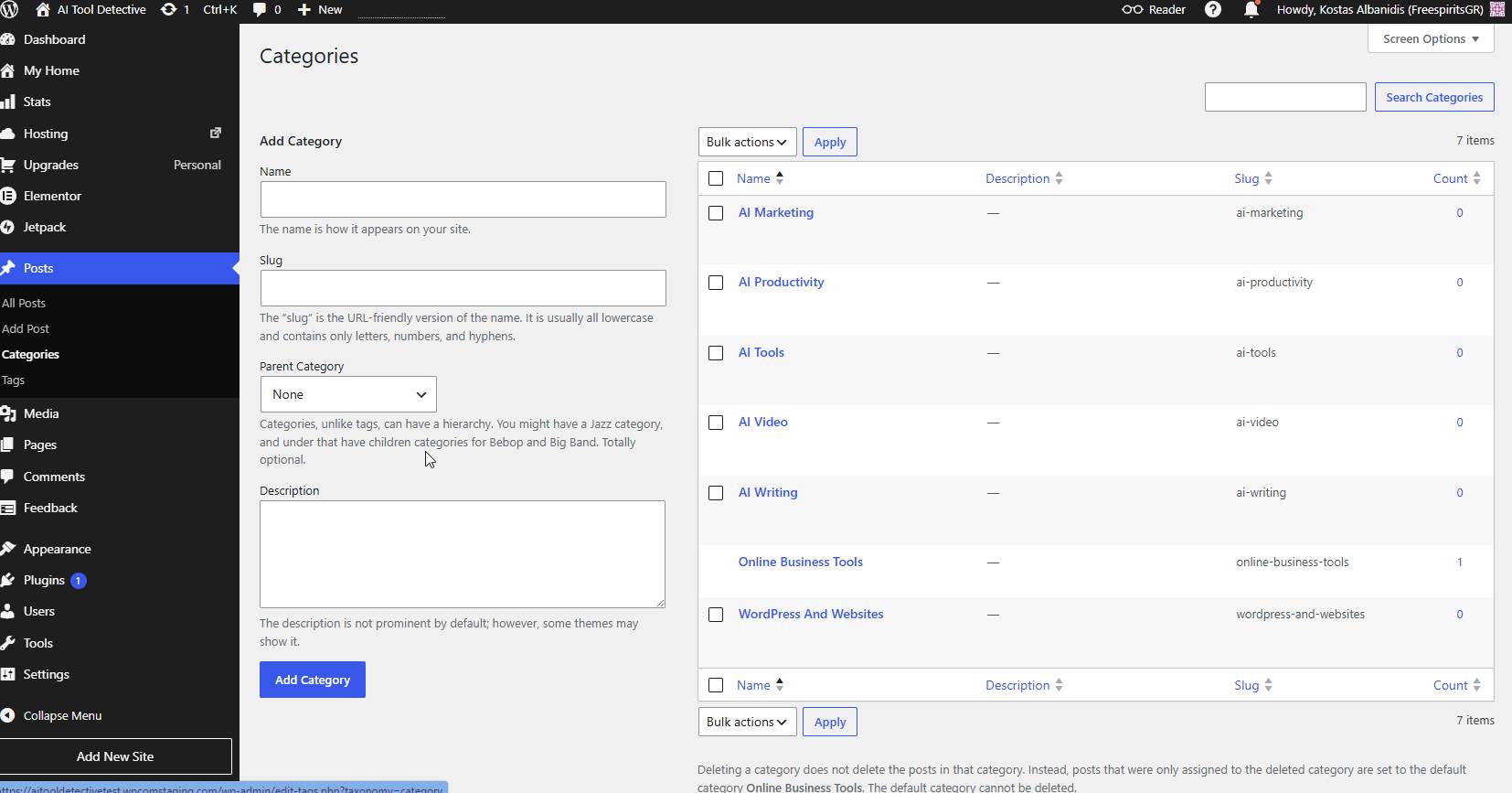
For an AI-focused blog, I would personally start with categories like:
AI Tools.
AI Marketing.
AI Writing.
AI Video.
AI Productivity.
WordPress and Websites.
Online Business Tools.
This gives the blog enough structure without making it confusing.
One mistake many new bloggers make is creating too many categories before they have enough content. A smaller structure is better in the beginning because it helps both the writer and the reader understand what the website is about.
Inside WordPress.com, creating and organizing content felt straightforward. The posts area was easy to find, and the category and tag system works the way I expect from WordPress.
For someone who wants to publish regularly, this is a good sign.
Choosing a Theme for the Blog
The design part is where many beginners spend too much time.
I understand why.
Everyone wants the website to look professional.
But when you are starting a blog, the most important thing is readability. Your visitors should be able to read your content easily on desktop and mobile. The design should support the content, not distract from it.
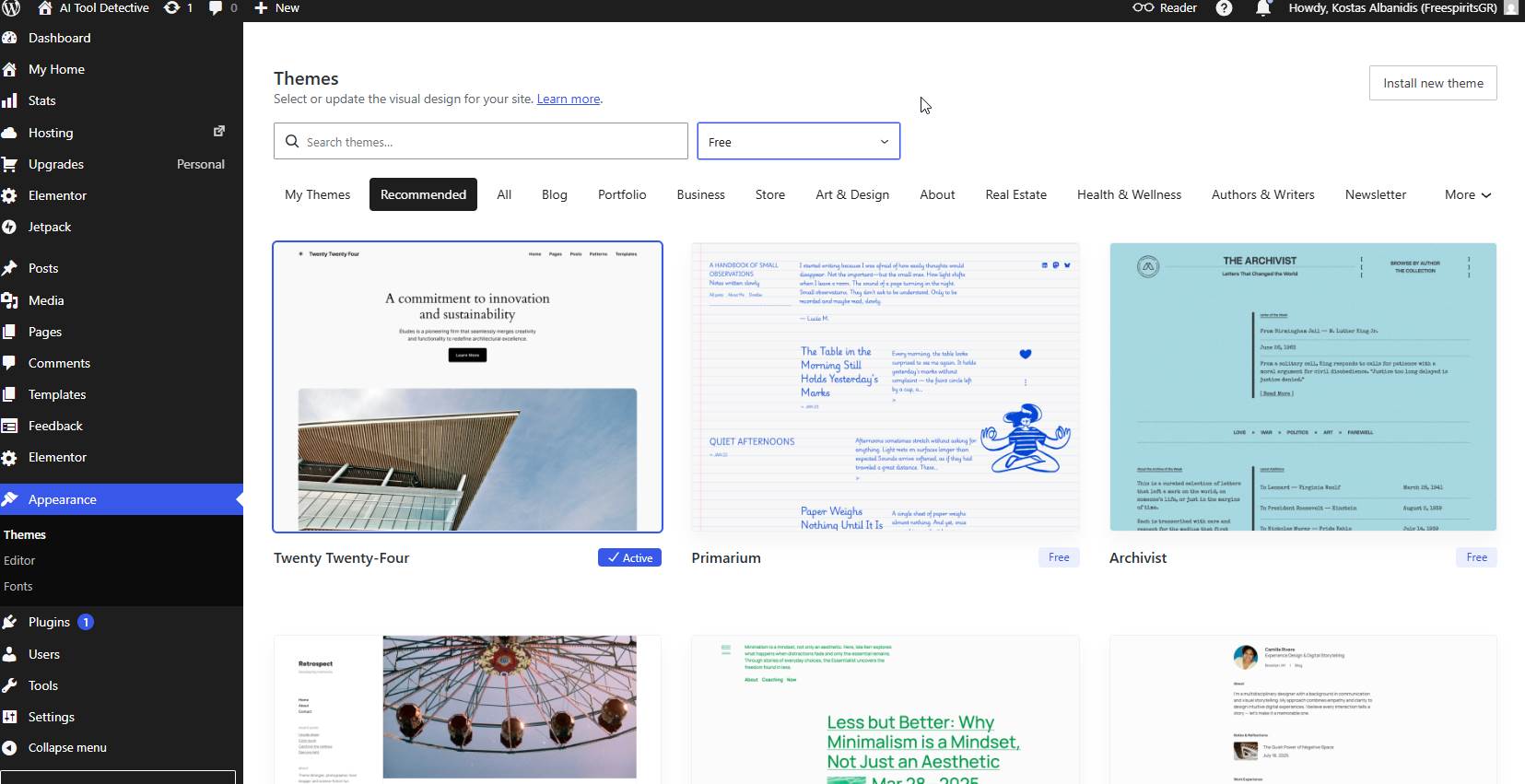
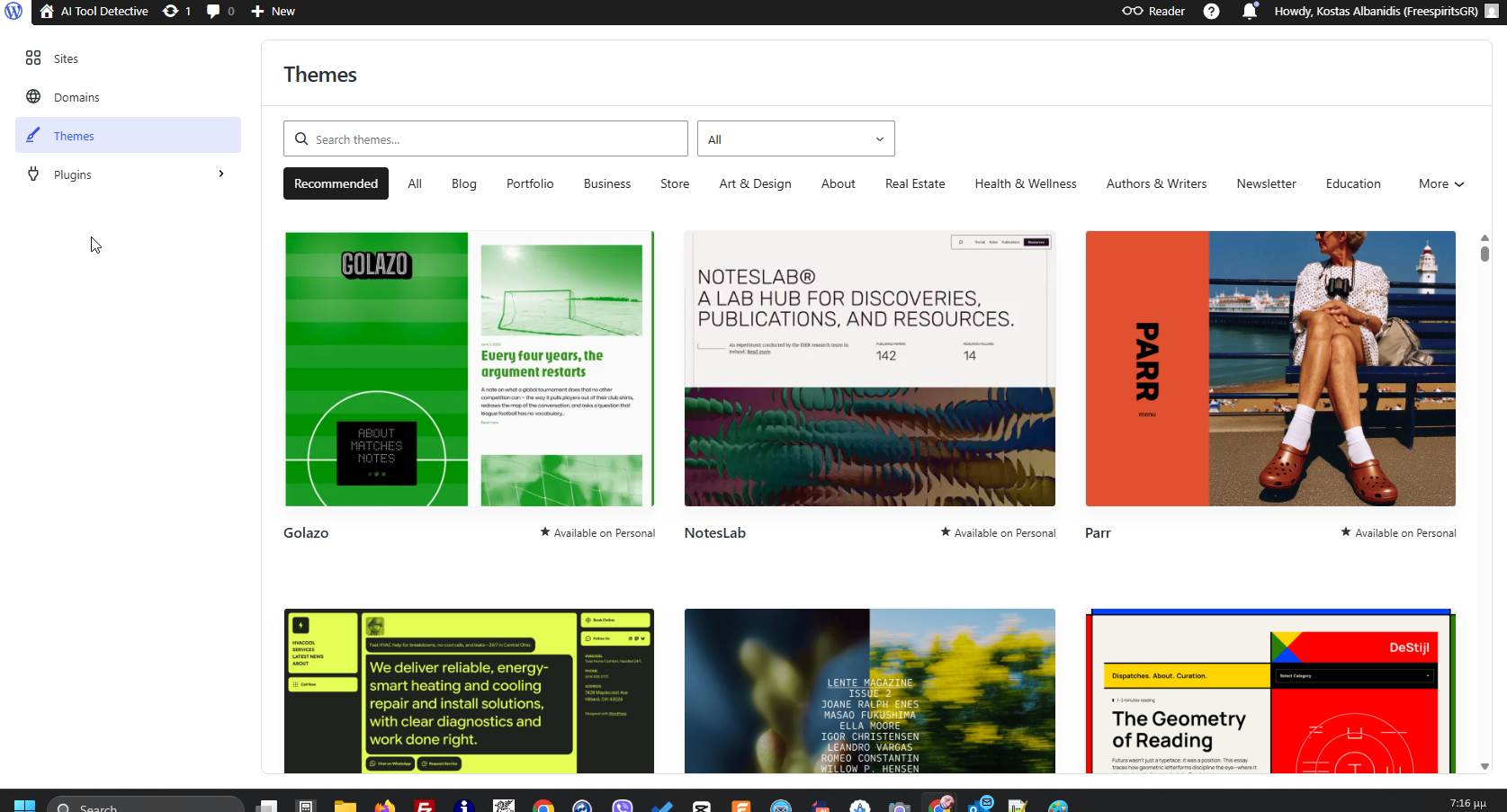
Inside WordPress.com, I explored the available themes and looked for something clean, simple, and suitable for a content website.
For an AI blog, I would avoid themes that are too artistic, too heavy, or too complicated. A clean magazine-style or modern blog layout is usually better.
The good thing about WordPress.com is that the theme browsing experience is beginner-friendly. You can preview designs and choose something that gives your website a professional starting point.
For a new blogger, this is useful because you do not need to design everything from zero.
The limitation is that advanced users may eventually want more control over every small detail. But for a first blog, WordPress.com gives enough design flexibility to start publishing without wasting weeks on design decisions.
Writing the First Blog Post
The real test of a blogging platform is the writing experience.
A blog is not just about looking nice. It has to make publishing easy.
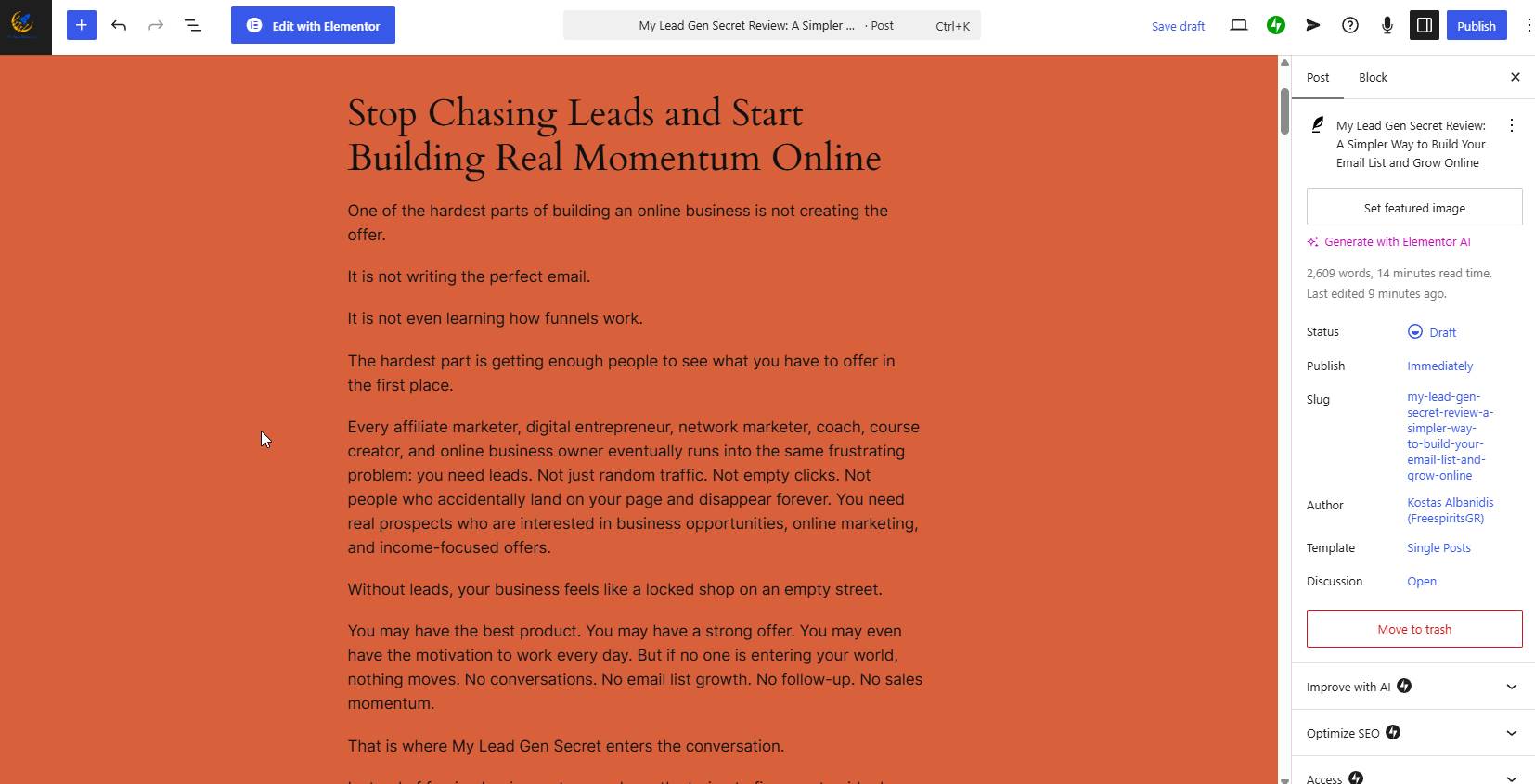
I opened the WordPress.com editor and created a simple first post for the AI blog. The block editor felt familiar because I have used WordPress for years, but I tried to look at it from a beginner’s point of view.
The editor lets you add headings, paragraphs, images, lists, buttons, quotes, and other content blocks. This is useful because most blog posts are not just plain text anymore.
A good article may include screenshots, call-to-action buttons, comparison sections, product images, and short summaries.
For an AI tools blog, this is important. You may want to show screenshots from a tool dashboard, add pros and cons, include a button to visit the tool, or create a step-by-step tutorial.
The editor handled this well.
It was not difficult to create a basic article layout.
The biggest advice I would give to beginners is this:
Do not overcomplicate the first post.
Start with a simple structure:
Introduction.
What the tool or topic is about.
Who it is for.
What you liked.
What you did not like.
Final thoughts.
Call to action.
You can improve the design later.
The first goal is to publish.
Uploading Images and Screenshots
For an AI blog, screenshots are very important.
Readers want to see that you actually used the tool or platform you are reviewing. This is especially true today because many articles online feel generic or copied from product pages.
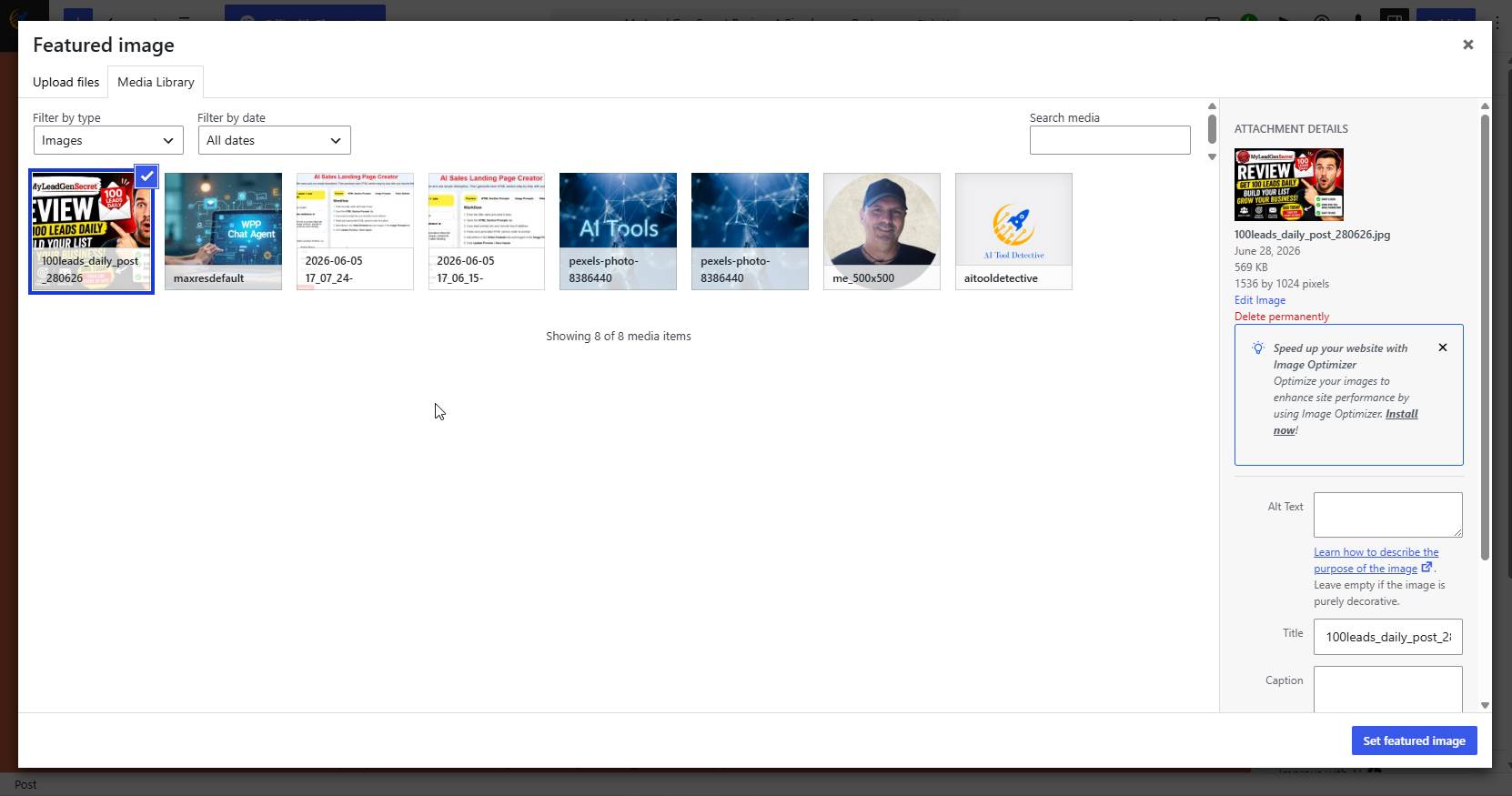
When I tested WordPress.com, I also checked how the media library works for uploading and reusing images.
The process was simple.
You can upload images, insert them into posts, add alt text, and organize visual content as you build your article.
For bloggers, this is important because screenshots help build trust.
For example, if you review an AI writing tool, you can show the dashboard.
If you test an AI video tool, you can show the generation screen.
If you compare two website builders, you can show your actual test setup.
This makes the content feel real.
It also helps visitors understand what they are getting before they click or buy anything.
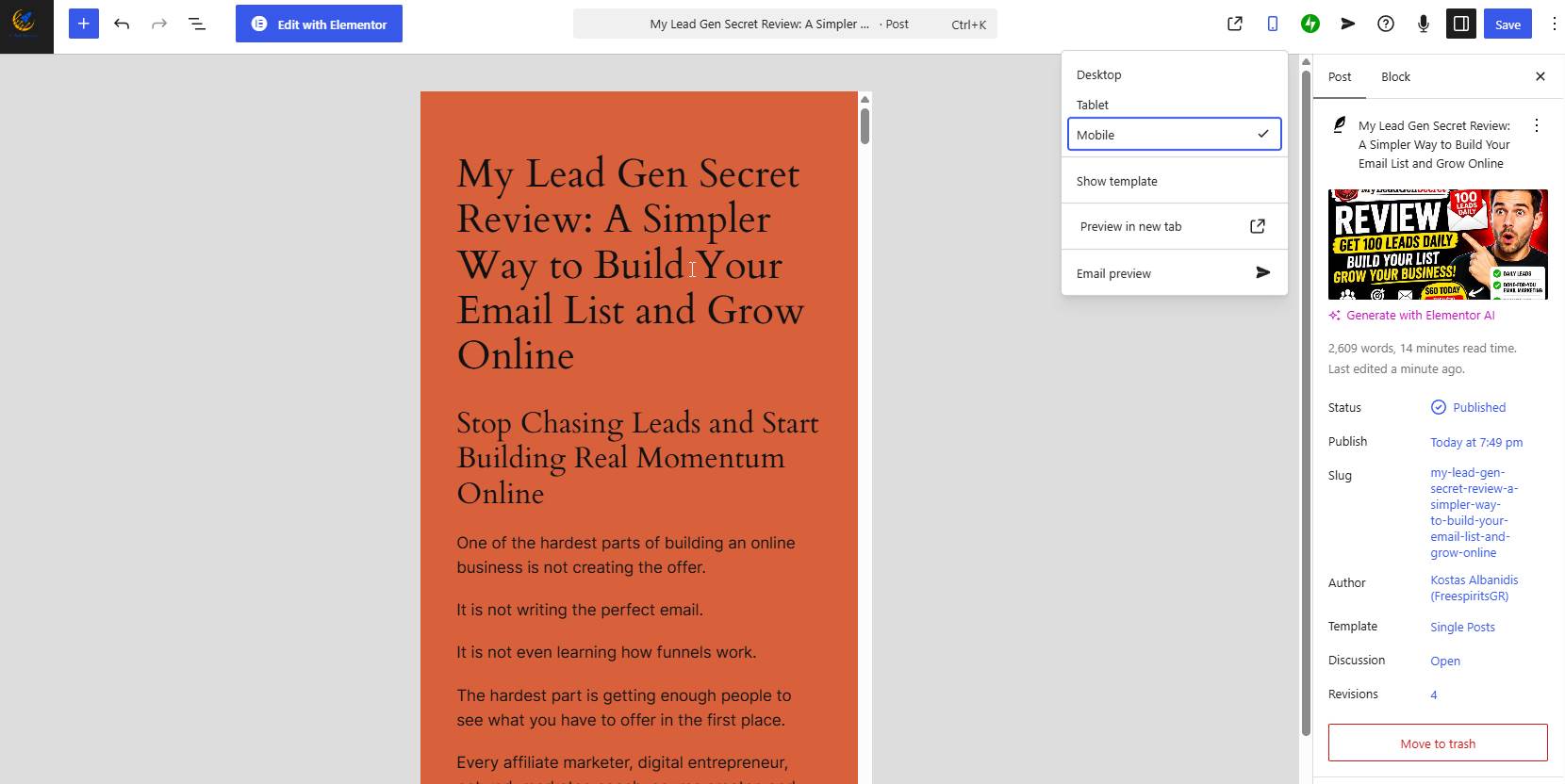
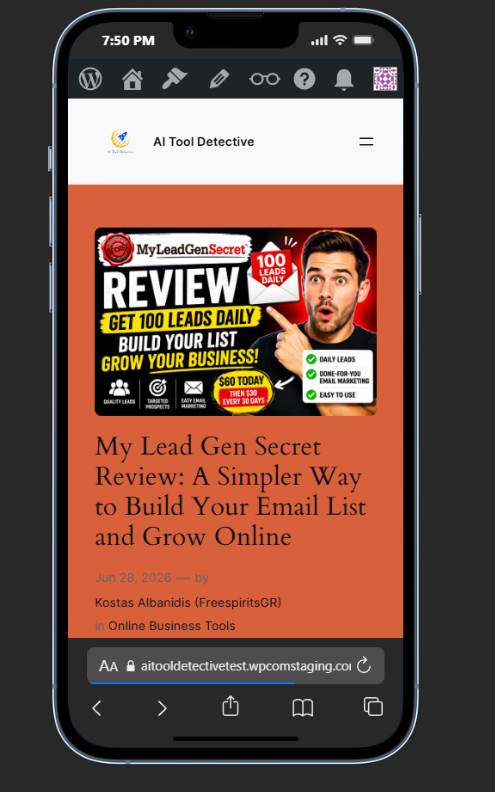
Checking the Mobile Experience
One thing I always care about is how a website looks on mobile.
Many visitors will not read your blog from a desktop computer. They will come from Google, Facebook, YouTube, Pinterest, email, or social media on their phone.
So a blog must be readable on mobile.
During my test, I checked how the design looked on smaller screens and how the content appeared after publishing.
This is another reason to keep the design simple.
Big blocks of text, tiny fonts, crowded sidebars, and too many popups can destroy the mobile experience.
For a new AI blog, I would focus on:
Clear titles.
Short paragraphs.
Readable fonts.
Simple navigation.
Fast-loading images.
A clean call to action.
WordPress.com makes it easier to start with a mobile-friendly design because the available themes are built for modern websites. Still, you should always check your own pages before publishing.
Never assume the desktop version is enough.
What Felt Easy for a Beginner
The easiest part of using WordPress.com was avoiding technical setup.
That is the main benefit.
You do not have to think about installing WordPress manually. You do not have to create a database. You do not have to configure hosting from scratch. You do not have to worry about basic server maintenance.
For beginners, this removes a lot of stress.
I also liked that the dashboard keeps the experience focused. You can move from setup to design to writing without feeling like you need to become a server administrator.
For a blogger, this matters because consistency is more important than technical perfection.
A simple blog that publishes helpful content every week is better than a complicated website that never launches.
WordPress.com helps with that because it makes the first step easier.
What Felt Limited Compared to Advanced WordPress Setups
WordPress.com is not perfect for everyone.
As someone who also works with self-hosted WordPress, I immediately noticed where advanced users may feel limited.
With self-hosted WordPress, you can control almost everything. You can choose your hosting provider, server stack, caching system, security tools, custom plugins, premium themes, file access, database access, and advanced optimization setup.
That level of control is powerful.
WordPress.com is more managed and more guided. For beginners, that is good. For advanced developers, agencies, or power users, it may feel restrictive depending on the project.
Also, some advanced features depend on the plan you choose.
So before starting a serious project, you should compare the plans carefully and decide what features you really need.
For a basic AI blog, WordPress.com can be more than enough.
For a complex affiliate site with custom systems, heavy automation, advanced tracking, custom plugins, or unique server requirements, self-hosted WordPress may still be the better choice.
Pricing: What New Bloggers Should Know
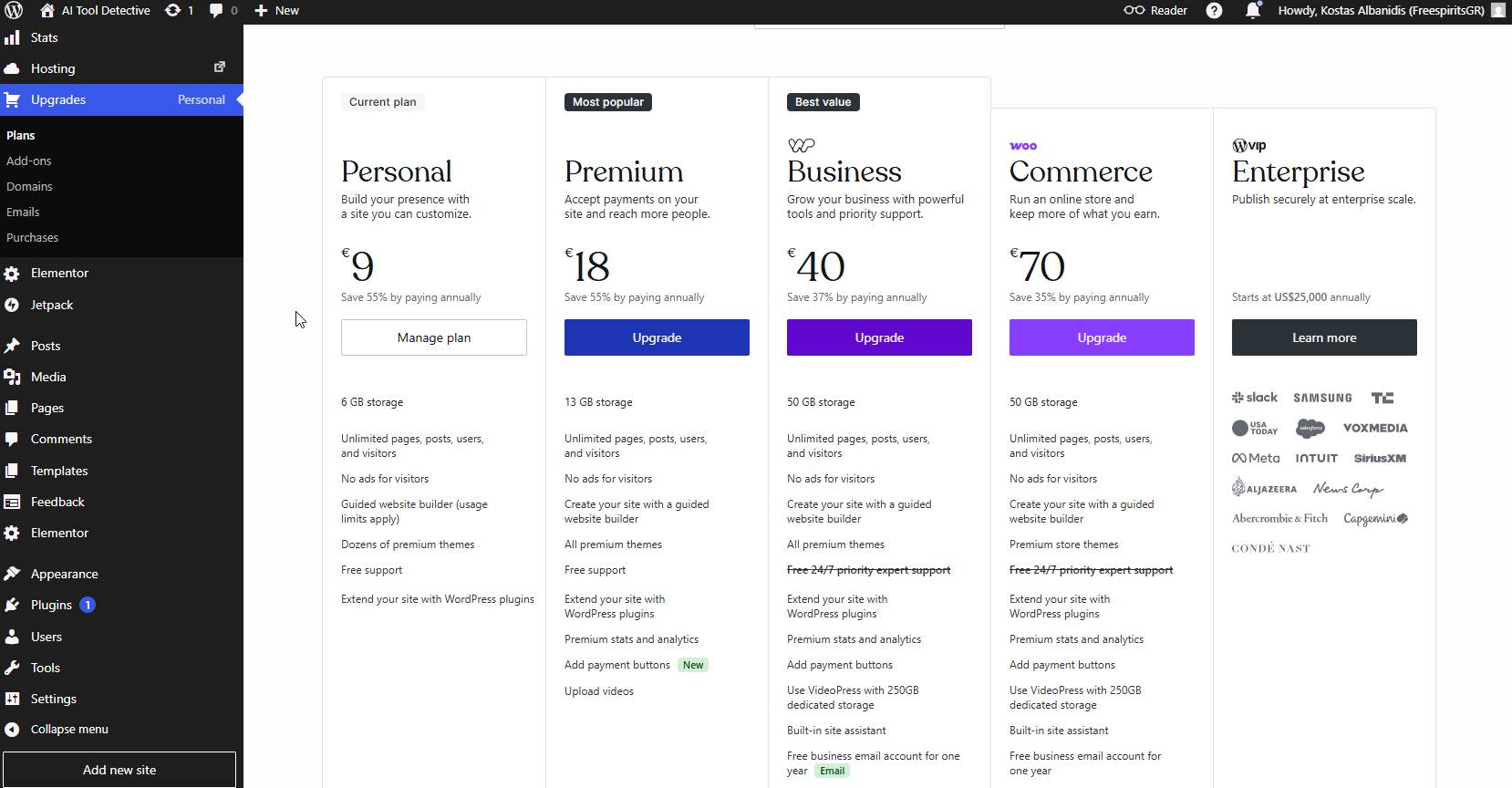
At the time of writing, WordPress.com offers several plans, including a free plan and paid plans.
The free plan is useful for testing, but for a serious blog, I would not treat it as the best long-term option because you normally want a custom domain, a more professional appearance, and fewer limitations.
The Personal plan is listed at $9 per month when paid monthly, or $4 per month when paid annually.
The Premium plan is listed at $18 per month when paid monthly, or $8 per month when paid annually.
The Business plan is listed at $40 per month when paid monthly, or $25 per month when paid annually.
The Commerce plan is listed at $70 per month when paid monthly, or $45 per month when paid annually.
There are also multi-year payment options that can reduce the monthly equivalent price.
For a simple AI blog, many beginners may start by comparing the Personal and Premium plans first. If you need more advanced business tools, plugin flexibility, or ecommerce features, then the higher plans become more relevant.
The important thing is to avoid choosing only based on the lowest price.
Think about what you actually need.
Do you need a custom domain?
Do you need more storage?
Do you need advanced design options?
Do you need plugins?
Do you need ecommerce?
Do you need priority support?
For a blog that is just starting, keep things simple. You can always grow later.
Is WordPress.com Good for an AI Blog?
Based on my test, yes, WordPress.com can be a good option for starting a simple AI blog.
It gives you the basic tools you need to publish content, organize posts, upload screenshots, create pages, and build a clean web presence without dealing with the technical side of hosting.
This is especially useful if you are:
A beginner blogger.
A creator who wants to publish AI tutorials.
A freelancer reviewing tools.
A small business owner writing about automation.
An affiliate marketer starting a content website.
Someone who wants to test a niche before investing in a more complex setup.
The biggest benefit is speed.
You can go from idea to published website faster than with a traditional self-hosted setup.
And when you are starting a blog, momentum matters.
My Honest Advice for New Bloggers
The tool you choose matters, but your content matters more.
A beautiful website with no useful articles will not help anyone.
A simple website with honest, helpful, experience-based content can build trust over time.
So if you want to start an AI blog, do not wait until everything is perfect.
Choose a simple structure.
Pick a clean theme.
Create your main categories.
Write your first helpful article.
Add real screenshots.
Share honest opinions.
Keep publishing.
WordPress.com can help you avoid many technical distractions so you can focus on the most important part: creating useful content for your visitors.
Who Should Use WordPress.com for Blogging?
I would recommend WordPress.com to people who want a simple and managed way to start blogging.
It is a good fit for beginners, creators, freelancers, consultants, small business owners, and people who want to publish content without spending too much time on technical setup.
It is especially useful if you do not want to manage hosting, updates, security, and server configuration yourself.
If your goal is to start an AI blog, personal blog, portfolio blog, or small business content site, WordPress.com is worth considering.
Who May Prefer Self-Hosted WordPress?
Self-hosted WordPress may be better if you need full control.
For example, if you are building a large affiliate website, a custom membership platform, a complex WooCommerce store, or a website that depends on specific server-level tools, self-hosted WordPress may give you more flexibility.
It is also better for developers who want direct access to files, databases, server settings, custom code, and advanced optimization.
But with that freedom comes responsibility.
You must manage updates, backups, security, performance, and troubleshooting.
For some users, that is worth it.
For beginners, it may be too much at the start.
Окончательный вердикт
After building a simple AI blog structure on WordPress.com , I can see why it is attractive for new bloggers in 2026.
It removes many technical barriers.
It gives you a clean place to write and publish.
It includes хостинг .
It helps you start faster.
It feels much easier than managing everything yourself from day one.
It may not be the perfect choice for every advanced project, but for beginners and creators who want to start publishing helpful content, WordPress.com is a strong option.
For an AI blog specifically, I think it works well because the platform makes it easy to create articles, upload screenshots, organize categories, and build a professional-looking website without getting stuck in technical setup.
My advice is simple:
If you want full technical control, self-hosted WordPress is still powerful.
But if you want to start your AI blog faster and focus more on content than server management, WordPress.com is absolutely worth testing.