This page may contain affiliate links. If you purchase through these links, I may earn a commission at no extra cost to you.
Gravity Forms Populate Anything: A Game Changer for Dynamic Forms
After diving into the official documentation and exploring the features of Gravity Forms Populate Anything, I can genuinely say that this tool opens up a whole new world for anyone looking to enhance their forms with dynamic, customizable options. The ability to populate fields based on user input or external data sources not only streamlines the form-filling experience but also significantly improves data accuracy. It’s exciting to think about how this plugin can transform the way we interact with online forms.
What Does Gravity Forms Populate Anything Do?
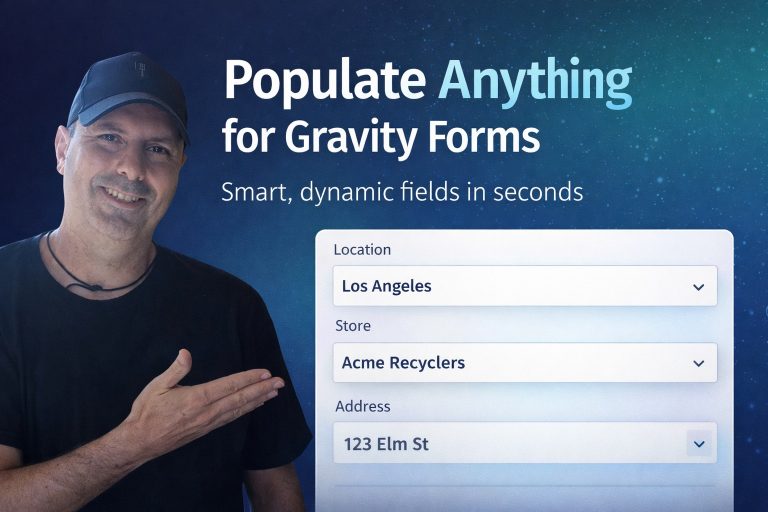
Gravity Forms Populate Anything is all about enabling dynamic population of field choices and values. This means you can fill fields with data from various sources including posts, users, taxonomies, terms, other Gravity Forms entries, and even databases or REST APIs. Picture this: a user starts filling out a form, and based on their previous answers, the subsequent fields automatically adjust to show only the relevant options. This not only saves time but also enhances user engagement.
This plugin introduces features like Live Merge Tags, which allows you to display real-time, filterable data within field labels and descriptions. Imagine having a contact method selector that pulls in a user’s details dynamically or an automated registration form that checks email domains. The possibilities seem endless!
Key Features
Gravity Forms Populate Anything offers a plethora of features that can significantly elevate the functionality of your forms:
- Dynamically Populate Field Choices: Populate any field type (Drop Down, Radio Buttons, Checkboxes) with dynamic data that can be filtered based on user selections.
- Automatic Field Value Population: Fields can be pre-filled with relevant data, making the process more intuitive for users.
- Dynamic Filtering: Fetch fresh data based on user input or selected values. This ensures users only see options that are relevant to them.
- Chained Selections: Create a hierarchy where the choice in one field dictates the options available in another, which is fantastic for complex forms.
- Live Merge Tags: Add dynamic data anywhere in your form, including labels and descriptions, which updates instantly.
- Support for Specialized Data Sources: This includes options for populating from posts, users, taxonomies, and more.
- Flexible Templates: Enjoy control over how choices and values are presented, making your forms not only functional but also aesthetically pleasing.
- Results Preview: Instantly see how your data will populate based on the filters applied, enhancing the design process.
Pros and Cons
As with any tool, it’s essential to weigh the benefits against the drawbacks. Here’s my take:
Pros
- Enhanced User Experience: The dynamic nature of this plugin ensures that users only interact with relevant fields, reducing frustration and streamlining the completion process.
- Improved Data Accuracy: By allowing users to select from predetermined options, you decrease the likelihood of errors in data entry.
- Customizable: You have complete control over how data is displayed, which can significantly enhance the branding and usability of your forms.
- Robust Support: Gravity Wiz is known for its excellent support, providing users with the assistance needed to get the most out of their products.
- Regular Updates: The plugin sees consistent updates and improvements, ensuring compatibility with the latest versions of WordPress and Gravity Forms.
Cons
- Learning Curve: While powerful, the myriad features can overwhelm new users. It may require some time and experimentation to tap into its full potential.
- Not All Features Are Instantly Obvious: Some of the functionality, like Live Merge Tags, may not be understood immediately, which could hinder first-time users.
- Dependency on Gravity Forms: This plugin is only useful if you are already utilizing Gravity Forms, which may exclude those using other form systems.
Who It’s For
Gravity Forms Populate Anything is perfect for:
- Web Developers: If you build or manage websites, this tool is invaluable for creating forms that adapt to user input.
- Businesses with Complex Needs: Organizations that require forms to collect detailed information—like membership registrations or service requests—will benefit immensely.
- Event Organizers: Those managing registrations can use dynamic fields to tailor experiences based on attendee preferences or prior selections.
- Marketers: For those running promotional campaigns requiring detailed user input, this tool simplifies data collection.
Who Should Skip This
This plugin might not be for you if:
- You Prefer Simplicity: If your form needs are basic, the complexity and features of Populate Anything might be overkill.
- You’re Not Using Gravity Forms: As mentioned, if you’re using a different form solution, this plugin won’t be applicable.
- Budget Constraints: Although pricing details weren’t confirmed in the sources, if you’re looking for free options, Gravity Forms and its add-ons may not align with your budget.
Frequently Asked Questions
1. What is the cost of Gravity Forms Populate Anything?
Pricing details weren’t explicitly confirmed in the available sources. For specific pricing structures, I recommend visiting the official Gravity Wiz website.
2. Is there a trial version available?
The sources didn’t specify whether a trial version exists. It’s best to check directly on the Gravity Wiz site for any offers or demos.
3. Can I use this plugin with other form builders?
No, Gravity Forms Populate Anything is designed specifically for use with Gravity Forms, so it won’t be compatible with other form systems.
4. What type of support does Gravity Wiz offer?
Gravity Wiz is known for its responsive and helpful support team, offering assistance to users who need help with the plugin.
5. How often is the plugin updated?
The plugin receives regular updates, and the latest version as of now is 2.1.58, released in February 2026. Users can expect ongoing improvements and feature additions.
6. Does it work with WordPress multisite?
The plugin is designed to work with standard WordPress setups. For multisite environments, compatibility may depend on individual configurations, so it’s advisable to test on your specific setup.
7. Are there any known conflicts with other plugins?
The sources didn’t mention any specific conflicts, but, as with any plugin, it’s a good practice to test compatibility with your existing setup.
8. Can I customize the appearance of dynamically populated fields?
Yes, the plugin allows for customization of templates and how populated data is displayed, giving you control over aesthetics.
Final Thoughts
The functionality of Gravity Forms Populate Anything is impressive. It allows you to create more dynamic and tailored experiences for your users, which ultimately leads to better data collection and user satisfaction. While there is a learning curve, the benefits far outweigh the initial challenges. Whether you’re a developer, a business owner, or anyone needing versatile forms, this plugin is worth considering.
Transparency Note
This editorial is based on information gathered from the official documentation and public resources. No personal experience with the product was claimed, and I aimed to present an honest overview of its features and implications for users.