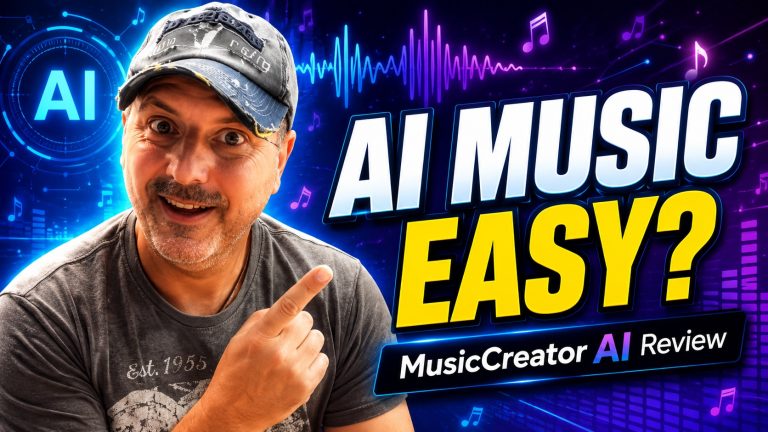
Índice
- Introducción
- 1. Cómo funciona MusicCreator AI: de las indicaciones de texto a las canciones terminadas
- 2. Análisis en profundidad de las funciones: «Texto a canción», «Letra a canción» y «Generación de versiones»
- 3. Calidad del resultado y control del estilo en distintos géneros
- 4. Derechos de autor, derechos y uso comercial: qué puedes hacer con la música
- 5. Usabilidad y accesibilidad: ¿De verdad no hace falta tener conocimientos para crear música?
- 6. Comparaciones con otros generadores de música basados en IA
- 7. Casos de uso reales y estudios de caso
- Preguntas frecuentes
- Conclusión
Introducción
Qué MusicCreator AI promesas
MusicCreator AI ofrece una forma rápida y accesible de crear música personalizada sin necesidad de tener conocimientos tradicionales de composición. Utiliza indicaciones de texto y flujos de trabajo basados en letras para producir temas rápidamente, con licencias libres de derechos de autor para una amplia variedad de proyectos. La plataforma tiene como objetivo optimizar la producción musical para vídeos, podcasts y otros contenidos sin necesidad de disponer de un equipo de estudio completo.
Los casos de uso reales muestran múltiples vías para obtener valor. Un YouTuber puede generar una pieza de fondo de 30 segundos adaptada al tema de un vídeo y, a continuación, ajustar el tempo para que se adapte al ritmo. Un podcaster puede crear un jingle de apertura y un cierre fluido en menos de cinco minutos, ahorrando tiempo en la búsqueda de clips de archivo o en la contratación de servicios externos. Los profesionales del marketing pueden crear breves ambientaciones sonoras en consonancia con la imagen de marca para demostraciones de productos, seminarios web o vídeos para redes sociales, lo que podría reducir los costes de producción. Cuando la rapidez sea un factor determinante, conviene tener en cuenta las condiciones de licencia para contenidos de larga duración y retransmisiones en directo, a fin de evitar futuros problemas relacionados con los derechos de autor.
A quién va dirigida esta herramienta
Está dirigido a creadores de contenido que necesitan música de fondo rápidamente o tema pistas. Entre ellos se incluyen youtubers, podcasters, profesionales del marketing y pequeños equipos con plazos ajustados. También es ideal para creadores independientes que exploran géneros como el EDM y el progressive house sin necesidad de contratar a compositores.
Varios ejemplos prácticos ilustran las posibilidades de uso. Un vlogger de estilo de vida combina un motivo de piano con un ritmo de tempo medio para un vídeo sobre su rutina matutina. Un streamer de videojuegos prueba sintetizadores ambientales para una superposición nocturna y, a continuación, cambia a una pista enérgica para los momentos más destacados. Los principiantes pueden empezar con los preajustes de género, mientras que los usuarios más experimentados aprovechan las sugerencias de letra para crear pistas centradas en el estado de ánimo. Para mantener la novedad, mezcla un breve puente percusivo y evita las sugerencias demasiado ajustadas. Para obtener los mejores resultados, exporta las pistas por secciones (introducción, estrofa, estribillo, puente) para facilitar las ediciones posteriores en tu editor.
1. ¿Cómo? MusicCreator AI Obras: de los bocetos de texto a las canciones terminadas
Flujo de trabajo de «texto a música»
Empiezas con una sencilla indicación y la IA convierte tu idea en un boceto musical. El sistema analiza los indicios de género, el tempo y el estado de ánimo para generar rápidamente una pista completa. Esto permite desarrollar ideas con rapidez sin necesidad de seguir los pasos tradicionales de la composición.
Aplicación práctica: si estás componiendo la banda sonora de un tráiler, describe la escena y la emoción que quieres transmitir; a continuación, perfecciona el tempo y la intensidad en fragmentos de 10 o 15 minutos. Para los vídeos de formación, solicita una pieza concisa de 60 segundos con una ligera capa de percusión para mantener un ritmo ágil. Estos ciclos rápidos reducen la dependencia de un equipo de orquestación completo.
Consejos: fija primero un tempo básico y, a continuación, experimenta con la instrumentación por fases. Guarda cada variante como una versión con nombre propio para comparar los cambios de ambiente uno al lado del otro.
Composición centrada en la letra
Puedes introducir letras o palabras clave, y la IA crea melodías, progresiones de acordes y ritmos que se adaptan al contenido vocal. Esto te ayuda a crear una canción a medida en torno a palabras concretas o temas, creando una pieza musical coherente que se adapte a tu narrativa.
Ejemplo: pega un estribillo sobre la resiliencia y, a continuación, pide una secuencia de acordes ascendente y un bombo constante para resaltar el impulso. Si la letra incluye una frase con un momento de calma, pide una sección de puente contrastante para crear tensión dinámica antes de volver al estribillo.
Buenas prácticas: asigna a cada estrofa un ritmo distinto o un cambio de tempo para mantener las señales narrativas. Exporta las pistas individuales (voz, batería, teclados) para poder realizar ajustes precisos en tu DAW.
Opciones de voz y modos instrumentales
MusicCreator AI ofrece múltiples estilos vocales y configuraciones instrumentales. Elige entre voces masculinas, femeninas o neutras, u opta por una pista instrumental sin voz. Puedes mezclar y combinar las opciones para conseguir la energía y la textura que desees para tu proyecto.
Ejemplo práctico: para un vídeo corporativo, elige un tono de voz cálido y discreto, junto con un ligero acompañamiento de piano, que sirva de fondo a la narración. Para un tráiler de ciencia ficción, utiliza una voz sintética acompañada de sonidos brillantes y percusión lejana para transmitir una sensación de futurismo.
Nota técnica: escucha las pistas por separado para evitar conflictos entre la articulación vocal y las escalas melódicas rápidas. Si la voz destaca demasiado en la mezcla, aplica un filtro de paso alto suave y automatiza los cambios de nivel durante las frases clave.
2. Análisis en profundidad de las funciones: «Texto a canción», «Letra a canción» y «Generación de versiones»
Funcionalidades de «Texto a canción»
Puedes introducir unas cuantas indicaciones concretas y, a continuación, MusicCreator AI crea un borrador de una pista. Por ejemplo, si especificas «pop» o «jazz», un estado de ánimo como «esperanzador» y un tempo de unos 120 BPM, la IA te ofrece melodías, progresiones de acordes e instrumentación por capas. También permite exportar pistas individuales para mezclarlas rápidamente en un DAW, de modo que puedas cambiar de instrumentos o ajustar la dinámica sin tener que empezar desde cero.
Pasos prácticos: empieza con un tempo que ya tengas claro, sube pistas de referencia y, a continuación, ajusta la instrumentación en la vista previa. Guarda varias versiones para comparar el ritmo y la armonía antes de dar por cerrado el arreglo definitivo.
Aplicación práctica: puedes crear un borrador de la banda sonora completa de un vídeo de 60 segundos en menos de 15 minutos y, a continuación, ajustar la atmósfera para que se adapte a la sincronización de la pantalla, lo que te permite ahorrar horas en los plazos de producción.
Integración de las letras de las canciones
Introduce tu letra o una serie de palabras clave y el sistema te sugerirá melodías y arreglos adaptados a la voz. Analiza el número de sílabas, el énfasis y los puntos de respiración para ajustar el ritmo al contenido hablado o cantado, creando así una canción coherente que complemente tu mensaje.
Cómo optimizarla: indica brevemente la estructura rítmica, especifica la duración del estribillo y solicita primero un arreglo sencillo. A continuación, ve añadiendo armonías o contramelodías en las siguientes pasadas.
Consejos de los creadores: prueba diferentes estilos vocales, desde el acústico más íntimo hasta el pop más enérgico, para ver qué enfoque transmite tu historia con mayor claridad.
Descripción general del generador de versiones de canciones con IA
La herramienta «AI Song Cover» genera diseños temáticos que reflejan la energía y el género de la canción. Puedes seleccionar paletas de colores, tipografías y elementos visuales para crear una portada lista para publicar en cuestión de minutos.
Buenas prácticas: adapta la portada a tu público; por ejemplo, utiliza colores vivos para las canciones más animadas y un estilo minimalista para las piezas instrumentales. Utiliza las portadas generadas como borradores para acelerar las previsualizaciones en plataformas como los servicios de streaming o los clips en redes sociales.
3. Calidad del resultado y control del estilo en distintos géneros
Versatilidad de géneros y reproducción de ambientes
MusicCreator AI abarca una amplia gama de géneros, desde la música electrónica de baile (EDM) de gran energía hasta la música de fondo cinematográfica. Puedes modificar el tempo, la instrumentación y la textura armónica para reflejar el ambiente deseado, lo que facilita la exploración rápida de distintos estilos de proyectos sin tener que empezar desde cero.
Ejemplo real: un anuncio de 30 segundos pasa de un «future bass» enérgico a una melodía de tráiler más sobria, utilizando un único archivo de IA adaptado a los distintos cortes. Un cineasta comparó una versión de ritmo rápido con un puente más reflexivo, lo que le permitió ahorrar mucho tiempo en la reelaboración manual de la banda sonora.
Consejo: guarda preajustes de género con armaduras, rangos de tempo y conjuntos de instrumentos. Cuando cambien las instrucciones del cliente, aplica el preajuste más adecuado y ajusta los pequeños detalles en la mezcla final. En los proyectos multilingües, mantén un ambiente coherente en todos los idiomas para preservar la coherencia sonora.
Personalización y mezcla de instrumentos
Puedes alternar entre instrumentos, modular la intensidad y ajustar la duración de la pista para personalizar el sonido. El mezclador integrado ayuda a garantizar que las voces se escuchen con claridad o que los elementos instrumentales se fusionen con fluidez, lo que permite obtener una pista prácticamente lista para su publicación con un mínimo de posproducción.
Pasos prácticos: empieza con un groove básico de batería y bajo, y luego prueba con una batería acústica más suave para los cortes alternativos. Utiliza las funciones «solo» y «silenciar» para detectar el enmascaramiento, y aplica una ligera compresión en el bus para dar cohesión a la mezcla. Ajusta la duración de la pista a la línea de tiempo de tu proyecto y exporta los stems para futuras ediciones.
Práctica recomendada: comprueba la inteligibilidad de la voz observando el margen dinámico en el bus maestro y prueba la reproducción en dispositivos móviles, ordenadores de sobremesa y altavoces inteligentes.
Pautas de calidad para podcasts, vídeos y streaming
Las pistas se crean pensando en licencias libres de derechos de autor para podcasts y producciones de vídeo. El objetivo es conseguir una mezcla pulida, con calidad de estudio, que se reproduzca bien en cualquier dispositivo. Podrás contar con pistas separadas y secciones que se pueden reproducir en bucle, adecuadas para formatos más largos.
Nota: los editores profesionales suelen indicar que los plazos de entrega son más cortos cuando utilizan pistas base generadas por IA en lugar de pistas totalmente producidas. En el caso de los podcasts, se recomienda aplicar una normalización de volumen constante en torno a los -14 LUFS integrados para grabaciones en espacios abiertos.
Caso extremo: en las escenas con muchos graves, aplica un filtro de paso alto a los elementos melódicos para evitar que el sonido resulte confuso en altavoces pequeños; a continuación, vuelve a comprobar la mezcla con auriculares y en el equipo de sonido del coche para asegurarte de que el equilibrio se mantiene intacto.
4. Derechos de autor, derechos y uso comercial: qué puedes hacer con la música
Condiciones de licencia y titularidad
MusicCreator AI ofrece uso libre de derechos licencias para las pistas que generes, destinadas a su uso en diversos proyectos. Este modelo de propiedad suele otorgar derechos comerciales sobre la música, lo que reduce la necesidad de obtener permisos adicionales en la mayoría de los casos. Es importante revisar los términos específicos de la licencia para confirmar aspectos como los límites de distribución y los requisitos de atribución.
Consideraciones sobre la monetización
Dado que la música está pensada para uso libre de derechos, puedes incorporarlo a contenidos monetizados, como anuncios, cursos en línea y proyectos de streaming de pago. En algunos casos, es posible que puedas vender la obra terminada directamente o como parte de un producto creativo más amplio. Comprueba siempre las restricciones específicas de cada plataforma que se apliquen a las iniciativas comerciales.
Seguridad y cumplimiento normativo en la música generada por IA
La plataforma hace hincapié en el cumplimiento de las normas de licencia y los estándares de seguridad. Al utilizar música generada por IA, debes asegurarte de que tu proyecto se mantenga dentro de los géneros y escenarios de uso permitidos que establece el proveedor. Conservar copias de las condiciones de la licencia puede ayudarte a resolver dudas sobre los derechos en caso de que tu proyecto se expanda a nuevas plataformas o mercados.
5. Usabilidad y Accesibilidad: ¿De verdad no hace falta tener ninguna habilidad para crear música?
Curva de aprendizaje e incorporación
MusicCreator AI ofrece pasos concretos para empezar: elige un tipo de proyecto, establece un ambiente y aplica una sugerencia inicial. Puedes ajustar rápidamente el tempo y la intensidad de los instrumentos, sin entrar en detalles teóricos. Empieza con un primer borrador breve y compáralo con la escena que quieres conseguir para detectar posibles discrepancias desde el principio.
Consejo: consulta la galería de indicaciones para crear tus propias indicaciones. Si un género no te convence, pasa a un subgénero relacionado y ajusta el tempo de la batería. Así seguirás avanzando sin quedarte atascado en los ajustes.
Plazo de entrega de los proyectos habituales
Cuando los plazos sean ajustados, crea una pista básica en menos de cinco minutos eligiendo un preajuste de estructura y un ambiente general. Con una sola pasada puedes optimizar la variación del tempo y el equilibrio entre los instrumentos. Este enfoque resulta ideal para vídeos para redes sociales, música de introducción o transiciones de podcasts, en los que la sincronización es fundamental.
Ejemplo práctico: para un tráiler de 15 segundos, empieza con un bucle muy enérgico, añade un acento de percusión a los siete segundos y exporta una pista limpia para tu editor. Es probable que haya que hacer un par de rondas de pequeños ajustes para sincronizarlo con las imágenes.
Accesibilidad para quienes no son músicos
Las personas que no son músicos pueden crear bandas sonoras eficaces utilizando indicaciones basadas en las letras de las canciones y preajustes de instrumentos adaptados al contenido hablado. Prueba con un tempo que se adapte a la voz en off y, a continuación, introduce un estribillo pegadizo para reforzar la imagen de marca. La plataforma ofrece múltiples estilos vocales y ambientes instrumentales que se adaptan a diversas narrativas.
Consejo práctico: comprueba las licencias y la procedencia de las muestras de los instrumentos si vas a darles un uso comercial. Si una frase suena demasiado robótica, cambia a un patch de instrumento con un sonido más cálido y ajusta la reverberación para humanizar la interpretación.
6. Comparaciones con otros generadores de música basados en IA
Diferencias clave con respecto a Canva, ElevenLabs se centra en los resultados basados en la voz y en la integración de las letras con un gran énfasis en la voz. SOUNDRAW destaca la personalización de instrumentos y la exportación de pistas, centrándose en la creación de ritmos. MusicCreator AI combina estas capacidades en una única plataforma con una amplia adaptabilidad a distintos géneros y un enfoque unificado en materia de licencias.
MusicCreator AI se centra en flujos de trabajo basados en texto y letras, con funciones integradas de creación de portadas y licencias libres de derechos de autor adaptadas a los flujos de trabajo de vídeo y podcasts. Canva se inclina por la creación rápida de bandas sonoras dentro de un entorno de diseño más amplio, mientras que ElevenLabs se centra en los resultados basados en la voz y en la integración de las letras con un gran énfasis en la voz. SOUNDRAW destaca la personalización de instrumentos y la exportación de pistas, centrándose en la creación de ritmos. MusicCreator AI combina estas capacidades en una única plataforma con una amplia adaptabilidad a distintos géneros y un enfoque unificado en materia de licencias.
- Las opciones de composición basadas en el texto de la canción y la letra se adaptan al contenido vocal y a la narración.
- Se incluye la creación de diseños de portada para agilizar la presentación del proyecto.
- Las licencias libres de derechos de autor permiten el uso comercial en los flujos de trabajo habituales de los creadores.
Cuándo elegir MusicCreator AI frente a la competencia
- Necesitas un conjunto de bandas sonoras rápido y listo para usar para vídeos, podcasts y contenido en redes sociales.
- Quieres una solución integral que abarque la creación musical, las carátulas y las licencias, todo en un mismo sitio.
- Valoras una herramienta fácil de usar que te permita mantener el control sobre la atmósfera y la instrumentación sin necesidad de tener grandes conocimientos musicales.
Propuestas de valor únicas
- Un flujo de trabajo unificado, desde la indicación inicial hasta la pista final, con licencia libre de derechos de autor.
- Opciones basadas en la letra que armonizan el ritmo con el contenido vocal para lograr resultados coherentes.
- Generador de versiones de canciones con IA que ofrece material visual listo para publicar junto con el audio.
7. Casos de uso reales y estudios de caso
Creadores de contenidos y editores de vídeo
Los creadores pueden incorporar música generada por IA en tutoriales, vlogs y demostraciones de productos sin necesidad de recurrir a compositores externos. El flujo de trabajo de «texto a música» ayuda a sincronizar las pistas con el ritmo de lo que aparece en pantalla, lo que agiliza la edición y las aprobaciones. Fácil integración: sincroniza rápidamente la música con los vídeos.
- Pistas musicales rápidas que se adaptan al estado de ánimo para vídeos cortos
- Pistas libres de derechos de autor aptas para vídeos con potencial de monetización
- Recursos optimizados con carátulas integradas
Podcasters y asesores publicitarios
Los podcasters pueden adaptar las introducciones, las transiciones y las señales de los segmentos para que se ajusten al episodio temas. Las opciones basadas en las letras de las canciones permiten la sincronización con el contenido hablado, mientras que la licencia cubre el uso comercial en episodios y anuncios promocionales.
- Música de introducción personalizada para las notas del programa
- Una imagen de marca coherente gracias a los tallos reutilizables
- Pruebas sencillas del tono y el ritmo de los anuncios
Equipos pequeños y creadores independientes
Una solución «todo en uno» ayuda a los equipos pequeños a reducir su dependencia de músicos externos. Las instrucciones claras facilitan la experimentación, al tiempo que permiten mantener el control sobre el género y la instrumentación.
- Bandas sonoras «hazlo tú mismo» para diversos proyectos
- Una opción rentable para los estudios independientes
- Flujo de trabajo adaptable, desde el concepto hasta la mezcla final
Preguntas frecuentes
Es MusicCreator AI ¿Es seguro?
MusicCreator AI utiliza controles de seguridad por niveles para evitar usos indebidos. Además, supervisa los patrones de los proyectos y señala posibles infracciones. Para los usuarios, esto favorece una colaboración más segura y reduce el riesgo de exposición accidental de datos. Los usuarios reales informan de un menor número de incidentes cuando activan la autenticación de dos factores y revisan los permisos de acceso.
Medidas prácticas que puedes adoptar: activa la autenticación de dos factores (2FA), revisa periódicamente los proyectos compartidos y utiliza los permisos a nivel de proyecto para limitar quién puede exportar o publicar. Mantén tu perfil actualizado para que las alertas te lleguen rápidamente. Si surge algún problema, consulta el centro de seguridad de la plataforma para conocer los plazos de respuesta ante incidentes y los puntos de contacto.
¿Puedo utilizar la música con fines comerciales sin citar la fuente?
MusicCreator AI Por lo general, ofrece licencias libres de derechos de autor para uso comercial, incluyendo vídeos, podcasts y anuncios. Esto reduce la necesidad de citar la fuente en muchos casos, aunque las condiciones varían según el plan. Es de esperar que haya diferencias en cuanto a los derechos territoriales, los límites de duración de los episodios o el número de pistas descargables por proyecto.
- Comprueba los permisos exactos de tu plan antes de iniciar una campaña.
- Guarda una copia del extracto de la licencia en tu carpeta de activos para las auditorías.
- En caso de duda, ponte en contacto con el servicio de asistencia y facilítales los detalles del proyecto para confirmar la cobertura.
¿Permite exportar pistas vocales o letras?
La herramienta ofrece opciones de modo vocal y la posibilidad de exportar letras junto con las pistas instrumentales. Puedes crear canciones con voz narrada, estribillos pegadizos o voces armonizadas y, a continuación, exportarlas en formatos como MIDI, WAV o MP3, dependiendo de tu plan.
Casos excepcionales a tener en cuenta: algunas texturas vocales pueden estar sujetas a restricciones de licencia para su uso comercial en determinados territorios. Comprueba siempre las opciones de exportación y cualquier restricción por pista. Si necesitas voces de mayor fidelidad, prueba una muestra breve antes de lanzarte a una publicación completa.
Conclusión
Puntos clave
MusicCreator AI Combina la producción basada en texto con licencias libres de derechos de autor para ofrecer un flujo de trabajo optimizado, desde las indicaciones iniciales hasta las pistas finales y las carátulas. Sigue siendo accesible para quienes no son músicos, al tiempo que ofrece controles claros sobre el ambiente, el tempo y la instrumentación. Los usuarios reales señalan que se reducen los plazos de entrega de publicaciones en redes sociales, vídeos y podcasts sin tener que alternar entre varias herramientas.
- Creación musical, diseño de portadas y gestión de licencias, todo en una sola herramienta para reducir al mínimo la fatiga derivada del uso de múltiples herramientas.
- Ciclos de iteración eficientes que se adaptan a calendarios de contenidos ajustados y plazos de lanzamiento.
- Las licencias libres de derechos permiten el uso comercial en vídeos, servicios de streaming y materiales de marketing.
¿Quién debería utilizarlo? MusicCreator AI
- Creadores de contenido que necesitan bandas sonoras listas para usar en vídeos, Reels y podcasts.
- Equipos de redes sociales que buscan una imagen de marca coherente con música que se adapte a los elementos visuales.
- Pequeños estudios o creadores independientes que deseen reducir los costes derivados de la contratación de compositores externos o del uso de bibliotecas de música.
Recomendaciones para los futuros usuarios
- Prueba las opciones basadas en el texto y la letra de las canciones para comprobar que se ajustan al tono y al ritmo del proyecto.
- Aclarar las condiciones de las licencias para casos de uso habituales, como anuncios, vídeos monetizados y contenidos de formato largo.
- Empieza con géneros y arreglos más sencillos para evaluar la armonía vocal y la integración de los instrumentos antes de pasar a algo más complejo.
Referencias
- MusicCreator AI: Generador gratuito de música con IA | Libre de derechos de autor
- Generador de canciones con IA, con letra, ritmos y exportación de audio – YouTube
- Descripción general de las funciones de MusicCreator AI | Crear música con IA – YouTube
- Generador de música con IA | Creador de canciones y música gratuito – ElevenLabs
- Generador de música y canciones con IA | Crea música (gratis, en línea)