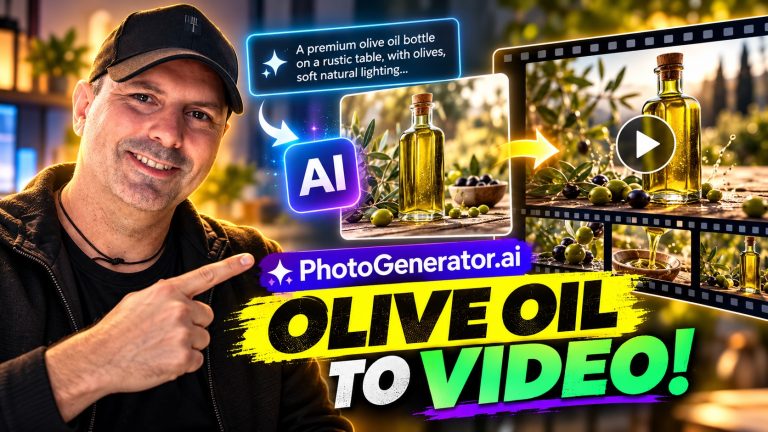
PhotoGenerator AI Review: A Flexible Way to Create and Edit Images Online
Creating a good image used to mean finding the right stock photo, arranging a photo shoot, or spending time learning complicated editing software. PhotoGenerator AI takes a much simpler route: describe the image you want, choose an AI model, and generate a result in your browser. You can also upload an existing image for editing or upscaling.
That combination makes it more useful than a basic text-to-image toy. It can help with a quick product concept, a professional-looking portrait, a social media visual, a wedding invitation image, or a creative experiment that would otherwise take much longer to produce. The most appealing part is the choice of several image models, since different models are better suited to photorealism, artistic styling, text accuracy, or image editing.
There are sensible limitations to keep in mind, particularly around credits, subscription tiers, and the unpredictable nature of AI-generated images. Still, PhotoGenerator AI looks like a practical option for anyone who wants accessible image creation without installing specialist software.
Was ist PhotoGenerator AI?
PhotoGenerator AI is a browser-based image creation and editing service. Its main function is turning written prompts into high-resolution images, but it also supports prompt-based edits and image upscaling. That gives it three useful roles: a generator for creating something new, an editor for changing something you already have, and an enhancement tool for improving a low-resolution image.
The service supports models including GPT Image 2, Nano Banana 2, Midjourney, and Seedream 5.0. You can switch between them rather than being locked into one visual style. In practical terms, that means you can use one model when accurate text inside an image is important, another for a more artistic look, and another when preserving the structure of an uploaded photo matters most.
It is available through a web browser on desktop and mobile, so there is no app download involved. Free credits are available to get started, while paid plans provide larger allowances and additional features such as private generation, an ad-free experience, storage, and downloads.
How the Workflow Works
The basic process is pleasantly straightforward. You write a description of the image, select a model and style, and generate the result. A prompt could describe a realistic product photograph, a cinematic portrait, a cozy holiday scene, or a stylized cartoon version of an existing picture.
The quality of the prompt still matters. Short prompts can be useful for exploration, but detailed instructions tend to give you more control over the subject, setting, lighting, camera style, colors, composition, and mood. For example, someone creating a product concept might specify a matte black water bottle on a pale stone surface, with soft morning light and enough empty space for advertising text.
Once you have an initial result, the natural next step is refinement. You might ask for a different background, a warmer color palette, a closer crop, or a more professional wardrobe. This iterative approach is more realistic than expecting the perfect image from one sentence. It also makes the tool approachable for people who do not have a background in photography or graphic design.
The prompt gallery can help when you are unsure where to begin. It includes ready-to-use ideas that can be copied or adapted, with reference images to illustrate the intended style. That is a useful learning aid because it turns vague inspiration into a concrete starting point.
The Features That Matter Most
Text-to-image generation
The central feature is the ability to create a new image from a written description. This is useful whenever you need a visual that is difficult to source or expensive to produce traditionally. A small business could develop several product-image concepts before arranging a professional shoot. A writer could create mood references for a story. Someone preparing an invitation could explore several wedding or celebration Themen without commissioning custom artwork.
PhotoGenerator AI is positioned toward realistic, high-resolution imagery, but it is not restricted to conventional photographs. The available models can also produce artistic, cinematic, cartoon, anime, and concept-art styles. That range is valuable because the same user may need a polished headshot one day and a playful social graphic the next.
Prompt-based photo editing
Uploading a photo and describing the desired change can be more convenient than manually making selections, masking objects, and adjusting multiple editing controls. Possible edits include changing the background, restyling the image, retouching details, or remixing the overall appearance.
This is especially helpful when the main subject is already right and only the context needs to change. For example, a seller could take one product image and try a studio background, an outdoor lifestyle setting, and a clean seasonal version. A job seeker might use an existing portrait as the starting point for a more polished professional presentation.
There is an important distinction here: prompt-based editing can save time, but it does not remove the need for checking the result. AI may alter small details that were not intended to change, particularly in faces, hands, logos, fine patterns, or complicated backgrounds. For important commercial work, reviewing every generated image remains essential.
Image upscaling up to 4K
The upscaling tool is aimed at blurry, old, or low-resolution images. Instead of simply enlarging the existing pixels, it is designed to reconstruct sharper-looking detail in areas such as faces, hair, edges, and textures. That can be useful for preparing an image for a print, improving a product shot, or giving an old family photograph a cleaner appearance.
Upscaling cannot recover information that was never captured with complete accuracy. A very small or heavily blurred image may still have limitations after enhancement, and reconstructed detail should not automatically be treated as historically accurate. Even so, this kind of tool can be worthwhile when the original file is the only version available.
Choosing Between the AI Models
The model selection is one of PhotoGenerator AI’s strongest practical advantages. Rather than presenting one all-purpose generator, it identifies different strengths.
- GPT Image 2: suited to photorealistic generation, detailed instructions, and accurate text within images.
- Nano Banana 2: intended for fast, natural edits and restyling that preserve the original image.
- Midjourney: a good choice when an artistic, stylized, cinematic, or highly aesthetic result is the priority.
- Seedream 5.0: focused on photorealistic detail, natural color, portraits, and product imagery.
This choice can make the service more adaptable than a single-model generator. If the first result feels too artistic, you have another route to try. If an edit changes too much of the source image, a model designed around preserving the original may be more appropriate. The trade-off is that beginners may need a little experimentation before they understand which model best fits a particular request.
Practical Ways to Use It
For business owners, the most obvious uses are product concepts, marketing visuals, corporate portraits, and social media content. A new brand can test visual directions before paying for photography. A freelancer can create draft concepts for a client presentation. A small retailer can explore seasonal imagery without needing a separate shoot for every campaign.
Professional and personal branding is another natural fit. The service supports images intended for CVs, portfolios, headshots, and personal branding. That does not mean every generated portrait will be suitable without review, but it can help someone explore clothing, lighting, backgrounds, and composition before settling on a final direction.
For personal projects, the possibilities are broader. Users can create wedding and couple portraits, group scenes, festive Christmas images, family concepts, cartoon versions, anime-style art, and imaginative baby-photo concepts. These are the kinds of tasks where experimentation is part of the enjoyment. You can try a few different moods rather than committing immediately to one visual idea.
It can also help with brainstorming. Even if the final image will be made by a designer or photographer, generated concepts can clarify what you want. Showing a reference for lighting, composition, or atmosphere is often easier than explaining the idea in abstract terms.
Ease of Use and Zugänglichkeit
Denn PhotoGenerator AI runs in a browser, getting started should be less demanding than setting up desktop creative software. There is no stated requirement to install a dedicated application, and the service is designed to work on both desktop and mobile. That makes it convenient for quick ideas, although a larger screen will generally be more comfortable when comparing several images or refining a detailed prompt.
The service supports 18 languages, which broadens its appeal beyond English-speaking users. The prompt gallery also reduces the pressure to be creative from a blank screen. Someone new to image generation can adapt an existing prompt, learn how it is structured, and gradually develop a more personal approach.
One thing to remember is that easy access does not guarantee predictable results. AI image generation is inherently iterative. You may need to rewrite a prompt, change models, or generate multiple variations before the composition matches your intention. That is normal for this type of tool, rather than a sign that the workflow has failed.
Preisgestaltung und Wert
PhotoGenerator AI offers a free tier with 10 credits per month. The listed allowance is up to five images and up to two videos, although the service is primarily presented here as an image-generation and editing tool. Free access is useful for exploring the workflow before paying, but it should not be confused with unlimited use.
The paid options shown include Starter, Pro, and Max plans. The listed monthly prices are $10, $39, and $89 respectively, with lower effective monthly pricing when billed annually: $120 per year for Starter, $468 for Pro, and $1,068 for Max. The plans provide 4,320, 24,000, and 63,600 credits per year, respectively.
Paid subscribers also receive features such as downloads, private generation, an ad-free experience, and unlimited storage as listed with the plans. The right tier depends on how often you create images and how many variations you expect to produce. Occasional users may be satisfied with the free allowance, while content creators, marketers, and businesses are more likely to benefit from a larger credit balance.
As with any credit-based AI service, it is worth checking how many credits a particular model or generation consumes before committing to a plan. The headline number of possible images may vary according to the selected model and task.
Pro und Kontra
Profis
- Text-to-image generation, editing, and upscaling are available in one browser-based service.
- Several models cover photorealistic, artistic, text-accurate, and edit-focused workflows.
- Free credits let new users explore the service without immediately subscribing.
- The prompt gallery offers practical inspiration for beginners.
- It supports a wide variety of personal, professional, and commercial image ideas.
- Generated images can be used for personal and commercial projects subject to the service’s terms.
Nachteile
- Free use is limited by monthly credits.
- Getting a precise result may require several generations and prompt revisions.
- AI edits can unintentionally change small details, so important images need careful checking.
- The range of models may feel slightly overwhelming until you learn which one suits each task.
- Paid plans are more compelling for regular users than for someone who only needs an occasional image.
Wer sollte verwenden PhotoGenerator AI?
PhotoGenerator AI is a strong fit for small businesses, marketers, social media creators, freelancers, and anyone who regularly needs visual ideas. It is particularly useful when speed and flexibility matter more than producing a formally art-directed photograph on the first attempt.
It should also appeal to people who want to experiment without learning advanced editing software. The ability to describe changes in everyday language lowers the barrier to trying new backgrounds, styles, and compositions.
It may not be the best choice for someone who needs a fully controlled professional photography workflow, exact brand consistency across a large campaign, or guaranteed accuracy in every fine detail. In those situations, a professional photographer, designer, or more specialized production process may still be necessary. PhotoGenerator AI works best as a creative accelerator and practical image tool, not as a universal replacement for every visual professional.
Häufig gestellte Fragen
Ist PhotoGenerator AI kostenlos?
Yes. A free tier provides 10 credits per month, listed as up to five images and up to two videos. Paid plans are available for users who need more credits, faster generation, storage, private generation, and an ad-free experience.
Can I edit an existing photo?
Yes. You can upload a photo and describe changes such as replacing the background, restyling the image, retouching details, or remixing its appearance. The result should be reviewed carefully for unintended changes.
Can I upscale an old or blurry image?
Yes. The upscaling feature is designed to enlarge images up to 4K while sharpening detail and reducing visible noise. Results will depend on the quality and content of the original image.
Which model is best for realistic Fotos?
Seedream 5.0 is positioned for ultra-realistic detail and natural color, while GPT Image 2 is described as strong for photorealism, prompt understanding, and accurate text. The best choice can vary depending on whether you are creating a new image or editing an existing one.
Can I create images for commercial projects?
The service states that generated Fotos can be used for personal and commercial projects, subject to its terms of service. Anyone using images for a business should review those terms and check the final image for unwanted logos, artifacts, or resemblance issues.
Do I need to download an app?
No. PhotoGenerator AI runs in a web browser on desktop and mobile, so there is no dedicated app download required.
Endgültiges Urteil
PhotoGenerator AI brings together the parts of AI image creation that are most useful in everyday work: generating a new image from a prompt, editing an existing photo with plain-language instructions, and improving a low-resolution image. The choice of GPT Image 2, Nano Banana 2, Midjourney, and Seedream 5.0 adds welcome flexibility, especially for users who do not want every project to have the same visual character.
The free tier makes it easy to explore, while the paid plans are aimed at people producing images regularly. You should expect some trial and error, and you should not assume that every generated detail will be perfect. But for product concepts, portraits, marketing visuals, creative projects, and quick image experiments, the service offers a convincing balance of Zugänglichkeit and capability.
If you want a browser-based tool that can move from a written idea to a finished image, then from an existing photo to a refined edit, PhotoGenerator AI is well worth trying. Its biggest advantage is not one isolated feature; it is having several useful visual workflows available in one place.