How to Use FlexClip to Enhance Your Social Media Marketing
In today’s digital landscape, captivating video content is crucial for effective social media marketing. FlexClip is an intuitive online video creation tool that simplifies the video production process, enabling marketers to create stunning videos that engage their audience. This article will provide actionable tips on how to leverage FlexClip for your social media marketing efforts.
1. Sign Up and Explore the Interface
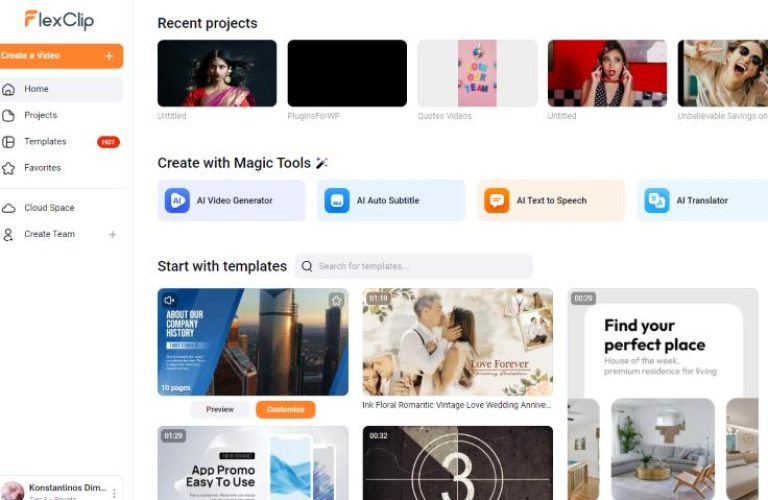
To get started with FlexClip, first, sign up for a free account. Once you’ve created your account, take some time to explore the user-friendly interface. Familiarize yourself with the various tools, templates, and features available.
2. Choose the Right Template
Selecting a template that aligns with your brand and marketing goals can significantly enhance your video’s impact. FlexClip offers a variety of professionally designed templates that cater to different themes and purposes.
- Browse through the available categories.
- Consider choosing templates specifically designed for promotions, announcements, testimonials, or educational content.
3. Customize Your Video
After selecting a template, it’s time to customize your video:
- Edit Text: Click on any text box to edit the content. Use clear, concise messaging that resonates with your audience.
- Incorporate Media: Upload your own photos and videos or utilize FlexClip’s expansive media library that includes stock videos, images, and audio tracks.
- Adjust Colors and Fonts: Ensure your video aligns with your brand identity by adjusting the colors and fonts.
4. Add Music and Voiceovers
Audio is a key component of any video. FlexClip allows you to add background music or voiceovers:
- Choose from a library of royalty-free music tracks that suit your video’s tone.
- For a personal touch, record and upload your voiceover directly through the platform.
5. Preview and Export Your Video
Before finalizing your video, take advantage of the preview feature to ensure everything appears as intended. Make any necessary adjustments, and once satisfied, export your video. FlexClip offers options to download your video directly or share it on social platforms.
6. Analyze and Optimize Performance
After sharing your video on social media, monitor its performance using analytics tools provided by the platform. Look for metrics such as views, shares, and engagement rates to identify what works and what needs improvement.
Conclusion
Using FlexClip can significantly enhance your social media marketing efforts by enabling you to create professional-looking videos without prior video editing experience. By following these steps, you can engage your audience effectively and boost your online presence. Don’t hesitate to take action and explore the features of FlexClip further by clicking here.