How to Use FlexClip to Create Eye-Catching Instagram Stories
Instagram Stories are a great way to engage with your audience and showcase your creativity. With FlexClip, a user-friendly online video maker, you can easily create stunning stories that stand out. This guide will walk you through the steps of using FlexClip to design eye-catching Instagram Stories.
Step 1: Create a FlexClip Account
If you haven’t already, start by creating a free account on FlexClip. Simply visit the FlexClip website, click on “Sign Up,” and follow the prompts to register.
Step 2: Start a New Project
Once logged in, click on the “Create New” button on your dashboard. Choose the “Video” option, then select the aspect ratio suitable for Instagram Stories (9:16).
Step 3: Choose a Template or Start from Scratch
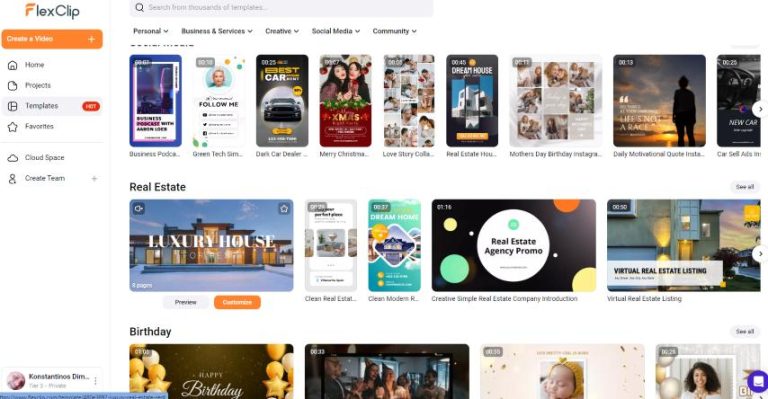
FlexClip offers a vast library of pre-designed templates. You can browse through these templates if you want a quick start. If you prefer to create your layout, select “Blank Project” to start from scratch.
Step 4: Customize Your Video
Now it’s time to let your creativity shine! Here are a few tips to customize your video effectively:
- Add Media: Upload your own images or videos by clicking on the “Media” tab. You can also search for stock photos and videos directly within FlexClip.
- Include Text: Use the “Text” tool to add captions or titles. Choose from various text styles and animations to make your text pop.
- Incorporate Music: Add background music to enhance the mood of your Story. FlexClip offers a library of royalty-free music to choose from.
- Adjust Timing: Control the duration of each element by adjusting the timeline at the bottom of the screen.
Step 5: Use Eye-Catching Effects
To make your Instagram Story more engaging, utilize effects like transitions, animations, and overlays. These can be found under the “Effects” tab. Experiment with different effects to find what suits your content best.
Step 6: Preview and Make Final Adjustments
Before finalizing your video, preview it by clicking on the play button. Make any necessary adjustments to text placement, media timing, or effects until you’re satisfied with the result.
Step 7: Export Your Story
Once you’re happy with your creation, it’s time to export your video. Click on the “Export” button, select your desired quality, and then download the final version to your device. Your eye-catching Instagram Story is now ready to be uploaded!
Conclusion
Creating eye-catching Instagram Stories is effortless with FlexClip. This tool provides all the resources you need to design and share engaging videos that captivate your audience. Don’t hesitate to experiment with different templates and techniques to make your Stories unique.
Take action today and learn more about this amazing video creation tool by clicking on FlexClip!