How Pictory A.I. is Empowering Non-Designers to Create Impactful Videos
In today’s digital landscape, video content is king. However, creating high-quality videos often requires technical expertise and design skills that many people lack. Pictory A.I. emerges as a powerful tool that allows non-designers to create compelling videos with ease. This article explores how Pictory A.I. empowers users to craft engaging videos quickly, using an intuitive interface and advanced artificial intelligence.
Understanding Pictory A.I.
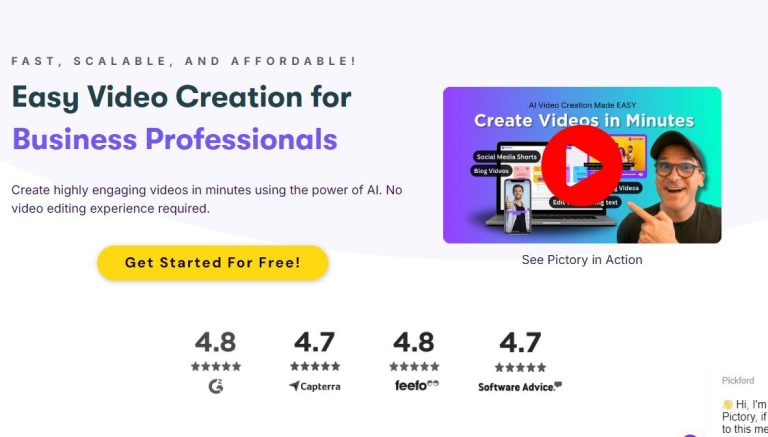
Pictory A.I. is a cloud-based video editing platform that leverages artificial intelligence to transform text and images into stunning videos. The platform is designed with non-designers in mind, making it accessible to anyone wishing to create professional-looking content without the steep learning curve typically associated with video editing software. Key features include:
- AI Video Creation: Automatically generates short videos from long-form content in minutes.
- Text to Video: Converts written blog posts and scripts into engaging video formats.
- Rich Media Library: Access to over 3 million video clips and images, plus 15,000 music tracks.
- Speech Options: Options to add your own voice, use realistic A.I. voices, or integrate text-to-speech technology.
- AI-generated Subtitles: Automatically adds subtitles to your videos, enhancing accessibility and engagement.
How to Create Impactful Videos with Pictory A.I.
Creating videos with Pictory A.I. is straightforward. Here’s a step-by-step guide on how to get started:
Step 1: Sign Up for an Account
Visit Pictory A.I. and create an account. The platform often offers a free trial, allowing you to explore its features without commitment.
Step 2: Choose Your Starting Point
You can start by either uploading a script or importing a blog post. Pictory A.I. will analyze your text and suggest visuals that complement your content.
Step 3: Customize Your Video
Once the initial video is generated, you can customize it to fit your needs:
- Add Clips and Images: Utilize the media library to add relevant clips and images.
- Select Music: Choose from thousands of royalty-free tracks to enhance your video.
- Edit Text: Adjust and edit the automatically generated text overlays and subtitles as needed.
Step 4: Fine-Tune with Voiceovers
Pictory A.I. offers various options for voiceovers. You can record your own voice, use pre-recorded audio, or select from several A.I. voice options. Adjust the timing of your audio to match the visuals seamlessly.
Step 5: Preview and Publish
Before finalizing your video, preview it to ensure everything flows nicely. Make any last-minute tweaks and when you’re satisfied, publish your video directly or download it for later use.
Actionable Tips for Creating Impactful Videos
- Keep your videos concise—aim for 1-3 minutes to retain viewer attention.
- Incorporate a strong call to action within your video to engage viewers.
- Utilize analytics from Pictory A.I. post-publication to understand viewer engagement and improve future videos.
Conclusion
Pictory A.I. provides a valuable solution for non-designers looking to create impactful videos without the need for technical skills. With its intuitive interface and powerful A.I.-driven features, anyone can produce professional-quality videos that resonate with their audience. Don’t miss out on the opportunity to elevate your content creation efforts—start exploring Pictory A.I. today! For more information and to get started, visit Pictory A.I..