
How do I Set Up a Landing Page with LeadsLeap?
Creating a landing page is one of the essential steps in digital marketing. Using LeadsLeap, a powerful platform for marketers, you can craft an effective landing page to capture leads and promote your services or products. In this article, we will provide you with a step-by-step guide to setting up your landing page with LeadsLeap.
Step 1: Sign Up for a LeadsLeap Account
Before you start building your landing page, you need to have an account with LeadsLeap. Go to the LeadsLeap website and sign up for a free account.
Step 2: Access the Landing Page Builder
Once logged in, navigate to the dashboard. Look for the “Landing Page” option in the menu, and click on it. This will take you to your landing page builder.
Step 3: Choose a Template
LeadsLeap offers various pre-designed templates for landing pages. Browse through the available options and select one that aligns with your marketing goals. You can always customize it later.
Step 4: Customize Your Landing Page
Use the intuitive drag-and-drop editor to modify your chosen template. Focus on the following elements:
- Headline: Make it catchy and relevant to your offer.
- Subheadline: Provide a brief explanation of your product/service.
- Images: Use high-quality images that resonate with your content.
- Call to Action (CTA): Ensure the CTA button is prominent and urges visitors to take action.
- Forms: Integrate lead capture forms to collect visitor information.
Step 5: Optimize for SEO
Implement SEO best practices to maximize your landing page’s visibility:
- Include relevant keywords in your headings and content.
- Optimize image alt tags.
- Add meta descriptions to enhance search engine results.
Step 6: Publish Your Landing Page
After customizing and optimizing your landing page, it’s time to publish it. Click the “Publish” button and note the URL provided. This will be the link you share to drive traffic to your landing page.
Step 7: Monitor and Adjust
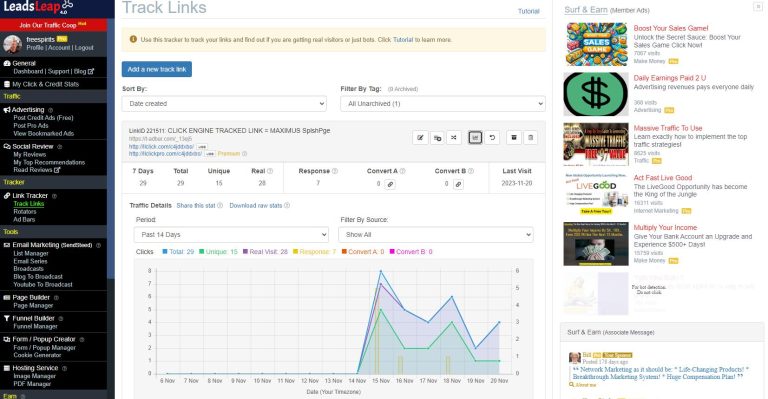
Use LeadsLeap’s analytics tools to monitor how your landing page is performing. Check metrics like conversion rate and feedback to make necessary adjustments to improve its effectiveness.
Ready to create your landing page? Start today with LeadsLeap!
For more insights into advertising, download our free report: Master The Art Of Advertising.
Additionally, learn effective strategies to gain leads with our free report: A Member’s Sharing: One Signup A Day.