RocketToons AI Review: A Surprisingly Complete Way to Make Cartoon Episodes
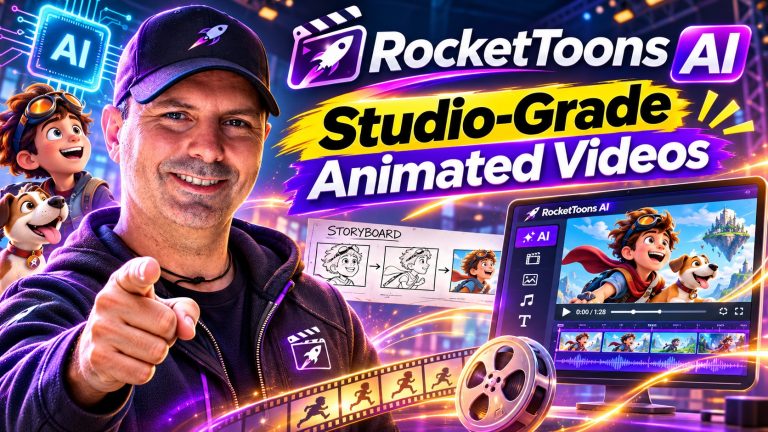
RocketToons AI is built around a wonderfully simple idea: describe a cartoon in a sentence, and let the software help turn that idea into a finished episode. It handles the screenplay, scenes, character voices, lip-sync, animation, music and export, rather than asking you to assemble a video from several separate tools.
That makes RocketToons more ambitious than a basic text-to-video generator. The focus is not merely on producing a short animated clip. It is on creating repeatable shows with recurring characters, editable storyboards and episodes that can be downloaded or published for different platforms.
There is plenty here to interest children’s content creators, educators, faith-based channels, small businesses and anyone who has a story to tell but no traditional animation team. It is not a substitute for a large studio or a guarantee of perfect results from every prompt, but the workflow is thoughtfully designed around the parts of animation that usually intimidate beginners.
What RocketToons AI Does
RocketToons presents itself as an AI cartoon studio rather than a single-purpose animation effect. You can type one line, paste a complete script or start with a prepared idea. The system then develops the concept into a screenplay with scenes, dialogue and narration.
From there, it creates storyboard images, assigns voices, adds lip-synced dialogue and turns the approved scenes into animated clips. Background music can be composed to suit the mood, or you can select a track from the built-in library. The finished result can be exported as an HD MP4 without a watermark.
The most important distinction is the storyboard-first process. RocketToons is designed to show you the scenes as still images before animation takes place. That gives you an opportunity to change a shot, rewrite a line, reorder scenes or add material before committing the approved version to animation.
That approach should appeal to anyone who has used generative tools and felt that the result changed too much from one moment to the next. Instead of treating the video as an all-or-nothing generation, RocketToons breaks it into scenes and shots that can be reviewed individually.
Fonctionnement du flux de travail
1. Start with an idea or script
The simplest starting point is a one-line prompt. For example, a user might describe a shy dragon learning to fly, a child discovering a hidden garden or a short Bible story. RocketToons expands a brief concept into a more developed screenplay. There is also a prompt enhancer for users who have the basic idea but do not yet know how to shape it into a full story.
More experienced creators can paste in a complete script instead. That is a useful distinction because it means the tool is not limited to people who want AI to invent everything. You can use it as a writing partner, or bring your own material and use RocketToons primarily for visual production, voices and animation.
2. Review the storyboard
Each scene appears as a still before it is animated. You can hear the dialogue over the storyboard images, which makes it possible to judge the pacing, voice choices and general story flow early in the process.
If a scene feels wrong, you can swap that shot, adjust a line, rewrite a section, add a scene or change the order. The service says that the rest of the film can remain intact while you redo only the part that needs attention. That is a much more practical creative workflow than repeatedly regenerating an entire episode because one shot missed the mark.
3. Render and export
Once the storyboard is approved, the scenes can be animated. RocketToons describes each approved still as the first frame of its corresponding clip, helping the animation begin from the image you accepted rather than from an entirely new interpretation.
The completed episode can be downloaded in HD MP4 format. Available aspect ratios include 16:9 for standard video, 9:16 for Shorts and Reels, and 1:1 for square social feeds. Direct publishing is offered for YouTube, Instagram, Facebook and LinkedIn.
Les fonctionnalités les plus importantes
Consistent characters and reusable casts
Character consistency is one of the strongest ideas in RocketToons. You can create reference images for characters, locations and props, or upload your own photos. Those references are intended to keep the same face, room or object appearing consistently across scenes and future episodes.
This matters particularly for channels rather than one-off videos. A recurring fox, child, teacher, mascot or family can return in later stories instead of being redesigned from scratch every time. The cast library is designed around that continuing workflow, with characters available for subsequent episodes.
The product also supports turning a person into a cartoon character from a photo. That could be useful for a creator who wants to appear in an animated series, a teacher making a lesson more personal, or a business turning an owner, customer or product into part of a promotional story. The service also describes product photos becoming reusable props.
Multiple animation styles
RocketToons lists eight animation styles, including Pixar-style 3D, classic 2D, anime, claymation and comic-book looks. The selected style is intended to carry through the scenes so the episode feels visually coherent.
Style choice can make a significant difference to the audience and purpose of a video. Preschool stories may suit bright 2D artwork, while an educational explainer might benefit from a clean illustrated style. Anime and comic-book options could be more appropriate for action-oriented stories, and claymation may give a project a deliberately tactile character.
It is still sensible to treat style labels as creative starting points rather than guarantees of a particular studio’s exact visual identity. The useful benefit is the range of directions available within one tool.
Voices, dialogue and lip-sync
RocketToons is designed for characters who speak to one another, not just narrated slideshows. It includes automatic voice casting from a collection of 40 voices, with matching based on factors such as age and gender. Users can also assign voices to characters and re-voice an individual line when needed.
The service supports dialogue and lip-sync in 54 languages. It also mentions matching fonts for languages including Hindi, Arabic and Thai. That opens the door to multilingual children’s stories, lessons and community content without requiring a separate voice-production workflow for every version.
Language support is valuable, although anyone producing important educational, religious or commercial content should still review wording and pronunciation carefully. Automated translation and voice generation can make production more accessible, but human review remains wise when accuracy and cultural nuance matter.
Music and captions
Background music can be generated from a mood brief or selected from a library of 38 tracks. RocketToons says the generated score can be mixed automatically beneath dialogue. That removes another common barrier for beginners: finding music that suits the scene without overpowering the voices.
Automatic captions are also included, with word-by-word highlighting available in two styles or captions turned off. Captions can improve l'accessibilité and make short-form content easier to follow when viewers watch without sound.
Fine-grained editing without a traditional timeline
RocketToons is not presented as a conventional animation program with keyframes and a complex timeline. Instead, it exposes the screenplay, individual scenes, camera actions, dialogue and shot instructions in a more guided format.
That should make the experience less overwhelming for newcomers. A user can direct a shot with actions such as a slow push-in or a pan, adjust the wording, and regenerate the relevant section. The service also says the last six takes are retained, allowing creators to return to an earlier version rather than losing a result they preferred.
Who Can Use It?
RocketToons has a broad range of potential applications. A children’s content creator could build recurring bedtime stories, nursery songs or short adventures around a consistent cast. The character library and next-episode workflow are especially relevant for someone developing a regular channel rather than making a single video.
Teachers and trainers could use it for lessons, explainers, historical stories and how-to content. An animated character may make a difficult concept feel less formal, while multilingual voice and caption options could help adapt material for different audiences.
Faith communities can create Bible stories, devotionals and Sunday-school material. The Faith Story format is described as keeping to scripture without invented twists and including a child-safety check. That is potentially useful, although creators should still review every episode for theological accuracy and suitability for their own audience.
Small businesses may find value in using cartoon characters for shop promotions, product demonstrations, launch videos or social advertisements. A product can be turned into a recurring prop, and the commercial license is included according to the product information. That makes the service more relevant to business use than tools restricted to personal projects.
It may be less suitable for professional animators who need frame-by-frame control, sophisticated compositing or complete ownership of every production decision. It is also not the right choice for someone who only needs a simple slideshow with narration. RocketToons is most compelling when the goal is a repeatable, character-led animated video.
Avantages et inconvénients
Pour
- Turns a short idea or full script into a structured cartoon episode.
- Uses a storyboard-first process so scenes can be reviewed before animation.
- Supports recurring characters, locations and props across episodes.
- Includes multiple visual styles, voices, lip-sync, captions and music.
- Offers 54-language voice and lip-sync support.
- Exports HD MP4 files without a watermark.
- Includes commercial use rights according to the product information.
- Supports 16:9, 9:16 and 1:1 formats for different platforms.
- Provides direct publishing to four major social platforms.
- Uses a one-time payment model rather than monthly fees.
Cons
- AI-generated scripts, images, voices and translations still need human review.
- Creators seeking frame-by-frame or studio-level control may find the guided workflow limiting.
- The range of features may take time to learn, even though the basic three-step process is approachable.
- The exact one-time price is not specified in the available product information, so value depends on the current purchase cost and your intended output.
- Story, character and voice quality can vary depending on the prompt and the material being produced.
Prix et rapport qualité-prix
RocketToons is offered at a one-time price and is described as having no monthly fees. A 30-day money-back guarantee is also listed. The actual amount is not included in the available details, so it would be unfair to judge the absolute value without seeing the current price and any usage terms attached to the purchase.
Even so, the value proposition is easy to understand. A single workspace combines writing, storyboarding, character design, voices, lip-sync, music, captions, animation, export and publishing. Someone who would otherwise subscribe to several creative services may appreciate having those functions together.
The best value will likely go to users who plan to make multiple episodes, advertisements or lessons. If you only need one short animation, a simpler tool may be enough. Before buying, it is worth checking the current access terms, generation limits and any conditions connected to commercial use so the plan matches your intended production volume.
Questions fréquemment posées
Is RocketToons AI suitable for beginners?
Yes, the core workflow is designed for people without animation skills. You can begin with a sentence, review a storyboard and export an episode. Beginners will still benefit from learning how to write clear prompts and review every scene before publishing.
Can I use my own script?
Yes. RocketToons supports both a one-line idea and a pasted full script. This lets you use the service as an idea generator, a screenplay assistant or an animation and voice-production tool for material you have already written.
Can characters stay consistent between episodes?
That is one of its central features. Character references are stored in a cast library so the same character can return in later scenes and episodes. Locations and props can also be referenced for more consistent productions.
Does it create speaking characters or only narration?
It is designed to create character dialogue with voice casting and lip-sync, in addition to narration. Individual lines can be re-voiced, which is useful when one sentence needs correction without rebuilding the whole episode.
What languages does it support?
RocketToons states that it supports voices and lip-sync in 54 languages. It also provides language-specific text support for several writing systems. Any important multilingual content should be reviewed for wording, pronunciation and cultural accuracy.
Can I use the videos commercially?
Commercial use is listed as included, and exported videos are described as watermark-free. Businesses should still review the current license terms before using content in a major campaign or client project.
What formats can I export?
The service supports HD MP4 export in 16:9, 9:16 and 1:1 formats. Those options cover standard YouTube videos, vertical Shorts and Reels, and square social posts.
Verdict final
RocketToons AI stands out because it treats animated content as an ongoing production rather than a disposable clip. The combination of screenplay generation, storyboard approval, reusable characters, voices, lip-sync, music and multi-format export creates a practical path from idea to publishable episode.
Its strongest audience is made up of creators who want to build a series: children’s channels, educators, faith organizations, small businesses and storytellers who need more than a single visual experiment. The ability to revise individual scenes and preserve a cast could save a great deal of frustration compared with starting from zero for every video.
It is important to keep expectations realistic. AI does not remove the need for creative direction, proofreading or quality control, and users who demand complete animation control may eventually want more specialized software. But for people who want a friendly, all-in-one route into cartoon production, RocketToons offers an unusually complete toolkit.
If you have stories, lessons, products or recurring characters in mind but lack the time or technical skills to animate them traditionally, RocketToons is well worth exploring. Its one-time pricing model, commercial-use positioning and episode-focused workflow make it especially appealing to creators who want to turn a simple idea into an entire library of animated content.