
Can I Use LeadsLeap for Email Marketing?
LeadsLeap is a multifaceted platform designed to aid marketers in various areas, including email marketing. If you are curious about whether you can utilize LeadsLeap for your email marketing campaigns, you are in the right place. This article will delve into how you can effectively leverage LeadsLeap for your email marketing needs.
What is LeadsLeap?
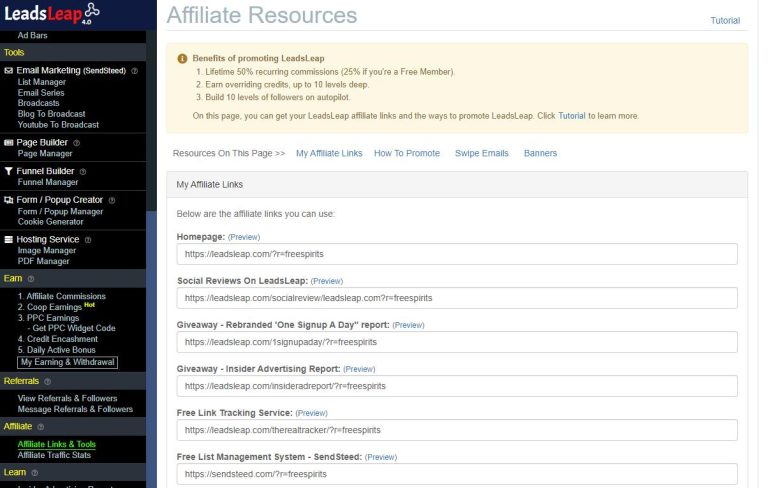
LeadsLeap is primarily known as a traffic exchange platform, but it also offers tools that can enhance your email marketing strategy. With features like a lead capture system, ad tracking, and a community of marketers, it provides a conducive environment for you to grow your email list and engage with your audience.
Using LeadsLeap for Your Email Marketing
Step 1: Create Your Account
The first step is to sign up for LeadsLeap. Once you’ve created your account, explore the dashboard to familiarize yourself with the available tools and features.
Step 2: Set Up Your Lead Capture Page
LeadsLeap allows you to create lead capture pages. Here’s how:
- Navigate to the “Lead Capture” section of your dashboard.
- Select “Create a New Lead Capture Page.”
- Choose a template and customize it with your branding and messaging.
- Make sure to include an opt-in form to collect email addresses.
Step 3: Optimize Your Email List
After setting up your lead capture page, it’s essential to optimize the email list you are building. Utilize LeadsLeap’s built-in tools to manage your contacts and segment your audience. Segmentation allows you to send targeted campaigns, which can significantly improve engagement rates.
Step 4: Create and Send Your Campaigns
With your list set up, you can start creating email campaigns. Although LeadsLeap doesn’t have an internal email marketing tool like some dedicated platforms, you can integrate it with third-party email marketing services. Here’s how:
- Use your lead capture page to collect emails directly.
- Export your email list to an email marketing service like Mailchimp or AWeber.
- Create your email campaign and link back to your LeadsLeap capture page to drive traffic.
Step 5: Monitor Your Results
LeadsLeap provides various metrics that allow you to monitor the performance of your campaigns. Pay attention to open rates, click rates, and conversion metrics to refine your approach and improve future campaigns.
Actionable Insights
- Try A/B testing different subject lines and content formats in your email campaigns to see what resonates with your audience.
- Engage with your LeadsLeap community to learn from their strategies and successes.
- Regularly update your lead capture page as trends change to ensure continued effectiveness.
Download Free Reports
To improve your advertising skills and gain deeper insights into email marketing, consider downloading the following free reports: