Table of Contents
- Introduction
- 1. Talking Photos AI
- 2. Lipsync Video Quality and Realism
- 3. Custom Audio and Voice Styles
- 4. Multilingual and Localized Narratives
- 5. Social Media Optimization for Talking Photos
- 6. A.I. Tool Detective
- 7. Benchmarking and Success Metrics
- FAQ
- Conclusion
Introduction
What this article covers
We break down 7 practical ways Talking Photos AI can turn static images into dynamic, engaging videos. You’ll see how lip-synced motion, audio options, and multilingual capabilities translate into real-world results for marketing, sales, and lead generation.
Expect actionable insights grounded in user experiences, with emphasis on measurable impact and transparency. We highlight how to compare TalkingPhotos.ai against peers and how to gauge performance metrics that matter to your campaigns.
Why talking photos matter for engagement
Talking photos capture attention more quickly than static visuals. When a face or figure speaks, viewers tend to watch longer, improving recall and trust.
Key drivers include:
- Lip-sync accuracy that feels natural
- Customized voices aligned with your brand persona
- Multilingual narration that expands reach
- Short, shareable formats optimized for social feeds
1. Talking Photos AI
How it turns still images into lip-synced videos
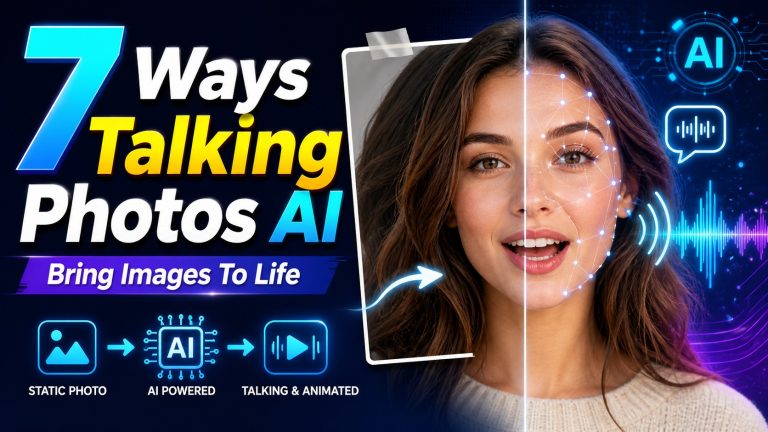
Talking Photos AI transforms a static portrait into a dynamic clip by aligning mouth movements with the chosen audio. You can upload a photo or create one from a prompt, then add your audio, text-to-speech, or record directly in the app. The result is the perfect lip-sync feature that mirrors natural speech patterns.
Lip-sync relies on motion mapping and facial alignment to synchronize jaw, lips, and expressions with the delivered voice. This produces smooth dialogue and a convincing sense of presence.
Key features that drive engagement
- Lip-Sync: Real-time mouth movements that match audio for natural delivery
- Voice Options: Multiple styles and languages to fit your brand
- Audio Flexibility: Import, record, or generate speech within the platform
- Pose and Expression Variants: Adjust head tilt, expression, and motion
- Output Formats: Short clips for social feeds and longer narrations for blogs
2. Lipsync Video Quality and Realism
Understanding lip-sync accuracy
Lip-sync accuracy measures how closely mouth movements align with spoken audio. Higher fidelity yields smoother syllable timing and more natural jaw motion that mirrors human speech. The best models track phoneme transitions and facial landmarks to reduce noticeable timing gaps.
Quality varies with the chosen video model, input quality, and voice type. When alignment is precise, viewers perceive the speaker as believable, which supports credibility.
Impact on viewer retention and trust
Accurate lip-sync keeps viewers engaged longer. When movement matches sound, attention stays on the message rather than the animation mechanics.
- Enhanced perceived authenticity boosts trust in the message.
- Seamless motion reduces distractions that break immersion.
- Consistent lip-sync across languages reinforces reliability for global audiences.
| Aspect | Effect on Engagement | Best Practices |
|---|---|---|
| Phoneme timing | Higher retention when timing matches speech | Choose models with precise phoneme mapping |
| Jaw and lip dynamics | More natural expressions increase trust | Prefer tools offering facial landmark control |
| Expression consistency | Helps maintain character credibility | Stabilize head movements and gaze |
3. Custom Audio and Voice Styles
Using voice variety to match brand persona
Voice options mirror your brand’s character. Pick from a range of styles, tones, and delivery speeds to shape how audiences perceive your messages. This consistency supports coherent storytelling across all talking photos and campaigns.
Adjust cadence and emphasis to highlight key points. A calm, authoritative voice can simplify complex explanations, while a more energetic tone can energize launches or events.
Choosing languages and tones for broader reach
Multilingual capabilities extend accessibility and engagement across regions. Selecting languages and dialects helps you connect with diverse audiences without sacrificing clarity.
Different tones matter for varying contexts. Formal tones suit tutorials, whereas casual voices can fit behind‑the‑scenes content to preserve authenticity.
- Voice styles that reflect brand personality
- Support for multilingual narration to reach new markets
- Control over speed, emotion, and emphasis for precise messaging
4. Multilingual and Localized Narratives
Expanding reach with multilingual talking photos
Multilingual capabilities let you scale your message across regions without creating separate assets. You can generate talking photos in dozens of languages and dialects, enabling closer connections with local audiences. This approach preserves your visual style while tailoring speech to listener preferences.
When you pair language options with authentic vocal tones, you reduce the cognitive load on viewers. They receive information in their preferred mode, which supports clearer understanding and longer engagement times.
- Broadens geographic reach with language diversity
- Maintains visual continuity across markets
- Supports regional voice preferences for deeper resonance
Best practices for localization without loss of authenticity
Localization should focus on natural phrasing, culturally appropriate examples, and accurate pronunciation. Use region-specific terminology and avoid direct literal translations that feel stilted. Align lip-sync timing with language cadence to preserve realism.
Test translations in context with your audience. Small adjustments to intonation, emphasis, and pacing can significantly affect perceived authenticity and engagement.
| Localization Element | Impact | Best Practice |
|---|---|---|
| Pronunciation | Improves clarity and trust | Choose dialect-accurate voice profiles |
| Cadence | Affects naturalness | Match language rhythm to speech pace |
| Cultural cues | Boosts relevance | Incorporate local references where appropriate |
5. Social Media Optimization for Talking Photos
Aspect ratios, formats, and posting cadence
Adapt aspect ratios to each platform to maximize storytelling impact. Prioritize tall formats for vertical feeds to keep lips and expressions in frame, and use square or horizontal formats for cross platform sharing. Maintain a steady posting cadence to build recognition without overwhelming your audience. Customizing for social media is key to increasing engagement.
- Vertical (9:16) for stories and reels
- Square (1:1) for feeds on multiple platforms
- Horizontal (16:9) for presentations or wide context
Experiment with formats and monitor engagement to learn what resonates. Regular scheduling helps followers anticipate new talking photos and boosts return visits.
Captions, hooks, and calls-to-action that pair with talking photos
Captions should complement the talking image by clarifying context and highlighting value. Start with a hook that invites curiosity, then tie it to the talking element in the photo.
- Open with a question or bold claim to grab attention
- Highlight a takeaway or transformation the viewer will hear
- Include a brief prompt to encourage interaction without hard selling
Calls to action should feel native to the platform. Encourage saves, shares, or comments about the talking moment to boost reach and long term engagement.
6. A.I. Tool Detective
Independent analysis of Talking Photos AI vs competitors
We assess Talking Photos AI against peers using transparent criteria. Our framework covers lip-sync accuracy, audio quality, multilingual reach, and overall ease of use. We review output realism across human, animal, and cartoon talking photos to identify practical strengths and limitations.
Our testing focuses on real world impact over hype. We track asset turnaround speed, scalability under batch production, and whether the platform supports brand-consistent voice options. The aim is to reveal what works reliably and where friction occurs in day-to-day use.
- Lip-sync consistency across languages
- Audio naturalness and handling of background noise
- Platform stability during bulk renders
What transparency looks like and how to assess tool green flags
Transparency means clear explanations of capabilities, limits, and costs. Look for accessible documentation, sample assets, and performance metrics that reflect typical user scenarios. Green flags show up when a tool provides audit-ready outputs, configurable voice profiles, and explicit data handling policies.
| Green Flag | What It Signals | Practical Benefit |
|---|---|---|
| Explicit performance metrics | Verified reliability under typical workloads | Better planning for campaigns |
| Variant voice options | Brand-appropriate tonality and cadence | Consistent storytelling across assets |
| Clear pricing and limits | Predictable budgeting | Avoids surprise costs |
7. Benchmarking and Success Metrics
Which metrics indicate higher engagement
Track how viewers interact with talking photos to measure impact. Focus on actions that signal interest and retention rather than just views. Real time feedback and longer watch times often reflect genuine engagement with the talking moment.
- Average watch duration per talking photo
- Completion rate of the video or sequence
- Audience retention by language variant and avatar type
- Replay rate and shares on social feeds
- Comments quality and length related to the talking segment
A/B testing ideas for talking photo campaigns
Use controlled experiments to refine assets and messaging. Structure tests so results are attributable to one variable at a time. Prioritize tests that reveal preferences across audience segments.
- Test voice styles against brand personas in similar scenarios
- Experiment with language choices and regional dialects
- Compare caption length and hook placement with and without a talking element
- Vary animation intensity and lip-sync precision to find balance
- Evaluate different aspect ratios for platform specific performance
FAQ
Is Talking Photos AI free?
Access depends on your plan. A free tier may offer basic lip-sync and limited renders, while advanced features, higher resolution outputs, and multilingual options generally require a paid plan.
How to use talking photo AI?
Upload a portrait or generate one from a prompt. Add audio, text-to-speech, or record your voice directly in the app. The platform then produces a lip-synced video that matches your input.
Can images from competitors be used with Talking Photos AI?
Use only images you hold rights to. Review the platform’s terms to confirm permissions for AI-generated outputs.
Conclusion
Key takeaways
Talking Photos AI turns static images into engaging, lip-synced videos across human, animal, and cartoon subjects, enabling flexible storytelling. Multilingual capabilities help brands reach diverse audiences without creating separate assets.
Quality still matters. Precise lip-sync and natural audio build trust and keep viewers engaged. Clear, brand-consistent voices reduce friction and improve recall.
Next steps for implementation
- Audit existing image assets to identify candidates for talking photo transformations.
- Define target languages and brand voice profiles before production.
- Pilot a small batch across platforms to gauge engagement and refine prompts.
- Set up a simple metric framework to track watch time, completion rate, and audience reactions by variant.
- Document the workflow for scalable, repeatable asset creation with consistent quality.
References
- TalkingPhotos.ai | Turn Photos into Talking, Singing & Dancing AI …
- Talking Photos AI – Free download and install on Windows
- How to Create Talking Photos in TalkingPhotos AI v3 – YouTube
- AI Talking Photo Generator: Make Images Talk Online (Free)
- AI Talking Photo Generator Online Free | | Synthesys.io